
Your sister calls Dad about his doctor’s appointment, and so do you. Now he is unsure whether it’s at 2 PM or 3 PM, and your brother has booked a furnace repair for the same time.
If that sounds familiar, family caregiver coordination is probably what your family needs.
This article covers shared tools that keep everyone on the same page, how to set roles, give your parent one place for information, and hand off tasks smoothly. It also covers easing family tension and why relatives say they don’t have time.
Why Family Coordination Falls Apart (And It’s Not Your Fault)
Here’s something important to understand: coordination failures aren’t about bad siblings or lack of caring. They’re predictable problems that happen in every multi-person caregiving situation.
The Information Scatter Problem
Information lives everywhere except where everyone can find it. One sibling’s phone notes. Another’s notebook. Sticky notes at Dad’s house. Text threads that not everyone sees.
There’s no central source of truth. What Dad was told and what siblings know become different realities.
The Assumption Gap
You assume your sister knows about the medication change because you mentioned it last week. She assumes you’re handling the pharmacy refill because you said you’d “take care of it.”
Tasks fall through the cracks. Or get duplicated. Or never get done at all.
The Communication Channel Chaos
Some siblings text. Others call. Others email. Information shared in one channel doesn’t reach people using other channels.
Your brother checks email daily but rarely looks at his phone. Your sister lives in the family group chat but never opens email. You prefer quick calls.
Dad receives information from multiple sources in different formats, creating confusion about what’s actually happening.
The Emotional Complications
Let’s be real: historical family dynamics resurface under caregiving stress. Resentment about unequal workload. Guilt about not doing enough. Defensiveness about being questioned.
Old sibling rivalries re-emerge right when you need cooperation most.
These aren’t character flaws. They’re predictable coordination failures that happen in every caregiving situation.
The solution isn’t to work harder at communicating. It’s to create systems that make coordination automatic.

Why Family Members Say They Don't Have Time
When a sibling says “I’d love to help, but I just don’t have time,” the real reason is often something else. Many relatives hold back from caregiving responsibilities for reasons like these:
- They feel overwhelmed and don’t know where to start.
- They fear doing something wrong and causing harm.
- They don’t fully grasp how serious the situation is.
- They worry about the emotional toll and getting too attached.
- They have no clear directions about what needs doing.
Guilt does not fix any of these, and it rarely works for long. Making the help feel manageable does.
Start by being specific. A request like “Can you help more with Mom?” feels huge and undefined, so it usually fails. Try something like this instead:
“Dad’s medication needs to be organized each Sunday. It takes about 15 minutes. Could you handle that each week?”
Or: “Mom has physical therapy on Tuesdays at 2pm. Could you drive her on the first Tuesday of each month?”
Or: “Could you do a 10-minute video call with Dad every Thursday evening?”
Have the talk at a calm moment, not during a crisis or a family argument. Treat it as solving a problem together, not placing blame.
Then match the task to the person. A tech-savvy relative can set up medication reminders, manage online billing and insurance claims, or build the shared calendar. An organized planner can coordinate appointments and keep care schedules in order. A sociable relative can make regular phone calls and help maintain connections with friends. A practical helper can handle groceries, home upkeep, rides, and prescription pickups.
Say your “too busy” brother is good with money. He may gladly manage your mother’s bills online in the evenings, because he can do it from home.
A few tools for your caregiving team lower the barrier further. Care coordination platforms track tasks and updates in one place. Medication management apps help several people track and verify medications. Meal delivery lets a distant relative contribute in a practical way.
To keep people involved, thank them for every contribution, however small. Pass along kind words from your parent, such as “Dad really enjoyed your visit.” Stay flexible about how and when tasks get done.
Expect this to take time. Start with small requests and let involvement grow as relatives gain confidence.

Step 1: Define Roles and Responsibilities, Once and in Writing
Assumptions about “who’s doing what” cause most coordination failures. Explicit role definition prevents tasks from falling through cracks or getting duplicated.
Hold a Family Care Meeting
Schedule dedicated time for this conversation. Video call works fine if siblings are in different locations.
Your agenda should cover: inventory all caregiving tasks, assign primary responsibility for each, document everything in a shared document.
Define Specific Responsibilities
Break caregiving into clear domains with one person primarily responsible for each:
Medical coordinator tracks appointments, medications, and talks to doctors. Financial manager handles bills, insurance, and banking. Home maintenance coordinator arranges repairs, lawn care, and household needs. Day-to-day care coordinator manages daily check-ins, meal prep, and transportation.
Equally important: define backup roles. Who covers when the primary person is unavailable?
Set Communication Expectations
Decide together: How often do we update each other? What requires immediate notification versus a weekly update? What decisions need group input versus individual authority?
Write this down. Verbal agreements don’t work when stress levels rise.
Create a Shared Care Calendar
Use Google Calendar, Microsoft Outlook, or similar tools where everyone has view and edit access.
Include appointments, medication schedules, sibling visit schedules, and service provider visits. When everyone can see the same schedule, you eliminate the “I didn’t know about that” problem.
Common Mistakes to Avoid
Don’t rely on informal verbal agreements. Write everything down. Don’t assume equal division of labor is always fair, because tasks should match skills and availability. Don’t create the plan once and never revisit it, since circumstances change and roles need adjustment.
Want more ideas for healthy, comfortable living? Subscribe to our newsletter for tips and product recommendations.
Matching Tasks to Each Person's Strengths
Once your family agrees to share the work, the next question is who does what. Not everyone is suited to hands-on care, and that is fine. Sort the jobs by the kind of person you are asking.
The tech-savvy relative can set up medication reminders or telehealth appointments. A pill reminder app is a natural fit for this person. They can also research new treatments or care options and handle online billing and insurance claims.
The organized planner can coordinate doctor appointments and keep care schedules up to date. This person is also a good choice for financial paperwork, insurance, and researching senior living options when the time comes.
The social butterfly can make regular phone calls or video chats for companionship. They can take your parent to social events and organize visits from friends and community members. They can also help maintain connections with people who matter to your parent.
The practically minded helper can take on grocery shopping, meal prep, home maintenance, and seasonal tasks. Rides to appointments and prescription pickups suit this person well too.
Say your brother claims he is too busy, but he is good with money. Ask him to manage your mother’s finances online, and he can do it from home in the evenings.
One trade-off: matching by strengths means some people will end up with the jobs they already like, and the less pleasant tasks may still need a taker. You may have to talk those through as a family.
How to Ask for Help So People Say Yes
The way you ask often decides the answer. A request with a clear task and a clear time limit is much harder to brush off than a general plea.
Spell out what the job is, how long it takes, and how often. Then ask a yes or no question.
Here are a few you can borrow and change to fit your family:
“Dad’s pills need sorting every Sunday, and it takes about 15 minutes. Could you take that on?”
“Mom has physical therapy on Tuesdays at 2pm. Could you drive her the first Tuesday of each month?”
“I’m putting together a schedule for checking in on Dad. Could you do a 10-minute video call with him every Thursday evening?”
Each one names the task, the time it takes, and the day. Your sibling knows exactly what a yes would mean.
Pick a calm moment for the conversation, not the middle of a crisis or an argument. Treat it as solving a problem together, not as pointing a finger.
If your sibling agrees to something, a shared calendar keeps the commitment where everyone can see it. I cover that in Step 1. The right technology for caregivers can also make it easier for a busy relative to join in.
One trade-off: small, specific asks mean you will be asking several times, to several people. That takes more planning up front than one big request, but the answers tend to be easier to get.
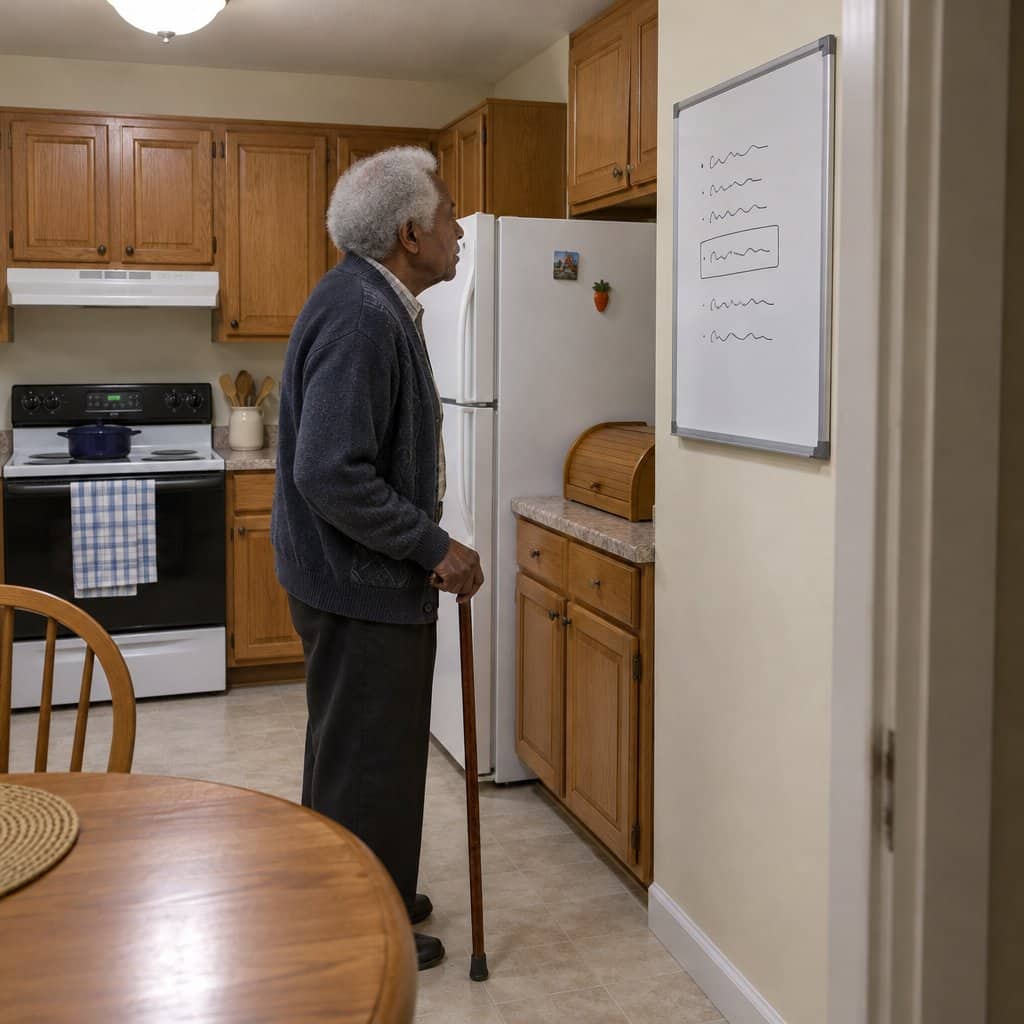
Step 2: Give Your Parent ONE Place to Get Information
Your father receives reminders through phone calls from multiple siblings, text messages he may or may not check, sticky notes around the house, verbal reminders during visits, and information from his home health aide.
The result? Conflicting information, confusion about what’s happening when, and anxiety about missing something important.
The solution is centralized communication: one consistent place where your parent gets information.
Option 1: Shared Physical Board
A large white board or bulletin board at your parent’s home showing the daily schedule, upcoming appointments, and contact information.
Advantages: Simple, no technology required, always visible.
Limitations: Requires someone local to update it daily, and siblings can’t see what information your parent received.
This works best for local families who can update the board in person regularly.
Option 2: Shared Digital Message Display (Memoryboard)
A dedicated screen showing messages sent remotely from all family members’ phones creates a true “single source of truth.” This is where a tool like Memoryboard becomes invaluable for family coordination.
Here’s how Memoryboard’s Care Circle feature solves the coordination chaos:

All siblings post to the same display from their phones using the Care Circle feature. Everyone sees what messages were sent to your parent. One sibling can edit another’s message if information changes, before your parent sees it.
Your parent sees consistent information from a single source. Your parent does not have to operate anything. They just look at the Memoryboard screen.
Why Memoryboard’s Care Circle particularly solves family coordination:
It prevents duplicate communications. When your sister sees you already sent the appointment reminder in the Care Circle, she doesn’t send a redundant one.
It prevents conflicting information. Your brother posts “Appointment at 2 PM,” you catch the error in the Care Circle app and edit it to the correct time before Dad sees it on his screen.
Transparency eliminates suspicion. No one can accuse siblings of “not telling Dad” because everyone sees all messages in the Care Circle app.
Remote coordination works seamlessly. Local and long-distance siblings have equal ability to communicate with your parent through Memoryboard. This is especially important for families managing care from a distance who need to stay as involved as local caregivers.
It creates accountability. Time-stamped messages show who communicated what and when.
Consider this scenario:
Unlike group texts where messages get buried, family calendars your parent doesn’t check, or individual calls where information fragments, Memoryboard creates a literal single source of truth visible to both parent and all caregivers simultaneously.
If you want to see how the newest features help with family coordination, I covered Memoryboard’s newer pinned posts, private posts, and read confirmation in a separate look at Memoryboard’s newer pinned posts, private posts, and read confirmation.
The Care Circle Advantage: The Care Circle lets every sibling see and edit the same messages, which cuts down on mixed-up reminders. Every family member has the same view of what messages were sent, can edit each other’s messages for accuracy, and knows their parent is seeing consistent information. It will not fix every family disagreement.
Step 3: Keep Siblings Synchronized
Even with parent communication centralized, siblings need ways to discuss care decisions, share updates, coordinate schedules, and handle the hundred small details that don’t need to involve your parent.
Family Care Coordination Apps
Purpose-built platforms like Caring Bridge, CaringVillage, or Lotsa Helping Hands provide central hubs for updates, meal trains, and volunteer coordination.
Advantages: Designed specifically for caregiving, includes task assignments and schedules.
Limitations: Another app to learn, requires everyone to adopt it.
These work best for larger support networks including extended family and friends helping with care.
Shared Digital Documents
Google Docs, Google Drive, or Microsoft OneDrive can store and share critical information everyone needs to access.
What to share: medical information including diagnoses, medications, and doctor contacts; legal documents like power of attorney and healthcare directives; service provider contacts for home health, lawn care, and repairs; care instructions and procedures; meeting notes from family care discussions.
Advantages: Always accessible, version-controlled, everyone sees the same information.
Limitations: Requires organization discipline.
This approach works best for document storage and reference information.
Dedicated Group Messaging
WhatsApp, GroupMe, or similar platforms enable real-time family communication.
To use effectively: create separate groups for time-sensitive updates versus general discussion. Establish response expectations like “thumbs up means message received.” Post weekly summaries to catch people up. Pin important information at the top of the chat.
Advantages: Real-time communication, multimedia sharing.
Limitations: Important information gets buried in conversation.
This works best for quick coordination and updates.
Weekly Family Video Conference
A scheduled check-in at the same day and time each week creates a regular rhythm for family coordination.
Your standing agenda should cover: medical updates, upcoming appointments and who’s attending, financial or legal issues needing attention, home maintenance needs, emotional check-in for the primary caregiver, and planning for the next week.
This prevents crisis-driven communication. When you talk regularly, small issues get addressed before they become emergencies.
Rotate facilitation among siblings to share leadership responsibilities.
The Coordination Hub Strategy
Most families find they need a combination: shared documents for reference information, group messaging for quick coordination, and a weekly video call for decisions.
The key is choosing your tools deliberately and getting everyone to commit to using the same systems.
When you combine a tool like Memoryboard’s Care Circle (which synchronizes what your parent sees) with shared calendars and group messaging (which synchronize siblings), you’ve created a complete coordination system. Everyone operates from the same information, and the Care Circle ensures your parent receives consistent messages from all caregivers.

Step 4: Perfect the Handoff
The moment when care transitions from one sibling to another is where coordination often breaks down.
Why Handoffs Fail
The outgoing caregiver forgets to mention something important. The incoming caregiver doesn’t know what already happened. Your parent tells the incoming caregiver a different version of events. There’s no documentation of care activities.
Use a Care Journal
Keep a log book at your parent’s home or maintain a shared digital document. Each caregiver documents: the date, what they did, observations, concerns, and what needs follow-up.
The incoming caregiver reads the journal before starting their care period.
Create a Handoff Checklist
Cover these essential points: Current status (how is your parent doing today?). Completed tasks (what was done during your care period?). Pending issues (what needs attention next?). Concerns (anything worrying you noticed?). Upcoming (what’s scheduled in the next 24 to 48 hours?)
The Handoff Call
A brief call or text exchange at transition points ensures nothing falls through the cracks.
The incoming caregiver asks three questions: How was today? Anything I need to watch for? What’s coming up?
Digital Tools for Handoffs
A shared care log in Google Docs provides a running document everyone updates. Care coordination apps often include shift notes features. Checking Memoryboard’s Care Circle to see what messages your parent received helps incoming caregivers know what information has already been communicated.
Here’s how this works in practice: You finish your week of daily check-ins. Before your sister takes over, you update the shared care log: “Dad seemed more forgetful this week, forgot to take evening meds twice. Fridge needs restocking. Furnace repair scheduled for Thursday at 2 PM.”
Your sister reads this before her first visit. She knows what to watch for and what’s already handled.
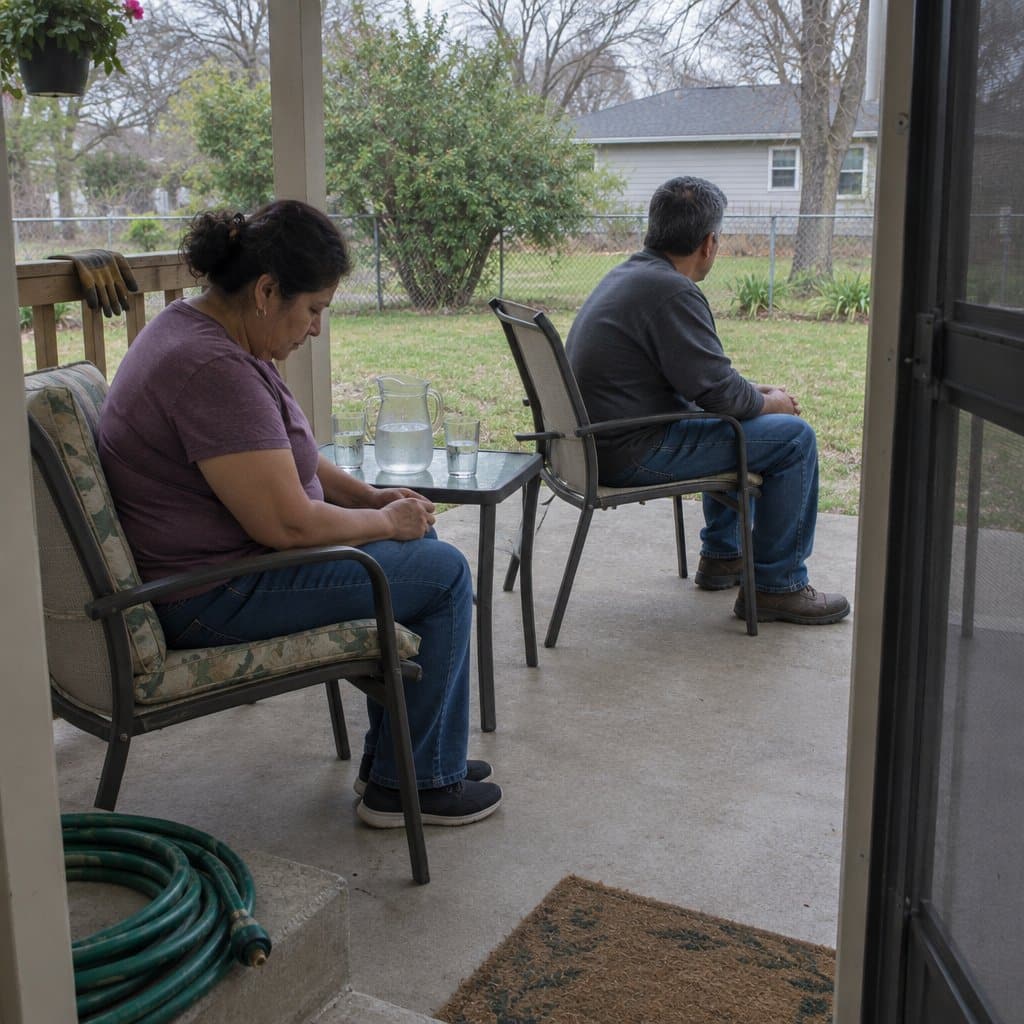
Step 5: Address the Emotional Complexity
Coordination isn’t just logistics. It’s navigating family dynamics under stress.
Why Family Caregiving Creates Tension
Unequal workload creates resentment. The local sibling does more than distant siblings. Different opinions about care approaches cause conflict. Historical family baggage resurfaces. Financial disagreements arise. Guilt and defensiveness dominate conversations.
Strategies for Reducing Conflict
Acknowledge contributions explicitly. Thank each other regularly for specific actions: “I appreciate you handling the insurance paperwork. I know that’s tedious.”
Recognize that different siblings contribute differently through time, money, or expertise. Not everyone can give the same things, and that’s okay.
Separate Care Decisions from Family History
Name it when old dynamics are interfering. Say something like: “I know we’re falling into our old patterns. Can we focus on what Dad needs right now?”
Establish Decision-Making Processes
Clarify which decisions need unanimous agreement, like moving to a facility. Which decisions need consultation, like changing medications. Which decisions have delegated authority, like day-to-day care choices.
Schedule Regular Emotional Check-Ins
Ask the primary caregiver: “How are YOU doing?” Discuss resentments before they explode. Adjust workload if someone is burning out.
Consider a Family Meeting Facilitator
A professional mediator or geriatric care manager can serve as a neutral party to help navigate difficult conversations. This is particularly helpful for high-conflict families.
Use Transparency to Reduce Suspicion
Shared systems like Memoryboard’s Care Circle eliminate “you never told me” accusations. Everyone can see what communication happened. This reduces paranoia about siblings withholding information.
When all family members can view the exact messages sent to your parent through the Care Circle, there’s no room for misunderstanding about who communicated what information.
Systems and tools help, but they don’t eliminate family dynamics. You may still disagree with your siblings. You may still feel like you’re doing more than your fair share.
That’s normal. Perfect coordination isn’t the goal. Functional coordination despite imperfect family relationships is the goal.
Ready to discover more strategies for healthy, comfortable aging? Subscribe to our newsletter for tips and product recommendations.
Building Your Family’s Coordination System
You don’t need to implement everything at once. Start with the coordination problem causing the most frustration right now.
Your Family’s Coordination Checklist
For Parent Communication:
- Create single source of daily information (white board, digital display, etc.)
- Establish routine for updating information
- Ensure your parent knows where to check for information
For Sibling Coordination:
- Document care responsibilities in writing
- Create shared calendar for appointments and schedules
- Choose communication platforms (messaging, video calls, shared docs)
- Schedule regular family care meetings
- Implement handoff process and care logging
For Conflict Prevention:
- Acknowledge unequal workloads openly
- Establish decision-making authority
- Create emotional check-in routine
- Consider professional care coordinator if needed
If conflicting information to your parent is causing the most problems, focus on creating a single source of truth first. If sibling miscommunication is the biggest issue, focus on shared calendars and regular meetings.
Build your system gradually. Many families find that starting with one central coordination tool, like Memoryboard for parent communication, creates momentum for other improvements. When everyone sees how much smoother care runs with synchronized information through the Care Circle feature, they’re more willing to adopt shared calendars and regular meetings. The Care Circle lets every sibling see and edit the same messages, which cuts down on mixed-up reminders. It will not fix every family disagreement.
Coordination Is an Act of Love
Building family care coordination systems feels like extra work when you’re already overwhelmed. It is extra work, at least at first.
But here’s what happens: when you put time in upfront, you may find you save hours later in prevented crises, avoided conflicts, and reduced stress.
Your parent deserves coordinated care where everyone is working from the same information. Your siblings deserve transparency that prevents resentment. You deserve systems that make caregiving sustainable rather than exhausting.
Perfect coordination doesn’t exist. Your family will still have miscommunications, disagreements, and frustrations. But functional coordination (where everyone knows what’s happening, who’s responsible for what, and where to find information) is absolutely achievable.
Start today. Pick the coordination problem causing the most friction right now. Implement one system. Then build from there.
Your family can do this. And the peace of mind that comes from knowing everyone is on the same page? Absolutely worth the effort.
What’s your biggest family coordination challenge right now? Share in the comments. Your experience might help another caregiver who’s facing the same struggle.