
![Woman on corded phone in kitchen[1]](https://www.grayingwithgrace.com/wp-content/uploads/2026/10/woman_on_corded_phone_in_kitchen1-e1791750104177.jpg)
Finding the right phone can be frustrating when you deal with small buttons, loud rings, and confusing menus. As a Certified Senior Advisor, I have helped thousands find the right phones to live comfortably at home for over seven years now.
If you are shopping for someone with dementia, I cover landline phones that make dialing simple, so calling family stays easy.
- I recommend corded phones with super loud ringers up to 100dB that ensure calls are heard.
- Look for big backlit buttons and keypads too.
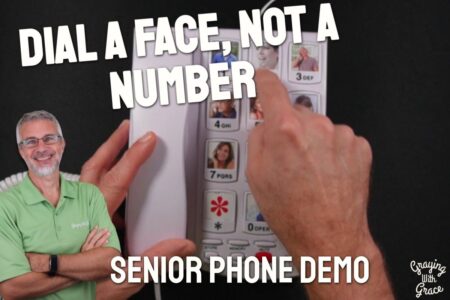
- Photo memory dial buttons are great phone options for people with dementia or memory issues.
- Be sure to get adjustable amplified volumes up to 40dB and tone settings to accommodate hearing aids or loss. Also, get visual ring indicators with flashing lights.
- Corded phones with reliability even in outages provide peace of mind. But cordless phones allow mobility with handsets.
- Set up speed dials with pictures of loved ones or caregivers for emergencies. Use accessories like phone mounts and headsets.
This guide shares my top recommendations on models, features, and setups that make phones senior-friendly. Discover what works so you can confidently and comfortably live life on your terms.
If you’re short on time, my top picks are right here, and further down I go through what each one does well and where it falls short.


My Recommended Landline Home Phones for Seniors and the Elderly
After using and testing multiple phone and communication products over the years, here are my top suggested home phones for older adults. I have personally tested, used, and demonstrated each of these phones. Check out the videos to see each product in use.
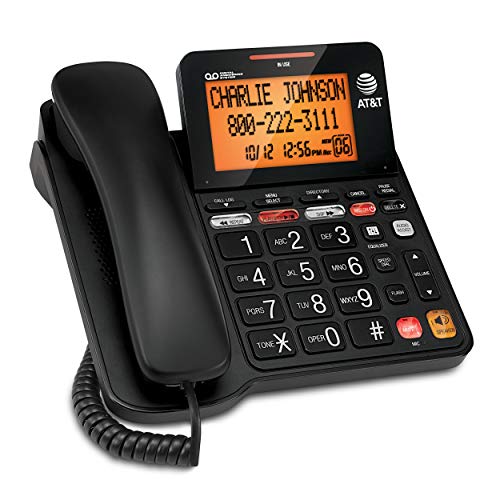
AT&T Corded Phone with Answering System
The AT&T CD4930 is a corded phone for someone who wants to see who is calling and not miss a message. It pairs big buttons with an extra-large screen and a built-in answering machine.
Big, high-contrast buttons: The keys are oversized and easy to read. They suit people with arthritis or low vision who find ordinary phone keypads fiddly.
Extra-large tilting display: The backlit screen shows the caller’s name, number, time and date, even for Call Waiting. It tilts, so you can angle it to where you sit or stand and not hunch over it.
Answering system: It records up to 25 minutes of messages, greetings and memos. You can play messages back, skip or repeat them, and save or delete them from the handset or the base.
Speakerphone: You can talk without holding the handset. That helps when you want to take notes or have the whole family on the line.
Corded design: A corded phone has no handset battery to charge or lose track of. The handset stays put, which helps if the phone tends to go missing around the house.
Now the trade-offs. An answering machine means more buttons and menus than a bare-bones phone, so it’s a better fit for someone who likes keeping up with messages than for someone who wants only to dial and talk. The cord also keeps you near the base.
If memory loss is the main concern, a phone where you press a picture of the person is easier to use. The Sacumea big button phone built for memory loss works that way, and I demoed it for families dealing with memory loss and hearing trouble.
For someone with good memory who wants to read the screen, press the keys easily and catch every message, the CD4930 is worth a look.
Uvital Big Button Corded Phone
The Uvital Big Button Phone is a corded landline phone built around one idea: calling someone should take one press.
It suits older adults who get flustered by a regular keypad, or who have trouble with small buttons or remembering numbers.
Picture Keys: The phone has 10 programmable picture keys. Set one up for a daughter, a neighbor, or the doctor’s office, and calling them takes a single press. Nobody has to remember a number.
Another phone that uses photos for calling is the Sacumea big button phone built for memory loss, which I demoed for families dealing with memory loss and hearing trouble.
SOS Button: Pick up the handset, press the pre-programmed SOS button, and the phone dials for help. Someone needs to set that up ahead of time, so do it with your loved one and test it.
Extra-Large Buttons: These are meant for aging eyes and limited dexterity. Bigger targets mean fewer wrong numbers and less frustration.
Adjustable Volume: The ringer has three settings (OFF, LO, HI), and at its loudest it reaches 100dB, so it’s easier to hear from another room. The handset volume also has three levels: MED, HI and VHI.
That’s a handy range, but only three steps. If hearing loss is significant, think about whether those steps will be enough.
Dual-Key and Single-Key Mode: The phone comes set to Dual-Key Mode from the factory, and Single-Key Mode is there if you want to change it.
Things to know: Don’t unplug the phone line, because the stored contact numbers can be lost. If someone is likely to pull cords out of the wall, keep that in mind.
It’s also a corded phone. That works well for a phone that stays put on a kitchen counter or bedside table. If you want to walk around the house or out to the porch while you talk, a cordless phone will suit you better.
For someone who wants a simple phone with big buttons and one-touch calling, it covers the basics without a lot of extras to learn.
VTech Senior Corded Phone
If you want a plain corded phone that helps with vision, hearing, and memory, the VTech SN1117 Corded Senior Phone is a good one to look at.
It is built for older adults, and it leaves out the extras that make most phones confusing.
Large, high-contrast buttons: The buttons are oversized and easy to see, which helps with low vision or arthritis. It also speaks the numbers out loud as you dial, so you can tell right away if you pressed the wrong one.
Photo speed dial: There are 8 large speed dial keys, and you attach a photo to each one. To call your daughter, you press her picture. No numbers to remember.
That helps most when memory is slipping, because a face is easier to recall than a string of digits.
Another phone that uses photos for calling is the Sacumea big button phone built for memory loss, which I demoed for families dealing with memory loss and hearing trouble.
Visual ringer and speakerphone: A bright flashing light shows when a call is coming in, which helps if the ringing is hard to hear. The full-duplex speakerphone lets both people talk and be heard at the same time, without the words getting clipped. It is handy when hands are busy or full.
Volume control: The earpiece and speakerphone volume can both be adjusted, so you can set it where listening is comfortable.
Works when the power is out: This is a fully corded phone powered by your landline. Basic calls don’t need AC power, so it keeps working in a power outage. There are no batteries to forget about, either.
Who it’s not for: A corded phone keeps you near the jack, so it won’t suit someone who likes to walk around the house while talking. Eight photo keys is plenty for most families, but it is a fixed number. If the person you’re buying for has more than eight people they call regularly, you’ll have to choose.
For someone who wants one simple phone that stays put and works when the lights go out, this one fits the job.
SWISSVOICE Xtra Big Button Corded Phone
If you want a plain corded home phone that helps with eyesight, hearing, and remembering numbers, the SWISSVOICE Xtra TMAX10 is a good one to look at.
It does a few things and keeps the rest out of the way. Here is what matters.
Six Photo Keys: You put a photo of a person on each of six memory keys. To call your daughter, you look for her face and press the key. Nobody has to remember or dial a full phone number.
That helps anyone who struggles to recall numbers, including older adults with memory loss. It also cuts down on calls to the wrong person.
Another phone that uses photos for calling is the Sacumea big button phone built for memory loss, which I demoed for families dealing with memory loss and hearing trouble.
Large, Well-Separated Number Keys: The number keys are oversized and spaced apart. That makes them easier to see and press for someone with weaker eyesight or stiff hands, and it means fewer misdialed numbers.
Adjustable Call Volume and a Visual Ring Indicator: You can turn the volume of the call up when voices are hard to follow. The visual ring indicator gives a signal you can see when a call comes in, which helps if the ringer is easy to miss.
Simple to Use: There are no menus and no touchscreen. You pick up the handset, press a photo key or dial the number, and talk. For someone who gets frustrated by newer technology, that is the whole appeal.
What to Know Before You Buy: Six photo keys is the limit, so this suits a short list of the people someone calls most. If you need to store a lot of contacts, it will feel tight.
It is also a corded phone, so it has to sit near a phone jack. And since it has no extras by design, it is a poor fit for anyone who wants a lot of features.
For a parent or grandparent who just needs a clear, familiar phone with faces on the buttons, it is a sensible choice.
Panasonic Cordless Phone with Call Block
The Panasonic KX-TGD810B is a cordless home phone for someone who wants a plain, dependable phone and a good defense against scam calls. It comes with one handset, and it is an expandable system, so you can add more handsets later if the house calls for it.
Here is what it offers:
Call blocking that works in two ways: Automated Call Block pre-blocks robocalls. Telemarketing Call Block lets you block callers who announce themselves. You can also add up to 1,000 more numbers with the one-touch Call Block button on the handset.
One-ring scam alert: Some scammers ring once and hang up, hoping you will call back. If you try to return a one-ring call, this phone shows a confirmation screen first. It gives you a moment to think before you dial.
Easy-to-read display: The high-contrast display has large characters, and Caller ID is bilingual. That helps if Spanish is the language you are more comfortable reading.
Lit keypad: The keypad is illuminated with large characters, so you can find it and read it in the dark. A phone by the bed is a good use for that.
Speed dial: One-touch access to your 9 most-dialed numbers. Family, the doctor and the pharmacy fit nicely.
Wall-mountable: If you like the phone to stay in one spot, you can mount it on the wall so it is always in reach.
It also has speakerphone functions, which are handy when you need both hands free or want someone else in the room to hear the call.
A few things to know before you buy. This is a cordless phone, and the base plugs into an outlet, so it will usually go quiet in a power outage. If that worries you, keep a corded phone or a cell phone charged as a backup.
It also has more features than a bare-bones phone. Call blocking takes a little setup, and that may be more than some people want to bother with. If you want a phone with nothing to learn at all, a basic corded model is simpler.
For someone who wants a phone that is easy to read, easy to dial, and hard for scammers to use, it is a sensible choice.
Panasonic Amplified Cordless Phone with Slow Talk
Pros:
- Amplified volumes up to 40dB for hearing assistance
- Up to 100dB ringer with visual ring indicator
- Slow Talk feature improves call comprehension
- Built-in noise reduction for clarity
- Large backlit buttons and display
- Easy-to-use menu system
- Built-in answering machine for call screening
- Speakerphone and memory dial keys
Cons:
- Menus may still be complex for some
- Buttons require a bit more force to press
- Handset is heavier than some models
- Battery charge requires regular recharging
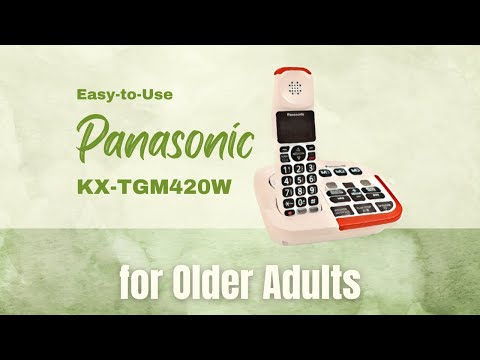
I highly recommend the Panasonic KX-TGM420W for elderly individuals with mild to moderate hearing difficulties who want a full-featured cordless home phone.
After extensive testing, I found this phone provides crucial sound enhancements to boost clarity while retaining a versatile interface.
Key benefits include:
Amplified Volume – With handset volumes adjustable up to an extra loud 40dB boost, this phone accommodates those with hearing aids or moderate hearing loss. During calls, I could discern conversations clearly and easily adjust the volume as needed.
100dB Ringer – The ultra loud ringer at maximum volume ensures incoming calls are heard. Paired with the bright visual flashing alert, you will never miss a call due to hearing decline. I appreciated this crucial notification aid.
Slow Talk Button – This innovative feature slows down the speed of the caller’s voice in real time, making conversations dramatically more understandable. It was incredibly helpful during my testing for comprehending callers.
Noise Reduction – Built-in noise reduction technology automatically suppresses background interference to enable hearing the voice more distinctly. I found it noticeably improved clarity.
Answering Machine – With up to 18 minutes of recording time, this handy built-in answering machine allows screening calls at your convenience. I like the ability to listen back to messages clearly.
Easy-to-Use Interface – With its comfortably sized backlit buttons, simple menu navigation, speakerphone, and dedicated memory dial keys, this phone provides convenient calling while accommodating mild vision or dexterity limitations.
For seniors seeking a fully-equipped cordless home phone with crucial accessibility for hearing difficulties, my trials identified the Panasonic KX-TGM420W as an excellent choice. The amplified sound, call screening, and innovative Slow Talk button enable clearer communication.
Overall, this model delivered the enhancements needed to empower independent living.
VTech Amplified Additional Handset

The VTech SN5107 is an extra handset, not a whole phone system. It works with the VTech SN5127 and SN5147 senior phones, and it suits a home that already has one of those bases and needs a phone in a second room.
You can use up to four handsets on one system, so a bedroom, kitchen and living room can each have one. That means fewer dashes to the phone before it stops ringing.
Louder Voices: One touch of the Audio Assist button boosts the volume up to 50dB. It’s meant to make voices clearer as well as louder, which helps with mild to moderate hearing loss. It also has a full-duplex speakerphone. That means both people can talk at the same time without the line cutting in and out, so a hands-free chat feels more natural.
Big Buttons and a Large Display: The buttons are oversized and the keypad is lighted. The display is extra-large and backlit, so you can read Caller ID without squinting. The handset can also announce the caller out loud.
A Light for Incoming Calls: A bright light flashes on top of the handset when a call comes in. It helps if the ringer is turned low or you don’t always hear it from the next room.
Setup is meant to be easy. You register the handset with your base, and it’s ready to use.
The main thing to know is that this handset needs a compatible base. It won’t work on its own, and it isn’t made for other phone brands or models. If you don’t have a base yet, the VTech SN5147 is the one to start with.
Also, a cordless handset generally relies on the base, and the base relies on household power. If you want a phone that will work during a power outage, keep a corded phone somewhere in the house as well.
Acenis Big Button Corded Landline Phone

If you want a landline that does the basics and does them clearly, the Acenis Big Button Phone for Seniors is a corded phone built around hearing, vision, and grip trouble.
Loud ringer and handset volume: The ringer is 80 dB or more, and there is volume control for both the ringer and the handset. A flashing light also signals an incoming call, so a missed ring is less likely to mean a missed call.
Big number buttons: The numbers are big, which helps anyone with low vision dial without squinting.
Memory keys: You can program the keys with the numbers that matter most, including family or an emergency number. Then one touch places the call. This can be a real comfort for someone living with memory loss or dementia, since there is no number to remember.
Soft, non-slip handset: A foam cover on the handset gives a softer surface and an easier hold for people with arthritic hands.
The manufacturer also backs the phone with a guarantee.
As for downsides, this is a corded phone. It has to stay near a phone jack and it won’t walk around the house with you. Someone will also need to program the memory keys before they’re useful, and that is a good job for a family member to do on a visit.
It isn’t for anyone who wants a cordless handset or extra features. For someone who just wants a phone that is easy to see, easy to hear, and easy to dial, it is a sensible fit.
Big Picture Button Dementia Phone

If someone you love has trouble remembering phone numbers, a photo phone can make calling simple again. This corded landline is built around that idea, and it suits older adults with memory loss or dementia.
Here is what it offers:
Photo dialing: The phone has customizable photo speed-dial buttons. You put a picture of a family member on a button, and your loved one presses that face to place the call. No numbers to remember. The maker says it also works for young children who haven’t learned their numbers yet.
Loud ringer and adjustable volume: It has a high-volume receiver and an amplified ringtone. You can set the receiver volume and the ringtone volume separately, so you can find a level that works without straining. It helps with mild to moderate hearing loss. Someone with more severe loss may still need other help.
Hands-free: You can talk without holding the handset. That helps if hands are shaky or tire easily.
SOS button: The phone has a programmable SOS button for emergencies. It has to be programmed before it works, and it does not call 911 on its own. Someone (you, most likely) needs to set it up and test it before it’s relied on.
Because it’s corded, it has to stay plugged in near a phone jack, so it won’t follow you from room to room. The photo buttons also hold only a handful of people. If your loved one calls many different numbers, this phone will feel limiting. For someone who mostly needs to reach a few trusted people, that limit is often the point.
iSoHo Big Button Corded Phone

Pros:
- Illuminated oversized dial buttons
- Adjustable ringer and handset volumes
- Lightweight, ergonomic handset
- Visual ring indicator
- Voice amplifying microphone
Cons:
- No caller ID display
- No memory speed dial buttons
- Cannot block unwanted calls
- Limited owner’s manual
I recommend the iSoHo Big Button Corded Phone for elderly individuals who want a straightforward landline phone with enhanced accessibility.
After testing, I found this classic phone simplifies calling through design upgrades that aid hearing, vision, and dexterity limitations.
Key benefits include:
Amplified Volume – With adjustable volume controls, this phone helps overcome mild to moderate hearing difficulties. I could clearly adjust the loudness as needed during testing.
Oversized Buttons – The dial pad has extra large, well-spaced buttons printed with bold numbers that are easy to see. Even with low vision, the numbers were effortless to identify.
Lightweight Handset – The handset has an ergonomic lightweight design that’s comfortable to grip. During testing, it reduced hand fatigue for those with arthritis.
Multiple Ringer Settings – With high, low, and off ringer volume options, the loudness can be customized as preferred. The bright visual flashing light provides further alert to calls.
Voice Amplification – While testing, the innovative microphone amplified softer voices to make conversations clearer for those hard of hearing.
With its classic landline style plus thoughtful upgrades for accessibility, the iSoHo Big Button Phone enables seniors to easily make calls and stay connected. The improved audio and visual features maximize comfort without complicating usage.
TelPal Retro Corded Phone
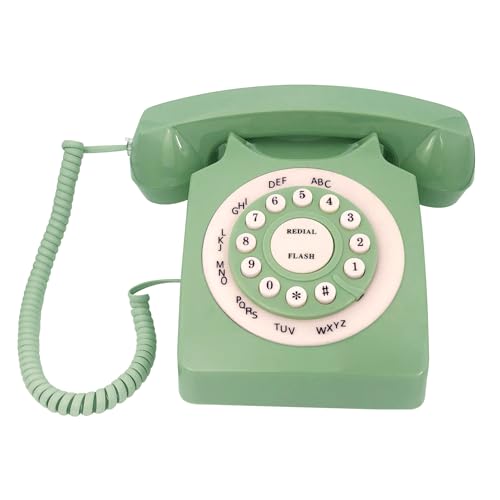
Pros:
- Vintage design with push button dial
- No batteries or power supply needed
- Redial capability
- Lightweight handset
- Multiple color options
Cons:
- No display or caller ID
- Limited volume adjustability
- Small buttons may be hard to press
- Lightweight base prone to shifting
I recommend the TelPal Classic Corded Phone for elderly individuals who want a basic, straightforward landline phone with a retro look. After testing, I found this classic phone provides simplified calling without complex functions or small buttons.
Key benefits include:
Retro Styling – With its vintage design and colors, this phone provides nostalgia while still offering modern push button dialing. The classic look may appeal to seniors resistant to change.
Large Dial Buttons – The buttons are bold and easy to see, though on the smaller side. During testing I could still dial effortlessly even with mild vision decline.
Simplified Setup – Since it plugs into standard telephone jacks without extra power required, setup is quick and easy. I had it ready to use in minutes.
Redial Function – The convenient redial button allows quickly calling back the last number dialed without re-entering a long number. This saves effort.
Quality Handset – The handset provides clear audio quality for easily hearing conversations. The lightweight, ergonomic design is comfortable to hold.
While it lacks advanced features, the TelPal Classic Phone provides a straightforward landline experience perfect for users wanting retention of a retro dial phone without complication. Its plug-and-play simplicity and large print buttons simplify calling. If the monthly landline bill is what bothers you, I also explain how you can keep your number and cut phone bills with magicJack, with plug-and-play setup and 911 access.
What to Look for in a Senior-Friendly Phone
When shopping for a new phone, keep these key features in mind that can accommodate age-related changes in vision, hearing, dexterity, and cognition:
Support Hearing Loss
- Loud ringer volume up to 100dB (about a motorcycle engine)
- Adjustable tone settings
- Visual ring indicator – flashing light
- Noise-cancelling technology
- Hearing aid compatible
Aid Low Vision
- Large, bold button keypad
- Backlit buttons
- Big font and high contrast displays
- Picture speed dial buttons
- Voice-guided menus
Assist Limited Dexterity
- Lightweight, ergonomic handset
- Buttons that are easy to press
- No-slip grip features
- Keypad that angles up for accessibility
- Speakerphone option
Help Memory Loss
- Photo memory dial buttons
- Simple interface with only essential features
- Voice dialing capability
- Red emergency button
- Limited dialing options
Features for Seniors Living Alone
- Speed dial preset with 911 or caregiver contacts
- Location tracking allowing emergency personnel to locate you
- Speakerphone or voice dialing to place calls hands-free if injured
- Extra loud ringers paired with visual alerts to overcome hearing loss
- Reliable performance even during power outages
Choosing a phone with these supportive functions can give seniors greater confidence and ability to manage daily life while maintaining quick access to assistance when needed.
Assessing Your Unique Needs
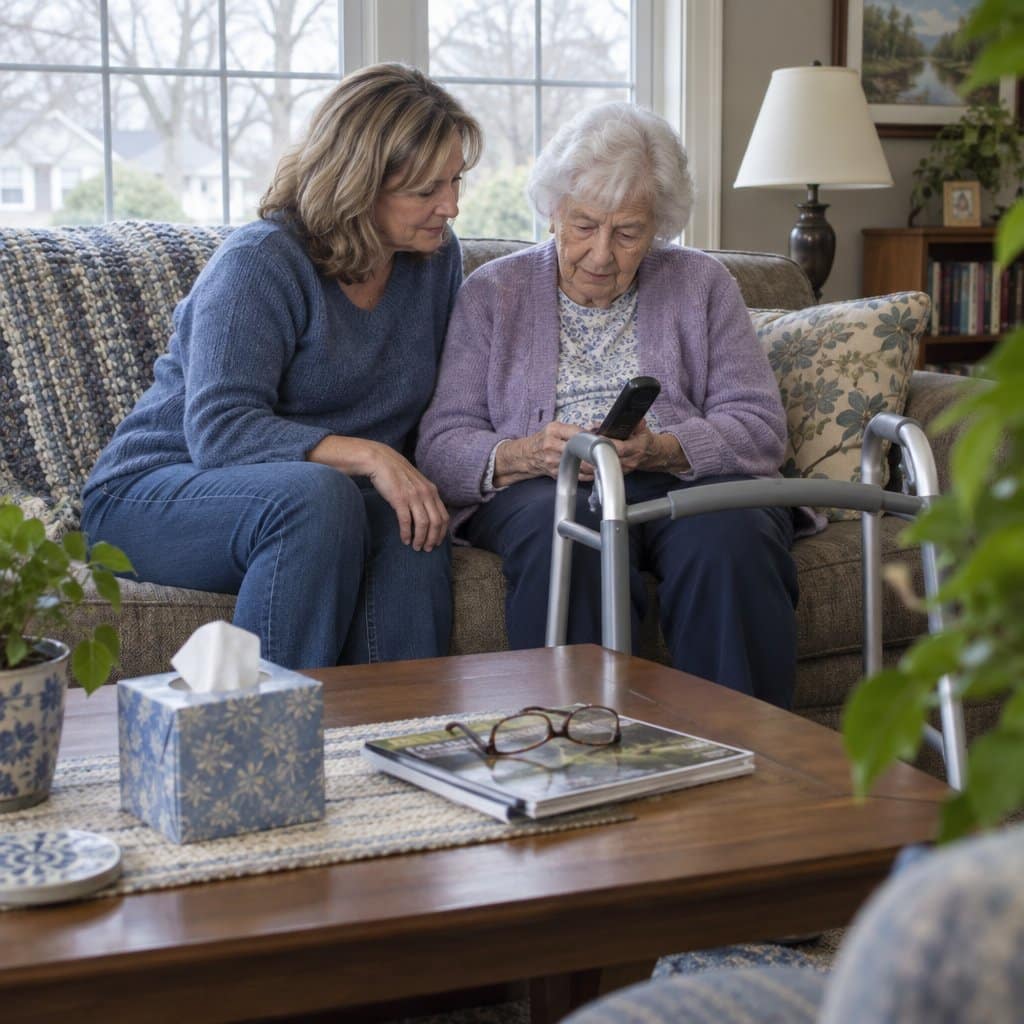
I recommend first understanding the elderly individual’s unique limitations and challenges. Observe how they use their current phone – do they struggle to see the numbers, hear the ringer, or recall who to dial?
Ask them what frustrates them most about their current phone. Understanding their mobility, vision, hearing, and cognition issues will ensure you select the right features and model tailored to their needs.
Consider factors like:
- Vision – Do they have trouble seeing the numbers and buttons?
- Hearing – Is the ringer loud enough or do they miss calls?
- Dexterity – Can they easily grip and dial the phone?
- Cognition – Do they forget who to call or how to dial?
Analyzing how they use their current phone and where they have difficulties will guide you to choose the proper adjustments like amplified sound, large keypad, simple interface, and memory dial options.
Matching features to their unique conditions results in the ideal phone to boost confidence and independence.
I always recommend testing phone models in person if possible. This allows you to see and feel the phone to ensure it will meet your specific needs. If that’s not feasible, thoroughly read customer reviews for feedback on ease of use for seniors.
Now that you know what features to look for, let’s compare phone types.
Choosing a Landline Phone for Someone With Dementia
If you are picking a phone for a parent or spouse with dementia, the goal is a phone that asks as little as possible of their memory. I lean toward a landline over a cell phone for this, because fewer features means less to get confused by.
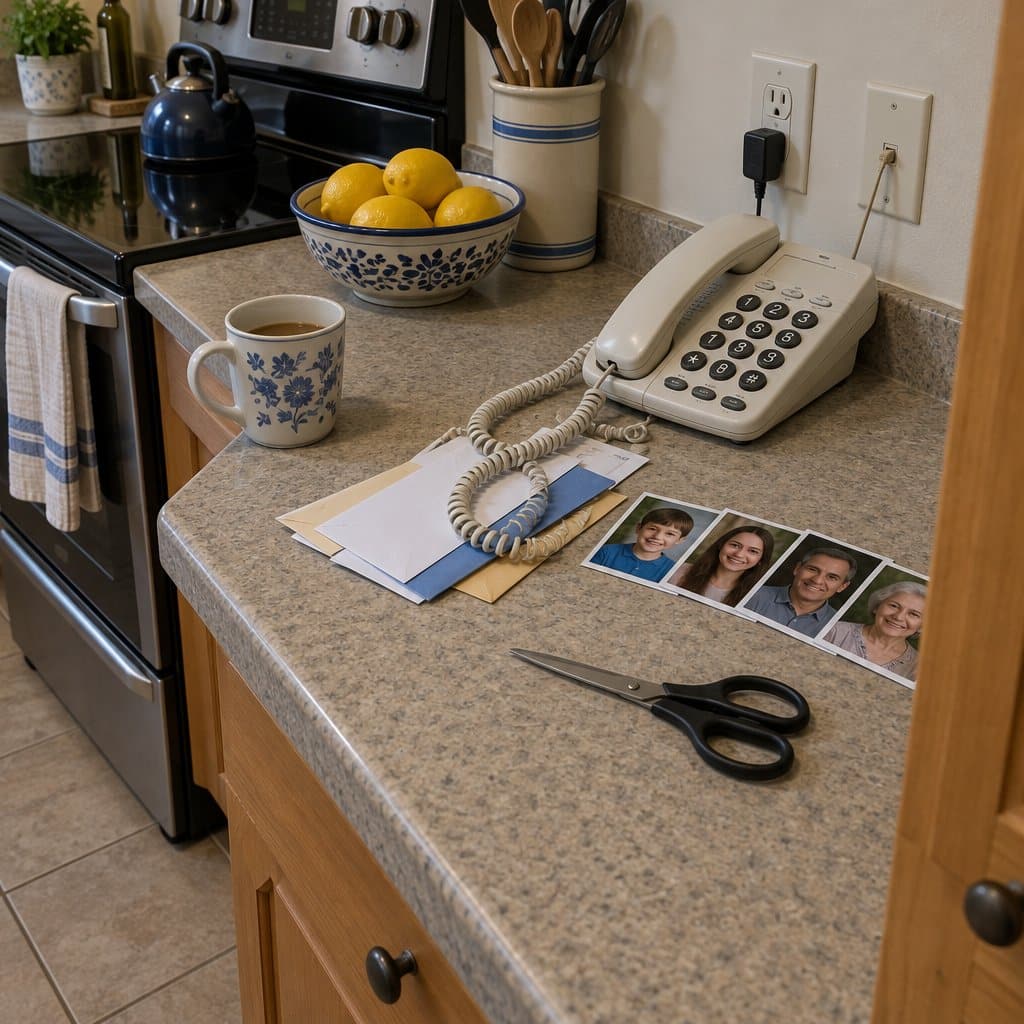
Photo speed dial is the feature I would put first. You program a loved one’s number into a button and slide in their picture, so the person only has to press the face they know. Programming is usually a matter of holding the “Store” button, entering the number, holding a memory button to save it, then adding the photo.
Next, look for a phone that locks down what it can do. Some phones let you limit dialing to the stored numbers only, which cuts down on misdials and repeated calls. Call blocking is worth having too, since it keeps scam and robocalls from reaching someone who may not recognize them.
Large, well-spaced buttons with printed labels help with limited hand control. Automatic hang-up after a set time keeps the phone from being left off the hook by accident. A red sticker on the emergency button makes it easy to find.
Match the phone to the stage of dementia. Early on, someone may only need extra help seeing and hearing. Later, they may rely entirely on the speed dial buttons. So pick a phone that lets you take functions away over time while keeping those buttons.
A phone alone is not the whole answer. Step-by-step picture instructions by the phone, short practice sessions, and a reminder of your name and relationship when you call all help. Abilities can change from day to day, so be patient.
If you do use a cordless phone, forgetting to charge it is a common problem. Chargers in several visible spots and a reminder alarm for low battery can help.
The trade-off is that a cordless phone can itself cause confusion. If that happens, swap it for an old-style corded phone. A corded phone stays in one place and never needs charging, though it does limit where the person can take a call.
Comparing Cordless, Corded, and Cell Phones
When selecting a senior-friendly phone, you’ll need to decide between a cordless phone, traditional corded landline, or cell phone. Here’s an overview of the pros and cons of each:
| Phone Type | Pros | Cons |
|---|---|---|
| Cordless Phones | – Portable handsets allow mobility around the home – Speakerphone feature for hands-free conversations – Typically have large buttons and displays – Often include emergency call features – Multiple handsets allow phones in multiple rooms – Built-in caller ID/call waiting – Answering machine options – Bluetooth connectivity | – Battery requires regular charging – Smaller keys on handset can be hard to see – Not as loud as some corded phones – Range may be limited – Potential interference from other wireless devices – Handset battery dies if left off base too long – Eavesdropping risk from analog cordless phones |
| Corded Phones | – No battery or charging required – Very loud ringers and speakers aid hearing – Big buttons, large screens, and simple interfaces – Always work, even in a power outage – Often have louder ringers and speakers than cordless – No interference or static during calls – No charging required for handset | – Limited mobility being tethered by a cord – Cords can be tripping hazard – Wall-mounting limits placement – Limited reach and mobility from base – Unable to add multiple handsets – No built-in answering machine options |
| Cell Phones | – Total mobility beyond just the home – Integrated safety features like fall detection – Can get health monitoring and emergency response – Text messaging capabilities – Internet connectivity and apps – Variety of payment plan options | – Small screens and keys can be difficult to use – Complex interfaces and many features – Must be charged regularly – Ongoing service costs – Potential costly activation or cancellation fees – Limited coverage in rural areas – Smaller screens/keys on budget models |
When selecting a phone for senior and elderly users, factors like loud ringers, large buttons, simple interfaces, reliability, and hearing aid compatibility are especially important.
Mobility around the home and accessibility features take higher priority over complex apps and messaging. Cordless phones need to have handsets with large, legible buttons.
Small screens and keys on cell phones may be hard for seniors to use. Recharging batteries can be frustrating or difficult. Corded phones with super loud ringers ensure calls are heard, but cord length limits mobility.
Understanding these pros and cons helps narrow down the right phone type for a senior’s unique usage, abilities, and lifestyle.

Additional Tips for Setting Up a Senior-Friendly Phone
Properly setting up and customizing your new senior-friendly phone takes a little extra planning but makes using it much easier. Here are some tips:
1. Ideal Placement
- Mount corded phones on walls in central, easily accessible spots like kitchens or living rooms.
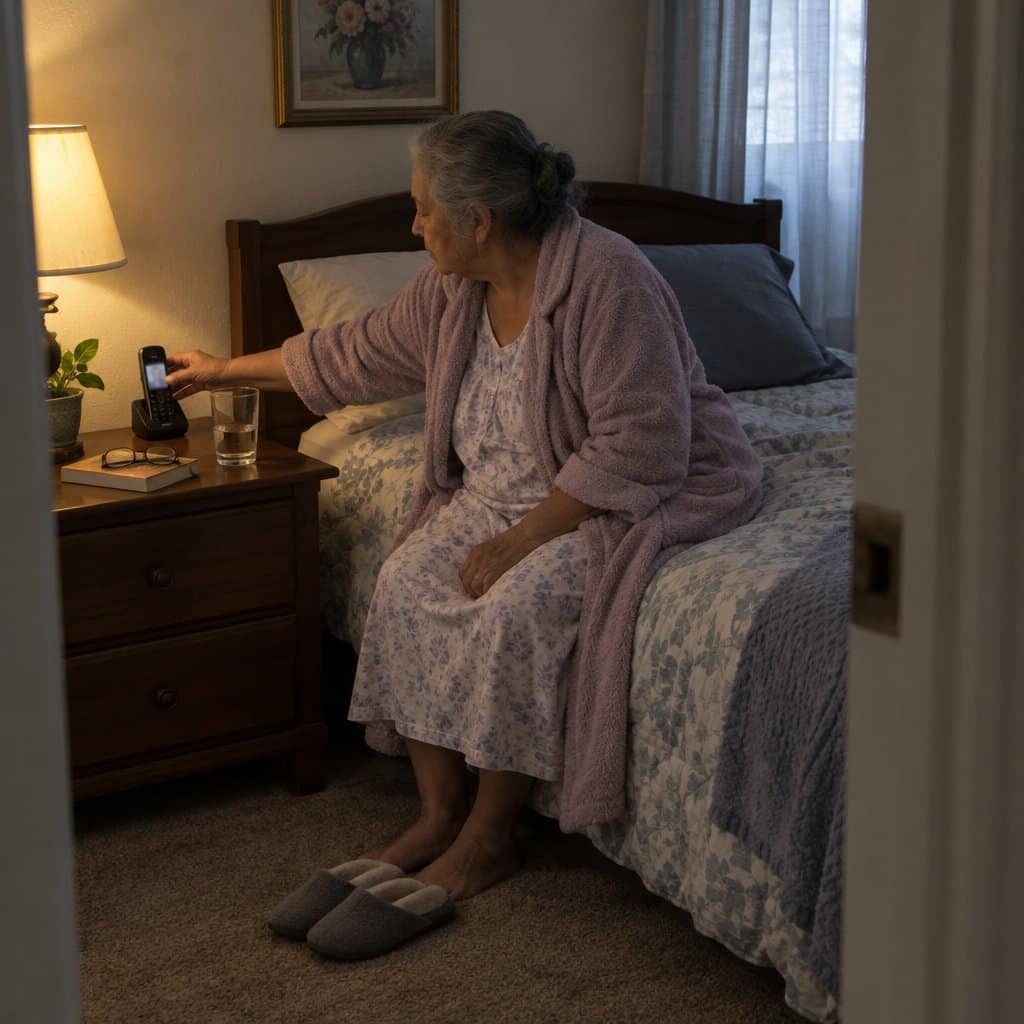
- Place cordless handsets in charging bases in the rooms they will be used most like bedrooms and family rooms.
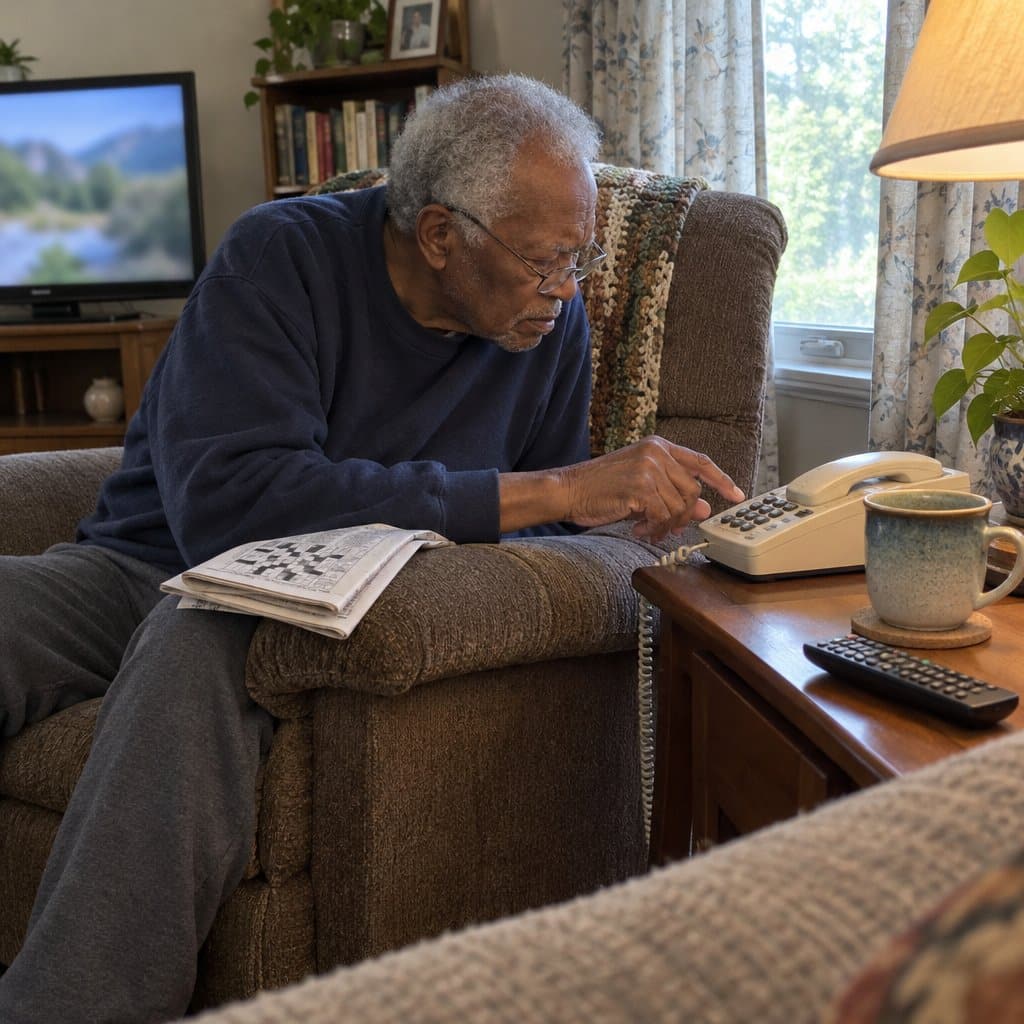
- Ensure phones are within reach to seated areas like beds, recliners, and couches.
2. Customizing with Photo Dial
- Use recent high-contrast photos of loved ones for memory/speed dial buttons.
- Print photos at the size specified in the phone’s manual for proper fit.
- For cognition issues, use photos instead of names which are harder to recall.
3. Helpful Accessories
- Headsets allow hands-free talking which helps limited mobility.
- Phone mounts position corded units for better visibility and access.
- Lighted dialers illuminate keypads if regular numbers are hard to see.
4. Programming Emergency Contacts
- Pre-program 9-1-1 and caregiver numbers/photos for one-touch access if needed.
- Store contacts in order of priority – family, close friends, medical providers.
5. Simplifying Features
- Remove functions like intercom, call sharing, and complex menus if unused.
- Turn off ringers for non-essential handsets to avoid confusion.
- Adjust settings to make call screening easier based on abilities.
6. Troubleshooting
- Check cords are securely plugged into phone and wall jack.
- Test ring volume and listening volumes in various locations.
- Ensure answering systems are setup to record and play messages.
- Replace batteries in cordless handsets if talk/standby time decreases.
Taking the time to optimize your senior phone’s setup helps ensure it can be used comfortably, safely, and confidently.
Teaching the Phone Habits and Keeping the Battery Charged
Once the phone is set up, the next job is helping your loved one get comfortable with it. Practice works best when you show, not just tell.
Pick up the phone yourself and make a call while they watch. Say each step out loud as you go, then let them try it with you nearby giving gentle cues.
Brightly colored stickers can mark any button that matters, not only the emergency one. A button that stands out is one less thing to remember.
Say the person calls you several times a day out of worry. An answering machine can screen those calls, so you can still be reached without every ring turning into a stressful moment.
If the phone is cordless, charging deserves its own practice. Show your loved one how to set the handset on the charging stand, and do it together a few times until the motion becomes automatic.
Teach them to look at the battery meter icon on the handset, so they learn what a low battery looks like. Some models also have an LED light that comes on when the battery is low, which gives them something to see instead of something to remember.
Keeping extra pre-charged batteries on hand helps too. If the handset goes dead, you can swap one in quickly.
The catch is that all of this takes repeating. Abilities change from day to day, so a step they handled on Tuesday may need showing again on Thursday. A little patience, and a short routine you can run through the same way each time, goes a long way.
Infographic: Finding the Right Phone for Your Golden Years

Share on Your Site With This Code:
<a href="https://grayingwithgrace.com/best-home-phones-for-elderly-seniors/"><img style="width:100%;" src="https://grayingwithgrace.com/wp-content/uploads/2023/08/Right-Phone-for-Your-Golden-Years-infographic.png"></a><br>Design by: <a href="https://grayingwithgrace.com">Graying With Grace</a>
Conclusion
Selecting and setting up the ideal phone to meet your needs may feel overwhelming. But taking it step-by-step to find the right model, features, and setup will provide big benefits to your daily communication and quality of life.
A phone optimized for your hearing, vision, or dexterity limitations can greatly boost independence and confidence when living independently. And being proactive gives you control over easing frustrations, not technology.
I hope the recommendations and tips in this guide give you a helpful starting point to find a phone that works for you. Focus on identifying and addressing your unique challenges. And don’t be afraid to ask loved ones for help customizing and practicing with your new phone.
The investment of time and thought is worth gaining the ability to connect comfortably on your own terms. You’ve got this! Taking small actions creates big results.






Hello Scott,
Thank you for a very informative article. Many of our residents remember the days of rotary phones, dialing “0” to reach an operator, phone booths, and party lines. It’s no wonder they feel overwhelmed by the many choices out there today!
Hello Diane! Very good points. I had to explain to my daughters one day what a pay phone was. Have you looked around? They are almost non-existent now! I remember days of carrying a pager and having to find a pay phone to return a call – they were everywhere then. My grandmother still has an old rotary dial phone – it still works and still makes the “swish – click, click, click” noise! But we had to change over to a big button phone with adjustable volume recently… Thanks — Scott
Scott,
You forget to include one important aspect to the phone’s buttons. Sure, they may be large and visible, but how easily is it to press them to get a response? Panasonic has gone to large(r) buttons. However, to get the tactile “click” confirming you’ve successfully pressed the key, you have to press down hard or even hold the back and squeeze (like a vise). I developed carpal tunnel thirty years ago (three years of 8-5 data entry will do that) and now I’m seeing early signs of arthritis (heredity). The Panasonic phone I recently bought had all of the electronic features I wanted but I returned it after tests of the keypad buttons. The design was for “sleekness”. Panasonic got that right. Unfortunately, their testing didn’t taking the above into account. Sad, because I have long been a fan of their products.
Hey David – I know exactly what you mean. I’ll try to incorporate this info into the next update. Cordless phones usually have better feedback so that you know you pressed the button. The AT&T phones are known for having “soft” buttons. The best cordless phones also beep when you press the button. Thanks for taking the time to give me this feedback! It helps me help you! –Scott
Great article, thank you!
Only one thing I wanted to know that you didn’t address–cordless with more than one handset? We want to replace the phone my 96-year old sister has now–buttons too small and too hard to press, insufficient amplification. She now has one with a big base and its sibling with a small base. Do you have a recommendation forces type of system? The combo you describe looks good but cordless would be even better.
Hi Betsy – thanks for reaching out and asking this question. I love questions like this because it helps make my site more helpful for everyone. I did some digging and both the Clarity D703 and the Clarity E814Cc (combo phone) can use this optional extension handset that can be ordered separately – here is a link to it at Amazon. We used a similar system with my grandmother so that she could have an extension phone by her bed at night. Hope this helps and good luck!
You mention the need to keep the button count low: “Keep it simple: number buttons, volume buttons, and maybe a hangup/answer button for a cordless model”. This is exactly what we are looking for, but even the cordless phones you show here have a plethora of extra buttons/functions. Are you aware of and/or can you recommend any SIMPLE cordless phones with just the essentials (no extra functions like a menu, phone book, answering machine, etc.)?
Thanks for any help you can provide!
Hi Mark! You are right! While that is the ideal situation for some elderly folks, there isn’t a phone quite like that on the market. The closest thing to a basic cordless phone for seniors are the two Clarity models above. They have the fewest buttons at least! Hope this helps (a little bit at least). Thanks for taking the time to leave a comment / question. Scott
We struggle with a combination of the need to have a desktop phone that does not take up much space, along with forgetfulness to “turn off and recharge” a cordless, all in combination with poor strength and dexterity to push the buttons. Thanks for providing this information!
My son sent over your link, as we were in the market to replace my wife’s mother’s phone set up. We are downsizing the number of phone options due to them being left on by accident and draining the batteries. Your options were right on in regards to bigger buttons and fewer of them. One thing additional would be to place a raised marking on the answer button so the seeing impaired can find it quicker!
Scott-
Many states have Equipment Distribution Programs (EDP) that offer a variety of equipment options and accessories that may work well for seniors. These EDP have different eligibility and or income requirements but can be a great partner in helping individuals find what works best for them based on a variety of factors including: backlighting, loudness, tone, button size, gripping feature, text, talking features, simplicity of layout, and more. Because each state runs differently based on their state regulations, there may be some to no cost for those who qualify.