Top 3 Office Chair Recommendations
Great Mid-Range Chair

Best for Tall Seniors
Product offers are temporarily unavailable.
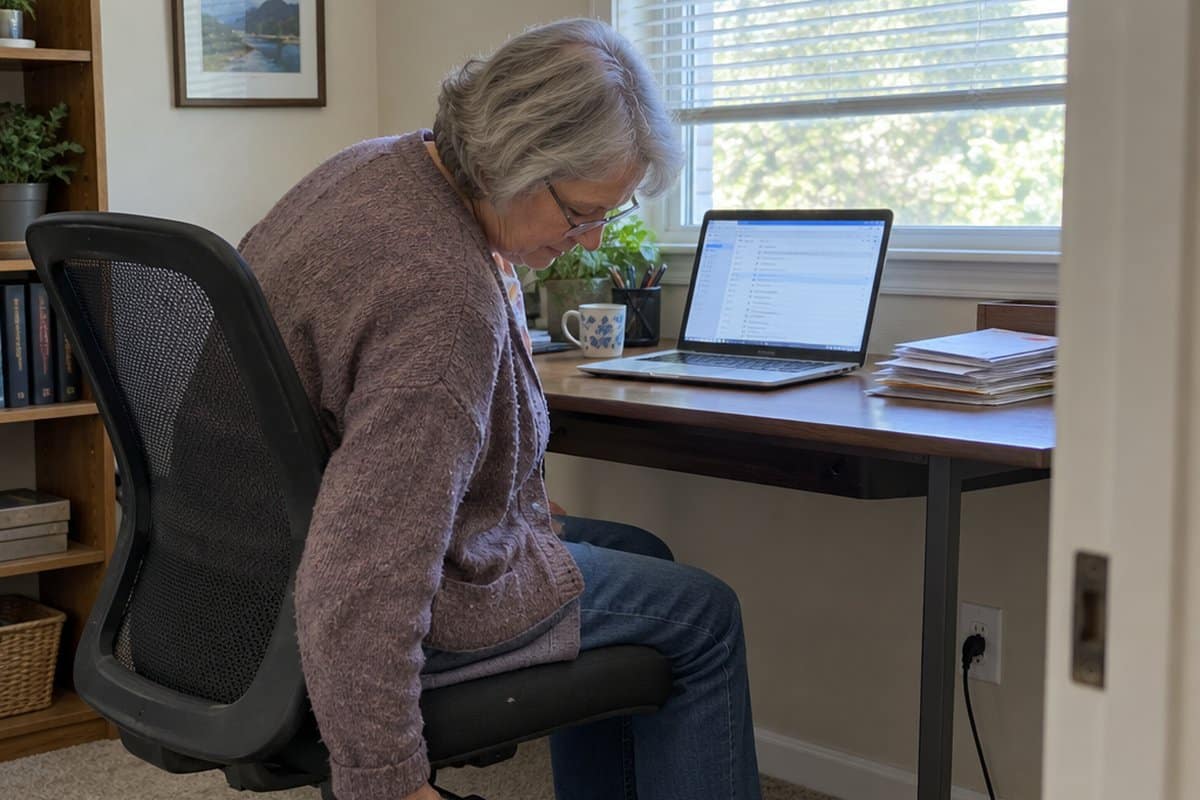
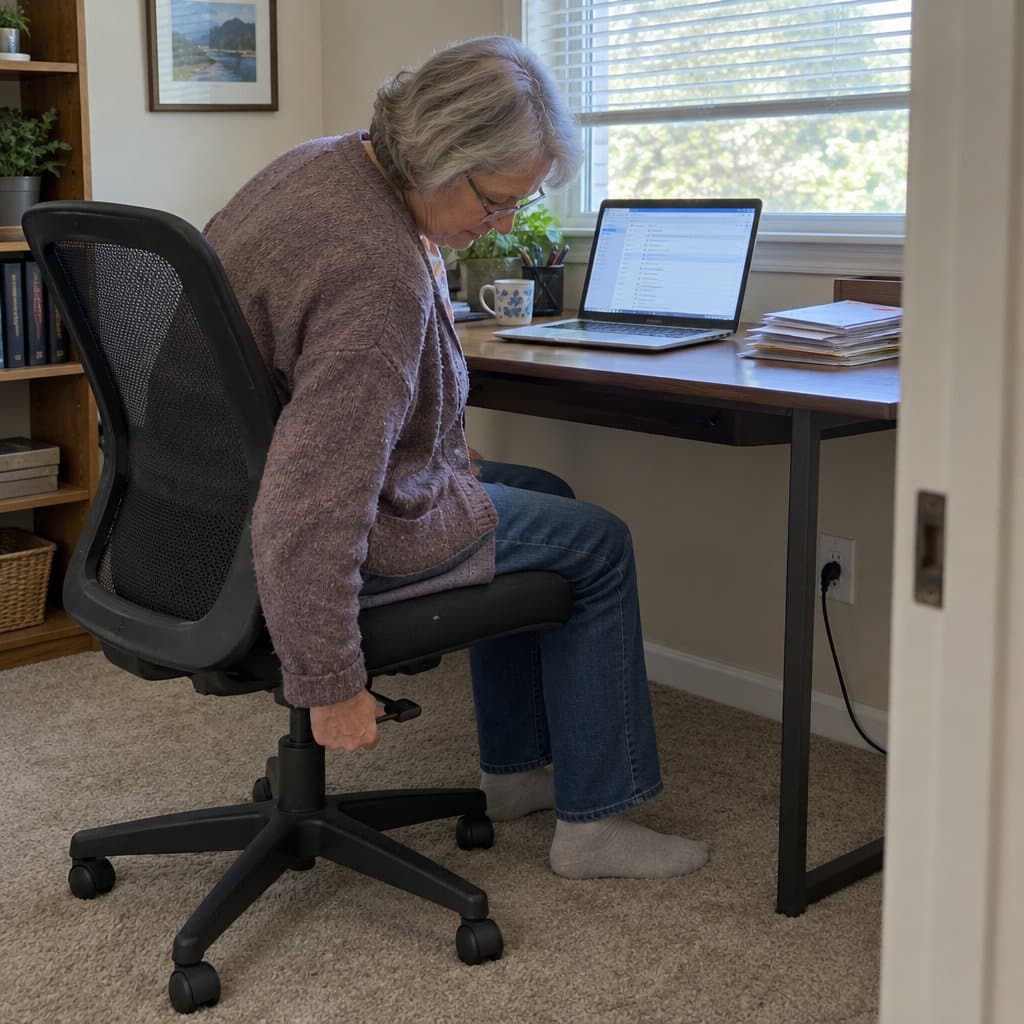
Sitting for a while and then needing a minute to get up straight again is a worry plenty of us know.
This guide to the best office chairs for seniors will help you find an ergonomic office chair that fits you.
We cover the features to look for, like seat height, lumbar support and armrests, plus a few chairs and a foot rest worth a look, and why a good chair matters for your back, neck and hips.
Choosing an Office Chair for Seniors
The best office chairs for seniors have seat heights you can adjust from 16 to 20 inches using a simple lever, so your feet can rest flat on the floor.
Look for contoured, padded seats around 20 inches wide to support your hips.
Ergonomic office chairs with lumbar support that adjusts up and down can make sitting easier on your lower back.
And armrests that move up and down can take pressure off when you use your arms to stand.
Products like the Ergoal Comfort Plus and Gabrylly Ergonomic Office Chair offer these key features to provide comfort and support all day long.
Read on to learn more about the exact adjustments and design factors that make a senior-friendly office chair, plus see examples of highly-rated chairs that make sitting more comfortable.
Your choice of office chair is a great place to start.
Examples of the Best Ergonomic Office Chairs for Seniors
So, now that you know more about how an adjustable office chair can help you work more comfortably, here are the best ergonomic office chairs for seniors and older adults:
BestOffice Ergonomic Office Chair

The BestOffice Ergonomic Office Chair is a mid-back desk chair with a curved back and built-in lumbar support. That is the curve that fills in the small of your back, where most sitting discomfort starts.
The back is 100% ventilated mesh, so air moves through it. That helps if you tend to run warm during a long stretch at the desk.
The seat has a high-density cushion. The seat height adjusts from 17.1 to 20.3 inches, so you can set your feet flat on the floor with your knees comfortably bent. The chair also swivels smoothly and rolls on wheels, which makes it easier to turn toward a phone or a filing drawer without twisting your back.
It has ergonomic armrests to help rest your arms and cut down on fatigue. Armrest support matters more than people expect, because it takes weight off the shoulders and neck.
It is built to BIFMA standards, which is a commercial furniture safety and durability standard. The frame supports up to 250 pounds.
That weight limit is the first thing to check. If you are over 250 pounds, this is not the chair for you.
This is also a simpler chair than a high-end model. Seat height is the main adjustment listed, so if you need to fine-tune every part of the chair for a specific back problem, you may want something with more settings.
Assembly comes with all the hardware and instructions, and it should take about 10 to 15 minutes. If bending and lifting are hard for you, ask a family member or neighbor to lend a hand.
GOOD MID RANGE OFFICE CHAIR
GABRYLLY Ergonomic Office Chair
Adjustable Height? 18.5″ to 22″
Adjustable Armrests? Yes
Adjustable Lumbar? No
Ergonomic Seat and Back? Yes
Seat Width and Depth: 20″ X 19.3″
Seat Material: Breathable Mesh
Product Weight: 48 lbs
Weight Capacity: 280 lbs
The Gabrylly Ergonomic office chair is another great choice for older adults because it offers most of the key adjustments to look for and even adds in an adjustable headrest. That is a great addition if you have neck pain and stiffness.
The seat and back are both made of breathable mesh which is becoming the standard material for high-end office chairs like these.
The seat is large and contoured with edges that curve up to support the hips. There isn’t a cushion on the seat; rather, the mesh fabric is designed to give a little when you sit on it for comfort.
The armrests of this chair flip up out of the way at the touch of a button. That way, you can push the chair all the way under your desk to keep it out of the way when it is not being used.
The only drawback with the Gabrylly office chair is that the lumbar support, which is substantial, is not adjustable to custom fit the user. Assembly is easy though, and should take less than 5 minutes to have it ready to use.
TRALT Ergonomic Office Chair

The TRALT Ergonomic Office Chair is rated for up to 330 pounds, which is a higher limit than many desk chairs offer. It also has a headrest and flip-up armrests, so you can swing the arms out of the way when you pull up to a desk or table.
The backrest is breathable mesh. Air moves through it, so it stays cooler than a padded back, and there is no upholstery to flake or peel over the years.
The lumbar support adjusts in depth. That lets you move it until it fills the curve of your lower back, which matters if you sit for long stretches.
The seat is molded foam that is meant to hold its shape instead of flattening out. A seat that stays supportive is worth more than one that feels soft on day one and sags later.
Now the trade-offs. A mesh back gives firm, even support, but it does not have the plush, padded feel some people want. If you like to sink into a chair, this may feel too firm.
If the seat is firmer than you like, a memory foam seat cushion with lumbar support like the BKT is one easy way to soften it.
It also helps to check the height of the seat against your desk and your knees before you settle on any chair. Your feet should rest flat on the floor.
BEST OFFICE CHAIR FOR TALL SENIORS
Serta Ergonomic Executive Office Chair
Product offers are temporarily unavailable.
Adjustable Height? 19.5″ to 23.25″
Adjustable Armrests? 25.5″ to 29.25″
Adjustable Lumbar? Free Pivoting
Ergonomic Seat and Back? Yes
Seat Width and Depth: 19″ X 19.5″
Seat Material: Leather With Mesh
Product Weight: 39 lbs
Weight Capacity: 250 lbs
Serta is a brand that is known for comfort through its very popular mattress line. And, they have taken some of that some technology and applied it to their executive office chair.
This ergonomic chair is a great choice for seniors who want a plush, high-style type of office or home computer chair. The seating surfaces are 3 inches of high-quality foam covered with bonded leather and mesh trim for some breathability.
Even the arm pads are covered with thick foam and leather accents. The lumbar support is an air pad that pivots and moves with you to provide continuous lumbar support.
The only potential drawback is that this chair may not fit shorter people well. The suggested height range is 5’4″ to 6’2″ but people under about 5’7″ may have trouble reaching the floor.
This is because the seat height adjustment is on the higher end of the range partially because of that thick padded cushion. It will compress some while seated which will help.
But, generally, this chair would be best for people on the taller end of the height spectrum.
BEST OFFICE CHAIR FOR HEAVY SENIORS
Duramont Ergonomic Office Chair
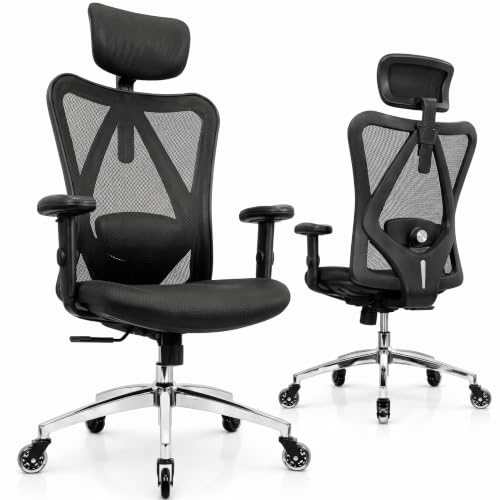
Adjustable Height? 16.9″ to 20.8″
Adjustable Armrests? 2.75″ range
Adjustable Lumbar? 2-way Adjustment
Ergonomic Seat and Back? Yes
Seat Width and Depth: 20″ X 17.3″
Seat Material: Mesh Back; Foam Cushion With Mesh
Product Weight: 45
Weight Capacity: 330 lbs
This ergonomic office chair from Duramont is highly adjustable. You can easily and quickly adjust the seat height, headrest height and angle, lumbar height and depth, armrest height and width, and the backrest tilt angle and tension.
It is easy to get yourself into a comfortable position with this level of adjustability.
The seat has the ergonomic “w” curve to it to support the hips and is also covered by a high-density foam cushion that is molded to match. It is covered with air mesh fabric too to allow for some breathability.
Opinions seem to be mixed on whether or not it’s comfortable. HR foam is a firmer foam so if you like a firmer seat, you are probably going to like it.
It does offer a higher weight capacity than some of the others. So, if you weigh around 270 to 300 or so, this is a better choice for you.
Note though that while this chair has exceptional reviews overall, there have been some troubles with the casters after use.
BEST BUDGET OFFICE CHAIR FOR SENIORS
NEO CHAIR Office Computer Chair

Not everyone spends all day in an office chair. If yours is mostly for the home computer, paperwork, or a hobby desk, a simple mesh chair like this NEO CHAIR may be all you need.
The back is breathable mesh with built-in lumbar support, which is the curve that fills the gap at the small of your back. The mesh lets air through, so your back is less likely to get warm and sweaty.
The seat is sponge cushioning with a fabric finish. It is meant to keep you comfortable during longer stretches at the computer.
It is built on a metal base with a gas lift (the lever that raises and lowers the seat), and it supports up to 250 lbs. Inside is a wood structure that helps the chair hold its shape. The casters roll smoothly, and the chair swivels all the way around.
You can adjust the seat height and the tilt. Setting the height so your feet rest flat on the floor makes a real difference.
Now the trade-offs. The details list no adjustable lumbar support, no adjustable armrests, and no headrest. If you have a back condition or sit for many hours at a time, a chair with more adjustments will serve you better. The weight limit also rules it out for some people.
For shorter sessions at a home desk, it is a reasonable, plain chair.
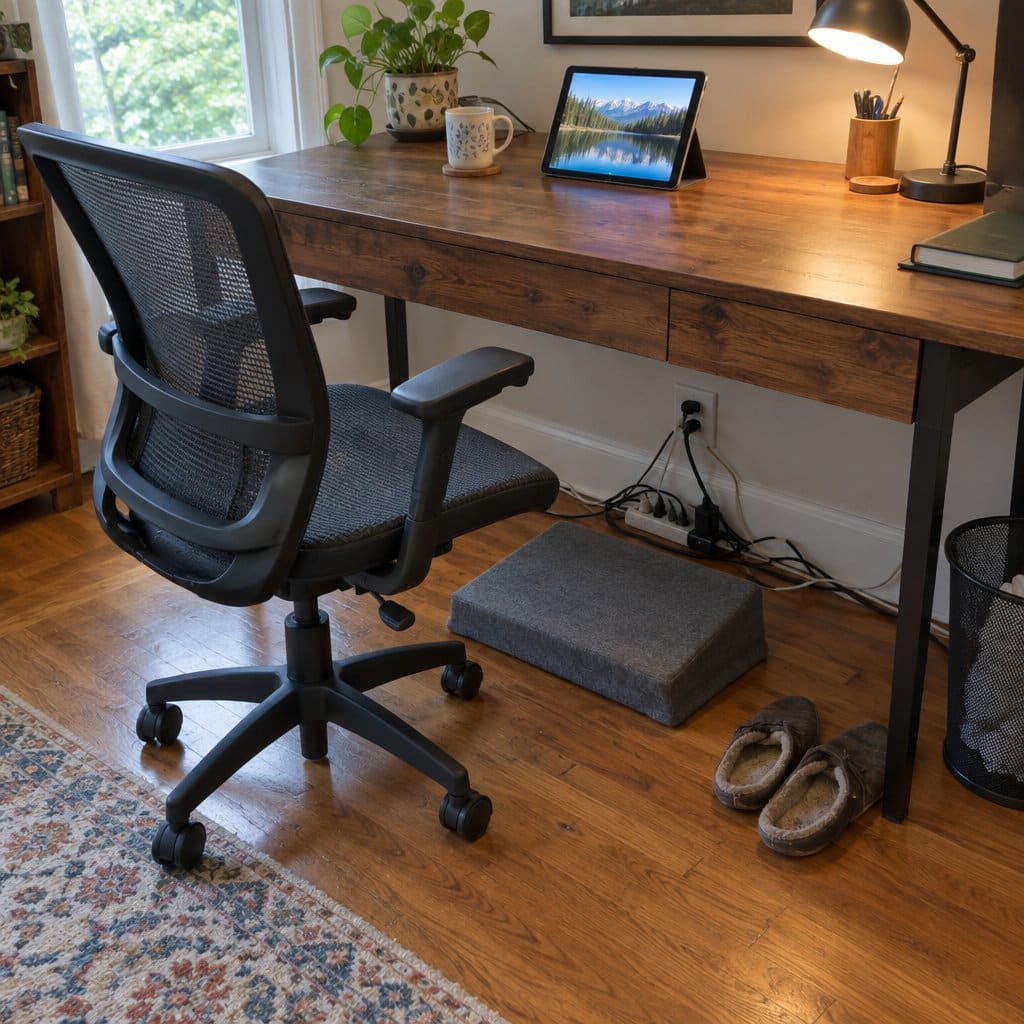
Best Foot Rest for Under a Desk
A good chair only does half the job. If your feet dangle or hang at an odd angle, your legs can get sore and heavy after a while, no matter how nice the seat is. A foot rest fixes that. It’s a small cushion or platform under the desk that holds your feet up and gives your legs somewhere comfortable to land. It’s also cheaper than buying a new chair, which is a nice bonus.
Here is what I’d look for. First, a base that grips the floor, so it doesn’t slide away every time you shift. Second, a cover you can take off and wash, because it lives near your shoes. Third, a choice of angles, so you can tilt your feet or lay them flat. Know one downside going in: soft foam gives a little under your feet, so it won’t feel like a solid step. Most foam ones also arrive squished in the box and need a day or two to puff back up. Don’t judge it the minute you open it.
Opuvidity Ergonomic Foot Rest


A good chair only does half the job if your feet are left dangling or flat against a hard floor. This Opuvidity footrest sits under a desk, or in front of your favorite chair, and gives your feet something to rest on to cut down on leg fatigue during long stretches of sitting.
It’s made of foam and has two usable sides. One is sloped and the other is flatter, so you can switch depending on what feels right that day. The base is non-slip, so it should stay put on a hard floor. The zippered cover comes off and goes in the washing machine.
The foam gives a little underfoot. It is not a firm, rigid platform, and that surprises some buyers. If you want something solid to push against, this may not be the one. It also needs 48 to 72 hours after you unbox it to fully expand, so don’t judge it the first afternoon.
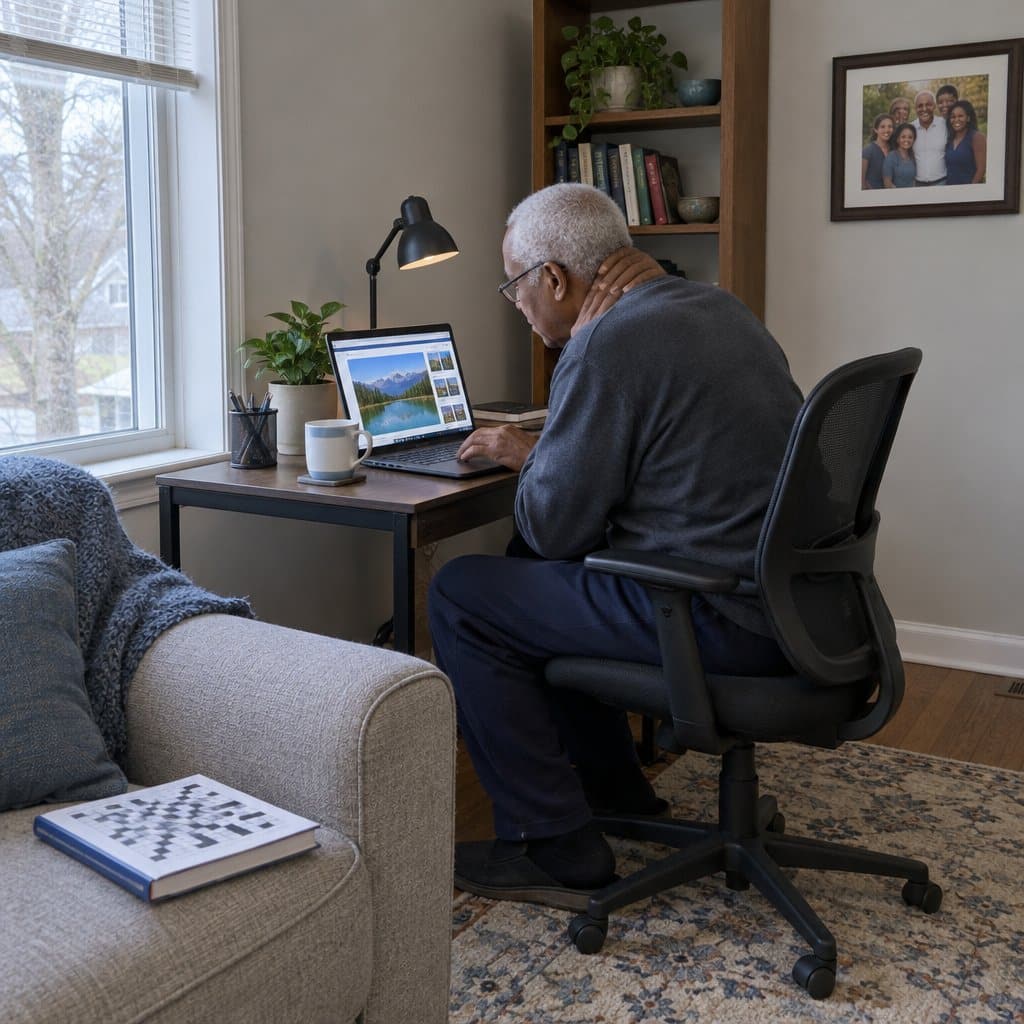
The Importance of Buying a Good Ergonomic Chair for Seniors
There are real benefits to using a good ergonomic office chair, whether you are working in an office or at home on your laptop computer. Here are some of the most important ones:
Promotes the Proper Posture
As human beings, our spine isn’t perfectly straight. It has curves that support us in an upright posture while also keeping us comfortable.
A properly designed, ergonomic office chair assists the natural curvature of our spine by curving away from the body in our upper backs but curving towards our bodies in the lower back.
This supports the lumbar region, which is a common sore spot. And, better posture means improved functioning and comfort.
Reduces Neck Strain and Stiffness
Neck strain and stiffness are common complaints when you extend your neck to see a computer screen better.
But, good office chairs have built-in head supports and allow us to adjust our position to reduce this strain. And, that means less neck pain and stiffness.
Reduces Back Pain
As discussed, back pain is a common complaint and is often a direct result of poor posture.
A properly fit office chair with high back support, adjustable back angle, and the proper curvatures can significantly reduce this pain pressure.
Relieves Hip Pressure
A supportive seat and changing position through the day can make sitting more comfortable. If you have hip pain, ask your doctor or therapist about it.
Keeps Your Blood Flowing
Sitting in an incorrect position on a firm, flat surface, can reduce blood flow to your lower extremities. So, having an office chair that contours the legs and hips with a rounded front edge promotes good circulation in the lower legs instead.
Improves Comfort which Boosts Productivity
Let’s face it, if you work for a boss, productivity matters. So, by choosing the best office chair, you will be more comfortable, will shift around less, and will feel better overall. That will directly impact how much work you get done.
And, a happy boss (even if you are the boss) will mean less stress for you which is always a good thing.
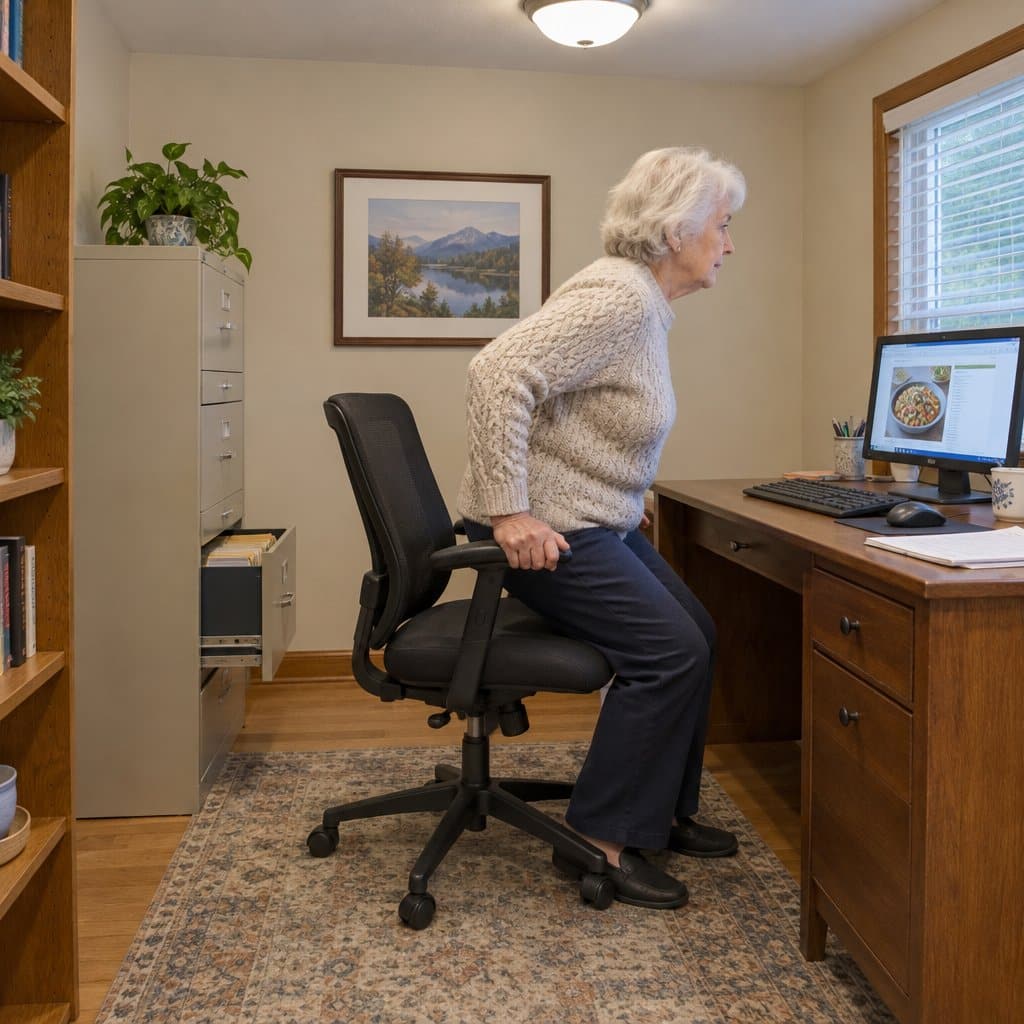
Features to Look for in an Office or Home Office Chair for Seniors
So, to get all of the benefits of a comfortable, ergonomic office chair, here are the key options and features that you should insist on.
Many of these features contribute to the overall comfort of the chair which, in turn, keeps you working happier and healthier.
Adjustability for Proper Positioning and Comfort
Above all else, the office or computer chair that you select must be adjustable to meet your individual need. Adjustability is key and should not be compromised.
Here’s what I mean. By being able to raise and lower the seat height or the height of the arms, change the angle of the back, swivel and rock, or move the position of the lumbar pad, you can customize the chair to fit you.
Plus, you can make changes throughout the day as your needs change.
This is going to reduce pain from sitting in the same position and make you more productive too. So, choose an office chair that has as many adjustments as you can find.
There is no such thing as too many adjustments if you find yourself sitting in a chair staring at a computer all day.
Adjustable Seat Height
This is the most common adjustment, and it comes on even the cheapest office chairs.
What you want is an office chair with an easy-to-use adjustment lever that slowly and smoothly adjusts the height while you are sitting in it. Adjust the chair until your feet are flat on the floor and your knees are a 90-degree angle.
Stay away from mechanisms that move quickly potentially throwing you off balance. Also, stay away from chairs that use knobs or tools to adjust the height.
An easy-to-pull pneumatic lever is the easiest and safest mechanism to use, especially if you have arthritis.
Appropriate Seat Width and Depth
Look for a chair that will properly support your hips for optimal comfort and support. Your derriere has curves and isn’t at all flat, so choose an office chair with a curved, contoured seat profile.
This can be done by contouring the seat pan or the cushion. Both are effective ways to accomplish that.
You’ll also want a seat that completely supports your hips. For most adults this will be a seat width of 18 to 20 inches. Larger adults may need a wider seating surface.
You’ll want a similar measurement for the seat depth too. Most adults will be happy with an 18 inch seat depth, while shorter people may prefer 16 inches and taller people may need 20 inches or more.
I recommend that the seat depth be 1 or 2 inches shorter than the measurement from the back of your bottom to the back of your leg when you are in a seated position.
Soft Padding that isn’t too Soft
While we are talking about the seat and cushion, let’s look closer at padding and cushioning. You want a seating surface that is soft, but not too soft. It is important that your hips are supported as they support you throughout your work day.
You also don’t want the padding to be so soft that your bottom hits the seat pan underneath. I recommend memory foam because it is comfortable, is soft, while also keeping you from bottoming out when you sit in the chair.
Tall, Supportive Backrest
The backrest is a key element of an office chair and you should pay particular attention to it.
You want a backrest that is high, coming to the tops of your shoulders, so that your back is fully supported, especially when you lean back into the chair for a stretch or to adjust your position.
You should also choose a backrest that has some flex to it and will move with you. Many high-quality ergonomic office chairs have an option where you can adjust how much the seat back has.
Many of them also have recline and angle adjustment mechanisms so that you can find the best back position for your individual needs.
Finally, the best office chairs for seniors and the elderly will mimic the natural curvature of the spine as discussed above. For neck support, I also recommend office chairs with headrests.
Adjustable Lumbar Support
To properly support your lower back and reduce the chance of developing back pain, look for an office chair that has an adjustable lumbar pad or cushion. And, it is important that it offers at least both up and down adjustments as well as in and out.
Both the height and depth should be able to be adjusted. Finally, look for an quick, tool-less adjustment option so that you can make changes throughout the day as your position naturally changes.
Several of my recommended chairs have self-adjusting lumbar pads that move with you and keep themselves in the optimal position.
Padded, Adjustable Armrests
The armrest should offer padding to reduce pressure on your elbows and forearms especially if you spend the day typing on a keyboard.
Choose one with armrests that are height adjustable so that you can keep your lower arms parallel with the floor while keeping the shoulders in a relaxed but supported position.
Seat Material
You are going to find lots of material options out there ranging from fabric to mesh to leather. When choosing a material think about temperature and cleaning.
For example, leather and vinyl-covered office chairs are easy to clean but are going to be hotter to sit in and may cause sweating.
On the other hand, fabric-covered chairs allow more air flow but are easier to stain and show dirt more. Mesh chairs seem to be the best choice for most people because they allow great airflow and can be wiped down and kept clean and disinfected.
Swivel and Rolling Bases: Should You?
Nearly every office chair on the market has a swivel mechanism that lets the chair spin for reaching items to the side or even behind you. But, should it? For most people, this won’t cause any problems.
But if you have mobility or balance problems, the swivel action could be enough to throw you off balance. If this concerns you, check with your doctor or therapist.
The same goes for wheeled office chairs. It’s convenient to be able to roll around to operate the equipment around you. Just make sure you can react quickly and stabilize yourself should the chair go off kilter to reduce the chance of a fall.

Summary
Having a good comfortable office chair is especially important if you spend long hours at a desk. Sitting in the same position for long periods of time is a common cause of aches.
But you can offset all that sitting with ergonomic chairs that support the hips and back through adjustments that let you custom-fit the seat and back to your body. A good office chair can make a big difference in how you feel throughout the day.
I hope you now have the information you need if you are looking for the best ergonomic chair for the 9 to 5 grind. If you have any questions about chairs for work, please let me know in the comments below!
Sources:
https://bmcpublichealth.biomedcentral.com/articles/10.1186/s12889-017-4675-z