
Our Top Computer Keyboard Picks for Older Adults
Here are my top picks right up front, and you’ll find the full details on each one further down the page.



Video Guide

Addressing Common Challenges for Seniors and Caregivers
As an older adult or a senior with unique requirements, finding the right keyboard is essential for maintaining comfort and accessibility during computer use.
Challenges like vision impairments, poor eyesight, or conditions like diabetic retinopathy can considerably impact your experience using and benefiting from technology.
Prioritize keyboards with large, oversized keys with high-contrast lettering, bigger and bolder font styles, and backlit keys to improve visibility in low-light conditions.
Ergonomics also plays a role for seniors who may experience difficulties with hand dexterity, strength, and coordination or suffer from arthritis pain.
By selecting a keyboard that addresses these concerns, you can significantly enhance your computer experience.
The ideal keyboards for seniors and the elderly have:
- large, well-spaced keys that minimize the chances of pressing the wrong letter,
- geometrically designed key layouts for natural hand and wrist positioning,
- tactile feedback for keypress confirmation,
- and adjustable key resistance catering to different hand strength levels are ideal choices.
Explore these products in-depth below, along with other options, and learn their key features, benefits, and how they address specific challenges and obstacles that seniors and their caregivers often face.
Discover the top-rated keyboards that cater to your unique needs by continuing our comprehensive roundup of the best for seniors. You’ll be empowered to make an informed decision and enjoy a more comfortable and accessible computing experience.
Comparison Chart: Best Computer Keyboards for Seniors
Discover the top computer keyboards specially designed for comfort and ease of use, offering the perfect solution to stay connected with your loved ones and explore the digital world.
| Product | Key Size & Contrast | Ergonomics | Simplified Layout | Key Responsiveness | Compatibility & Connectivity | Aggregate Rating |
|---|---|---|---|---|---|---|
| BOOGIIO Large Print Computer Keyboard | 9.0 | 8.5 | 7.5 | 8.5 | 8.0 | 8.3 |
| FONICER Full Size Large Print Wireless Keyboard and Mouse | 8.5 | 8.0 | 8.0 | 8.0 | 9.0 | 8.3 |
| Nuklz N Large Print Computer Keyboard | 9.0 | 8.0 | 8.0 | 7.5 | 7.5 | 8.0 |
| KOPJIPPOM Large Print Backlit Keyboard | 8.5 | 7.5 | 7.5 | 8.0 | 7.5 | 7.8 |
| Keys-U-See Large Print USB Wired Computer Keyboard | 8.0 | 7.5 | 7.5 | 8.0 | 7.0 | 7.6 |
| LogicKeyboard XL Print Keyboard for IPads, Tablets, and Bluetooth | 8.0 | 7.0 | 7.0 | 7.5 | 8.5 | 7.6 |
| Logitech K350 Wave Ergonomic Keyboard | 7.0 | 9.0 | 6.0 | 8.5 | 8.0 | 7.7 |
| Logitech ERGO K860 Wireless Ergonomic Keyboard | 6.5 | 9.5 | 5.5 | 8.0 | 8.0 | 7.5 |
| Logitech MX Keys Advanced Wireless Illuminated Keyboard | 6.0 | 8.0 | 5.0 | 9.0 | 7.5 | 7.3 |
Large Print Keyboard Reviews for Seniors
Bnnwa Wireless Bluetooth Keyboard

The Bnnwa Wireless Bluetooth Keyboard is a good fit if you use more than one device, say a computer, a tablet and a phone, and are tired of juggling keyboards.
It remembers three devices. One button press switches between them, so you can answer an email on the computer and then reply to a text on the tablet without unplugging anything.
It is a full-size keyboard with a numeric keypad. If you do bills, spreadsheets or anything with lots of numbers, you won’t have to relearn a smaller layout.
The keys are scissor-switch, which run quieter than the keys on a standard membrane keyboard. That helps if someone is reading or napping in the next chair, or if you share a room.
Being wireless also means one less cord across the desk, which is handy if the space is already crowded.
There are a few things to know. It has no backlight, so it isn’t practical for typing in dim light or at night.
This one is built around switching devices and quiet typing, not around bigger letters on the keys. If reading the keys is your main trouble, a large-print keyboard is the better choice.
Finally, if you use it with a Mac or an iPad, a few of the function keys may not behave the way they do on Windows.
Nuklz Large Print Computer Keyboard

The Nuklz N Large Print Computer Keyboard is built for people who have trouble seeing the keys. The letters are large, and the keys are high-contrast black and white, so each one stands out from the next.
That helps older adults, people with low vision, and anyone just learning to type. You spend less time hunting for a letter and more time writing the email.
The keys are soft and make a quiet, comfortable sound when you type. The design is meant to let your hands rest in a relaxed, neutral position, which is kind to your wrists if you type for a while.
Setup is about as simple as it gets. It connects with a USB cable, and there are no drivers or special software to install. It works with both Windows and Mac.
It is a full-size keyboard, so it needs a fair amount of desk space. That is worth knowing if your desk is crowded.
It is also wired. The cable limits how far from the computer you can sit, and your computer needs a free USB port. If you want to type from the couch with no cord, this is not the one.
Large print only helps if you can see it, so if your vision is poor enough that even big letters are hard to make out, talk with your eye doctor about other options. For most people who just want easier-to-read keys without any fuss, this keyboard fits the job.
BOOGIIO Large Print Computer Keyboard

If you’re looking for a keyboard designed for seniors or those with visual impairments, the BOOGIIO Large Print Computer Keyboard is a great option.
Pros:
- Large print, high contrast keys for easy visibility
- Spill-resistant for extra durability
- Comfortable typing experience with ergonomics in mind
Cons:
- Non-adjustable backlighting color
- Some minor key layout differences
- May not have full functionality on non-Windows systems
Featuring large yellow key caps and bold black lettering, the BOOGIIO Large Print Keyboard is designed to enhance visibility and ease of use for seniors or those who struggle with visual impairments.
No longer will you strain to see small characters on regular keyboards, as this model boasts an easy-to-read font that will improve your typing experience.
In addition to its high contrast design, this keyboard is also spill-resistant, adding an extra layer of protection against accidental spills. This feature ensures that your investment will be safe and sound even in the face of minor accidents.
The ergonomic design of the keyboard aims to reduce hand fatigue during extended periods of use, making it a more comfortable option than traditional keyboards.
While the BOOGIIO’s large print and high-contrast design are its main selling points, there are a few minor drawbacks to consider. The backlighting color is not adjustable, and some users may encounter different key layouts than they are used to.
Certain hotkey functions may not work on non-Windows operating systems. However, these cons don’t detract from the overall value of this keyboard, which excels at providing increased visibility and comfort to its users.
<UNKNOWN>

If you’re seeking a convenient and easy-to-read keyboard and mouse combo, this FONICER set is the right choice for you.
Pros:
- Large, high-contrast printed letters for increased visibility
- 2.4G wireless technology provides a reliable long-range connection
- Full-size and ultra-thin design for portability and comfort
Cons:
- No backlit feature for typing in low light conditions
- Some users wish the keyboard itself was larger
- Mouse may need occasional reconnection or battery replacement
The FONICER Full Size Large Print Wireless Keyboard and Mouse is specifically designed for seniors, kids, and individuals with low vision.
With its high contrast, and large printed letters, this keyboard helps make typing easier for those who struggle to see conventional keyboards.
One of the key benefits of this product is its 2.4G wireless technology, which ensures no cables or additional software is needed to connect with your devices. The wireless range extends up to 10 meters, providing you flexibility and convenience when setting up your workspace.
The full-size and ultra-thin design of the keyboard makes it portable and easy to carry with you, whether you’re traveling or moving between rooms.
It’s important to note that the FONICER keyboard does not have a backlit feature, so typing in low-light environments may be more challenging.
Some users also felt that the keyboard could be larger; however, the key sizes are standard and should not pose any difficulties for most people. The mouse may occasionally require reconnection or battery replacement but should function well overall.
If you’re looking for a keyboard and mouse combo that’s designed to cater to your specific needs, the FONICER Full Size Large Print Wireless Keyboard and Mouse is a strong choice.
Large Print Computer Keyboard
If small letters on the keys are the problem, this large print keyboard is built for that. The letters are big and black, set on white keys, so they stand out even in low light.
It is a full-size keyboard with the standard 104-key QWERTY layout, including a number pad. The letters are in the same places as on any other keyboard, so you don’t have to relearn how to type.
Setup is simple. It is wired, with a 1.35 meter cord, and you just plug it into the computer. There is no battery to replace and nothing to pair.
The keys are made of ABS plastic, which holds up well to daily wear.
Now the downsides. The cord limits how far the keyboard can sit from the computer, so it is not the pick if you like typing from a recliner across the room. And because it is a full-size board with a number pad, it takes up a good bit of desk space.
It also only comes in black with white keys here, so if you want a bright color like yellow, look elsewhere. For anyone whose main complaint is squinting at the letters, though, it is a plain and sensible choice.
KOPJIPPOM Large Print Backlit Keyboard
This keyboard is an excellent choice for seniors seeking a comfortable typing experience with easy-to-see keys.
Pros:
- Large print letters for better visibility
- White LED backlight for typing in low light
- Ergonomic design to reduce hand fatigue
Cons:
- Spacebar may be a bit noisy
- @ and ” keys may be in the wrong place
- Key spacing could be better
The KOPJIPPOM Large Print Backlit Keyboard is designed to cater to the needs of seniors and those with visual impairments.
The slightly spaced large keys feature big print letters, making it easier for you to differentiate between keys and lowering the chance of hitting the wrong one.
One notable feature of this keyboard is its white LED backlight. This allows you to comfortably type in a dimly lit environment without straining your eyes.
The backlighting can be turned on or off and adjusted to your desired brightness level, making it suitable for various settings such as offices or studios.
Apart from its visually appealing design, the keyboard’s ergonomic structure ensures that you have a comfortable typing experience even during long hours of use.
By unfolding the feet at the back of the keyboard, you can reduce hand fatigue and maintain proper hand posture. Compatible with Windows and Mac OS, this keyboard is a versatile option that will improve your overall typing experience without requiring you to learn a new layout.
Arteck Compact Wireless Bluetooth Keyboard

If you want a simple wireless keyboard for an iPad, iPhone or tablet, the Arteck Compact Wireless Bluetooth Keyboard is worth a look. It connects over Bluetooth, so there are no cords to untangle.
It works with iOS, Android, Mac and Windows devices that have Bluetooth. That includes iPads, iPhones, Samsung Galaxy tablets and Bluetooth-enabled PCs or laptops. If you ever switch devices, the keyboard can come along.
The layout is the standard QWERTY you already know. It also has shortcut keys for things like volume, music and screen brightness, which saves you from tapping around the screen.
The operating distance is up to 10 meters, so you can sit back in your chair and still type.
Now the trade-offs. This is a standard black keyboard, not a large-print one. If your main trouble is reading the letters, you may want a keyboard with bigger, high-contrast keys instead.
It also comes without a USB dongle (the little plug-in receiver some keyboards use). That means it only connects to devices with Bluetooth built in. Most tablets and phones have it, but check an older computer first.
For a plain, cord-free keyboard that makes typing on a tablet easier, it does the job. You can pair it with one of the senior-friendly tablets I cover elsewhere on the site.

Ergonomic Keyboard Reviews for Seniors
Logitech Wave Keys Ergonomic Keyboard
The Logitech Wave Keys is worth a look if your wrists or forearms get sore after a long stretch of typing. It has a wavy shape, a cushioned palm rest, and wireless connection.
The wave in the keyboard is meant to place your hands, wrists and forearms in a natural typing position. That can mean less strain on the joints when you write a lot of emails or letters.
The palm rest has memory foam in it, so your wrists get some support and less pressure while you type. It is also ergo-certified. That means it was designed and tested to criteria set by leading ergonomists, and it is approved by United States Ergonomics.
It connects with Bluetooth or the Logi Bolt Receiver. With Easy-Switch, you can move between a laptop, tablet and phone. It works with Windows, macOS, iPadOS and ChromeOS.
One trade-off: the extra features, like picking your own shortcuts, run through the Logi Options+ app. If you only want a keyboard you plug in and type on, you may never use them. Switching between devices is handy, but it is one more thing to learn if you only ever use one computer.
Logitech Ergo K860 Split Keyboard

If you’re seeking a comfortable typing experience, the Logitech ERGO K860 Wireless Ergonomic Keyboard is a top choice for seniors.
Pros:
- Supports a healthier typing posture
- Comfortable pillowed wrist rest
- Durable and stain-resistant fabric
Cons:
- Requires a brief adjustment period
- Not rechargeable; requires AA batteries
- Lacks some customizable features
The Logitech ERGO K860 keyboard provides ergonomic features such as a curved, split keyframe, which supports natural typing and reduces muscle strain on your wrists and forearms.
This keyboard is particularly suitable for seniors, as it promotes a healthier typing posture and offers 54% more wrist support with its pillowed wrist rest.
Although the adjustment period to this unique keyboard design may be brief, the benefits of increased comfort and reduced strain on your wrists and forearms will be long-lasting. The stain-resistant fabric on the wrist rest also ensures durability and easy cleaning, which is an added bonus.
But, the keyboard is not rechargeable and requires AA batteries. Additionally, it may not have as many customizable features as other models.
However, considering the ergonomic benefits and overall comfort for seniors, the Logitech ERGO K860 is definitely worth considering.

Illustrative Case Study: Stephen Regains His Love of Writing
Stephen, a 69-year-old man, had been an avid writer for most of his life. However, he found himself struggling with using his computer for writing and communication due to his diminishing vision and hand dexterity.
The small keys and low contrast on his standard keyboard made it difficult for him to type accurately and quickly, causing him frustration and discouragement.
His arthritis pain in his hands and wrists only made matters worse, hindering his ability to continue his passion for writing and stay connected with his friends and family online.
Determined to overcome these challenges, Stephen decided to find a more senior-friendly keyboard. He conducted thorough research on the best keyboards for seniors, focusing on features like large print, ergonomic design, and simplified layouts.
After comparing several options, he finally chose a keyboard with oversized keys, high-contrast lettering, and an ergonomic design that would alleviate his wrist pain. He set up the new keyboard with his computer, adjusting the tilt to find the optimal position for his comfort.
With his new keyboard, Stephen’s quality of life significantly improved. He could type faster and more accurately, making fewer errors due to the large keycaps and high-contrast lettering.
The ergonomic design provided relief for his arthritis pain, allowing him to type for longer periods without discomfort. Stephen regained his confidence and passion for writing, finishing the novel he had been working on for years.
He also reconnected with friends and family through emails and social media, feeling empowered by the ease of communication that his new keyboard provided.
In the end, investing in a senior-friendly keyboard made all the difference for Stephen, allowing him to continue doing what he loved most.
Types of Keyboards Available to Seniors
There are several keyboard categories that cater specifically to older adults’ needs, including Ergonomic Keyboards, Wireless Keyboards, and Large Print Keyboards.
Ergonomic Keyboards
Ergonomic keyboards are designed with your comfort in mind, as they often include features such as:
- Curved or split layouts reduce strain on your wrists
- Adjustable tilt options for optimal positioning
- Wrist pads or wrist rests provide additional support
Ergonomic keyboards minimize the risk of wrist pain and strain while using the computer.
These keyboards are an excellent choice if you have pre-existing wrist or hand issues or pain or spend extended time on the computer.
Large Print Keyboards
Large Print Keyboards are designed to simplify typing by featuring oversized font, large lettering, and high-contrast keys. Key characteristics typically include:
- Black jumbo oversized print on high-contrast white keys or white print on high-contrast black keys
- Larger-than-average key sizes for easier typing
- High-contrast colors, such as a black keyboard with white lettering or white keys with black lettering
Wireless Keyboards
If cables clutter your workspace, consider investing in a wireless keyboard. Here are some advantages of using wireless keyboards:
- Freedom of movement and positioning, allowing you to work comfortably from different locations
- Compatibility with standing desks for users who prefer alternative workstations
- Cleaner and more organized desk spaces
Wireless keyboards often use Bluetooth connectivity or USB dongles to connect to your computer. Make sure your computer supports wireless devices before choosing this type of keyboard.
Now that you know the different types of keyboards suitable for seniors, the next section will dive into the features that enhance keyboard usability and functionality for older adults.
Summary: Important Keyboard Features for Older Adults
| Feature | Importance for Older Users | What to Look For |
|---|---|---|
| Key Size, Spacing, and Contrast | High | Larger keycaps, increased contrast between letters and key background |
| Simplified Layouts | Medium | Minimalist design, core navigation keys, full number pad |
| Function Keys | Low | Important function keys for quick access to media controls and volume |
| Key Responsiveness and Feedback | High | Tactile feedback, appropriate key pressure for comfortable typing |
| Compatibility and Connectivity | High | Compatibility with Windows, Mac, or Chrome OS; USB, Bluetooth, or dongle options |
| Ergonomic Design | High | Curved or split layouts, adjustable tilt options, wrist pads or wrist rests |
| Large Print | High | Oversized font, large lettering, high-contrast keys |
| Wireless Option | Medium | Bluetooth or USB dongle connectivity, clean and organized desk spaces |
| LED Backlit Keys | Low | Keys that illuminate for easy typing in low-light environments |
Features of Computer Keyboards for Seniors
Key Size, Spacing, and Contrast
As a senior, it’s important to have a keyboard with larger keycaps to help reduce typing errors and make the keys easier to see.
Many keyboards designed for seniors feature larger letters and numbers and increased contrast between the key background and lettering. This can be especially helpful if you have vision concerns or want to make typing less strenuous.
Some recommended keyboards for seniors provide soft keys or low-profile keys for more comfortable typing. Additionally, it’s essential to consider a keyboard with proper key spacing, allowing you to type accurately without accidentally pressing multiple keys at once.
Key features to look for:
- Larger keycaps and lettering
- Increased contrast between letters and key background
- Soft keys or low-profile keys for comfortable typing
- Proper key spacing to prevent accidental key presses
Simplified Layouts and Function Keys
Selecting a keyboard that offers a simplified layout can be beneficial for seniors.
A minimalist design can help you find the keys you need without feeling overwhelmed by unnecessary keys or functions. A familiar layout with core navigation keys and a full number pad can make you feel more comfortable using your keyboard.
Keyboards for seniors should include the top row with essential function keys that provide quick access to useful features such as volume control and multimedia keys.
Desirable layout features for seniors:
- Minimalist design with core navigation keys
- Full number pad for easy numeric input
- Important function keys for quick access to media controls and volume
Key Responsiveness and Feedback
The responsiveness of the keys can make a significant difference in your typing experience. Opt for a keyboard that provides tactile feedback to know when a key has been pressed successfully.
Additionally, consider the required key pressure – some keyboards require firmer pressure, while others are more sensitive to touch. Choose one that suits your comfort and typing style.
Compatibility and Connectivity Options
When searching for a keyboard, it’s important to ensure it’s compatible with your device, whether it’s a Windows, Mac, or Chrome OS system.
Connectivity options, such as USB ports, Bluetooth, or a dongle, can provide flexibility in your keyboard setup. Wired keyboards may offer a more reliable connection, while wireless options reduce cable clutter and allow for easy connection to paired devices.
Common compatibility and connectivity aspects to consider:
- Compatibility with Windows, Mac, or Chrome OS
- USB cable, Bluetooth, or dongle connectivity
- LED backlit keys for typing in low-light environments
- Wired or wireless options based on your preference
These features can make your transition to a more senior-friendly keyboard much smoother.
How to Use a Keyboard Properly
Proper Typing Posture and Positioning
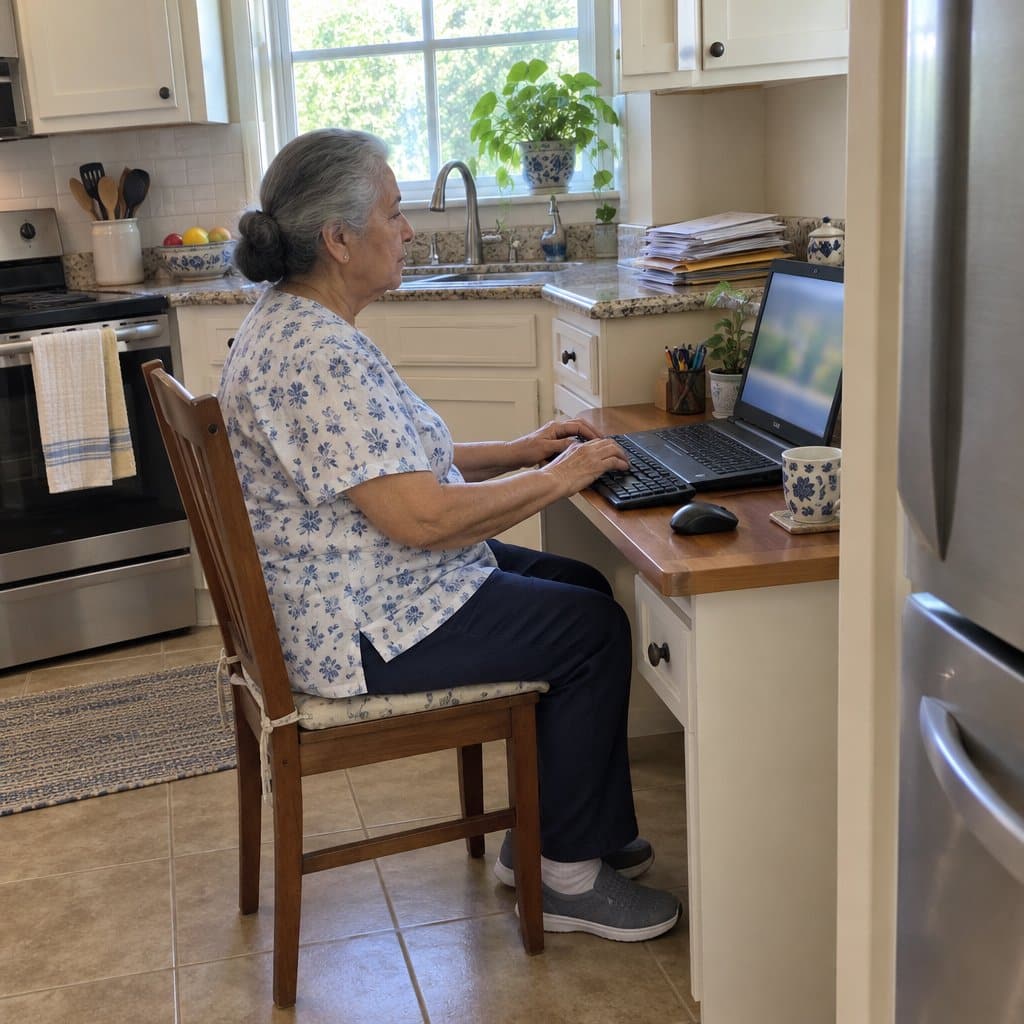
As a senior, it’s important to maintain a healthy posture while typing on a computer keyboard. Ensure that you sit with your back straight, feet flat on the floor, and shoulders relaxed. Place the keyboard at elbow level, ideally on a desk with ample space.
When typing, use a light touch and keep your wrists straight. Your fingers should hover over the home keys, with your thumbs resting on the spacebar.
For a more comfortable experience, consider using a keyboard with an ergonomic design or a smaller version that matches your hand size.
Tips for Reducing Strain and Discomfort
Extended typing sessions can lead to strain and discomfort, especially for seniors. To minimize these issues, incorporate the following tips while using a keyboard:
- Take regular breaks during long typing sessions
- Stretch your hands and wrists periodically
- Adjust the keyboard angle and position to maintain a neutral wrist position
- Choose a keyboard with a sleek design and tactile feedback for better comfort
- Use a height-adjustable office chair made for seniors to keep your back and shoulders aligned properly
Adapting to a New Keyboard Layout or Design
Switching to a new keyboard may take some time, especially if it has a different layout or design. Here are a few suggestions to help you adapt:
- Begin by practicing on your new keyboard for short typing sessions
- Gradually increase typing duration as you become more comfortable with the layout
- If transitioning from a standard size to a smaller version, focus on using the correct fingers for each key
- Consider a premium option designed specifically for seniors or elderly individuals, as these often have larger key sizes or custom key configurations
Now that you understand how to use a keyboard correctly and what to consider when adapting to a new layout, the following section will provide more information on specialized keyboards designed specifically for seniors’ needs.
Infographic: Senior-Friendly Keyboards
Share on Your Site With This Code:
<a href="https://grayingwithgrace.com/best-keyboards-seniors-elderly/"><img style="width:100%;" src="https://grayingwithgrace.com/wp-content/uploads/2023/05/Keyboards-for-Seniors-infographic.png"></a><br>Design by: <a href="https://grayingwithgrace.com">Graying With Grace</a>