Digital games can be excellent tools for older adults. Many seniors find them more attractive than traditional board games, which gives them the motivation to spend more time playing.
The best iPad and tablet games also don’t need other players, so they work whenever you want a distraction or a bit of fun.
If game apps for seniors are what you’re after, including free iPad games, I cover those too, along with brain games, word games and virtual reality games. If puzzle apps for adults are more your speed, you’ll find Sudoku and jigsaw apps for keeping those puzzlers busy.
Keep reading to find the best tablet, Kindle, or iPad games for seniors.

Best Tablet Games For Seniors
The problem with many game apps for seniors is that they are difficult to see on smaller smartphone screens. But, with tablets, you have a larger screen to work with which usually means the text and buttons are larger too!
Here are some games for seniors that are easy to see and use – especially when played on your favorite tablet.
If you would rather play on your phone than a tablet, here are the iPhone games seniors play for hours.
1. Big Fish Casino
Big Fish Casino is one of the free apps for Android and Apple that provides a variety of popular casino games such as slots, poker, roulette, and blackjack.
This game starts players off with a set number of chips, but once they are depleted, the user will need to spend money in order to purchase more.
2. Farmville 2: Country Escape
Farmville and many similar apps have successfully attracted a very large audience through devices and Facebook. This app for Android and Apple is Farmville’s primary tablet offering. The game requires reading, planning, and strategy, which may not be the best option for every senior.
However, many seniors seem to enjoy the strategy and thinking that this game involves. These features also make these games more appealing when comparing them to some of the more simplistic games.
Free iPad Games For Seniors
If you are one of the fans of iPad or iPhone games, you may agree with the fact that many of the free games are utter garbage. But, there is no need to worry since there are many free iPad games that are still excellent for seniors.
1. Data Wing
Data Wing is a type of racing game that offers a unique twist. This game doesn’t involve cars but rather driving data around neon landscapes, getting unanticipated and unexpected boosts or thrusts when you hit any of the walls.
This is also one of the story-driven games that feature 40 levels along with simple two-touch controls that are guaranteed to keep you entertained for hours.
2. Super Stickman Golf
Super Stickman Golf is the 3rd-edition of this award-winning series that boasts 20 new courses that you will need to master and several power-ups and game modes.
This game also allows you to compete against one or more other players. For any senior who once enjoyed playing golf, this is one of the absolute must-have games to try.
3. Pocket Run Pool
This game offers the same levels of fun and entertainment as a real pool table. Pocket Run Pool only includes 8 balls that you will need to sink.
But where and when they go is what is going to matter the most. An engrossing yet simple game that is excellent for seniors that are interested in letting off some steam.


Best Kindle Games For Seniors
1. Threes!
Threes! is one of the puzzle games created by Asher Vollmer and made to give your brain a workout. Available on both Android and iOS devices, players need to make a few simple calculations by using numbers together on a grid.
2. Candy Crush Saga
Candy Crush Saga is one of the free-to-play match-3 games that does include a few in-game purchases like lives or extra moves. It remains among the more popular casual games that work on all types of mobile devices, including Kindles.
3. Temple Run
Temple Run is one of the arcade games for iOS and Android devices. The game involves running and avoiding obstacles. The final part of the game includes escaping the Evil Demon Monkey and surviving.
4. Terraria
Terraria is a 2D sandbox action-adventure game that involves digging, building, fighting, and exploring. Published and developed by Re-Logic, these games can be played on Xbox One, Kindle, Windows, Mac iOS, Android, and PlayStation 4.

Best Android Tablet Games For Seniors
When choosing the best Android tablet game for a senior, it is suggested to start with the free Android games and then only pay for a premium version once they have chosen their favorite app.
If you are unsure what types of games or apps to choose from, below is a list of some of the most beneficial and addictive Android games for the elderly.
1. Dots
This highly stimulating offering ruled the 10 top game charts across several countries. One of the best parts about Dots has to do with its simplicity, which is why it is an ideal choice for seniors. It doesn’t feature distracting graphics or game rules that are too complicated.
It also provides a great brain workout since you will need to join the same colored dots together to create straight lines or different types of geometric shapes. This game is also available in 3 modes.
This includes a time mode where you are competing against a clock, a moves mode that will limit the moves you are allowed to make, or the endless mode (without any limitations).
If your senior loved one enjoys this game, there are other similar ones to try, such as Blob Connect, Dots and Co, Draw Line, Two Links Delux, and Two Dots.
2. The Angry Birds Series
The Angry Birds Series are silly and fun games. They are puzzle games that include fun graphics and simple controls, which makes this game type a great option for seniors looking for ways to pass the time.
The primary games in this range involve shooting birds from a slingshot to knock down different structures. The game Angry Birds 2 is a great place to start and works with both Android and Apple.
You can also try Angry Birds Friends for Android and Apple, which follows a similar idea, expecting there are also social components to this game. These are the types of games that offer an entertaining method to remotely interact with others.
This series has also spawned several other games which also use some of the same characters, yet they each follow a different style.
An example of this is Angry Birds Evolution (for Android and Apple) which is one of the RPG-style games, or Angry Birds Dream Blast (for Android and Apple), which is one of the bubble popping games.

3. Peggle Blast
Peggle Blast is another excellent Android game for tablets that may appear complicated to start with, but it’s actually simple to pick up.
It also provides hours of fun without becoming confusing. The original game, along with its sequel, Peggle and Peggle Nights, can also be used on a computer when you buy these versions as “full games.”
Peggle Blast is a free version derived from this computer game which does feature in-app purchases. Many aspects of Peggle Blast are similar when you compare it to the original.

Puzzle Apps: Sudoku and Jigsaw Apps for Seniors
If your loved one likes puzzles more than shooting birds, a puzzle app may suit them better. Plenty of other games, brain training, and puzzle apps are out there too, but sudoku and jigsaws are two good places to start.
Sudoku is a classic that you can download on iPad or Android tablets, from the Apple App Store or Google Play Store. It is one of the better ways to keep an older adult’s mind entertained and sharp.
Jigsaws are another good choice, and a tablet is about the easiest way to do one. Pick one or two apps rather than downloading them all. Here is what separates them.
Jigsaw Puzzles Epic (Android and Apple) is free and lets you pick a size from 4 pieces up to 400. You can also choose whether the pieces rotate. There is a store for extra puzzles, but the free ones should last a long time.
Jigsaw Puzzles Real (Android and Apple) is also free. You can set each puzzle anywhere from 9 to 1000 pieces.
Magic Jigsaw Puzzles lets you go up to 630 pieces. It has soothing background music you can switch on or off, and a simple design, so you can start a puzzle without wading through menus. It has thousands of free puzzles and a few you can buy.
Jigsaw Puzzle (Android and iOS) has HD pictures and a slider where you set the exact number of pieces. It mixes free puzzles with paid packs, and one paid puzzle is free each day. New puzzles are added regularly.
Two jigsaw websites work right in the browser, with nothing to download. Jigsaw Planet has hundreds of free puzzles. Jigsaw Explorer has a clean, easy-to-read layout and almost no ads, only one on the selection and play pages. You can even upload your own photo to make a puzzle to share with family.
The trade-off is that Jigsaw Explorer’s puzzles tend to look alike, and most other puzzle sites are crammed with ads. If you want variety, an app with a bigger library may suit better.
Best iPad Games For Seniors
1. King Rabbit
This game involves a rabbit wearing a crown which goes around rescuing other bunny rabbits. A decidedly fun and enjoyable game, this puzzle adventure involves King Rabbit having to navigate his way through several obstacles to reach a cage that is holding his bunny friends.
Along each adventure, he needs to find 3 gold coils that need to be collected. The levels might be bite-sized, yet these challenges are designed to give the brain a healthy workout.
2. Flipflop Solitaire
You can find hundreds of solitaire games or versions of solitaire on places like the App Store, but Flipflop Solitaire is a version that has given a really unique twist to the original by subverting just about every rule that applies to this game.
This is what has given this particular digital offering an element of true novelty.
3. Slydris
If you were under the impression that Tetris was the top block-dropping game you have ever played, Slydris (available on the Apple App Store) would definitely change your view.
This game still involves dropping your blocks into a well, but with this version, you will be required to wait your turn in order to do it.
You can also only move your blocks horizontally, so you will need to put in a bit of thought process if you are after creating chains and to stop the game from ending.
4. Crush The Castle: Siege Master
Suppose you enjoyed the popular Flash game that shared the same name. Then you will really enjoy this iOS version. Crush The Castle: Siege Master is a simple game, but it does promise endless hours of enjoyment.
This game involves throwing rocks as your weapons at the “bad guys” with the use of a trebuchet that hurls them over 300 meters. This game involves loads of visual-selective attention, which will keep you engrossed for hours on end.
RELATED: Oculus VR Games for Seniors & Elderly
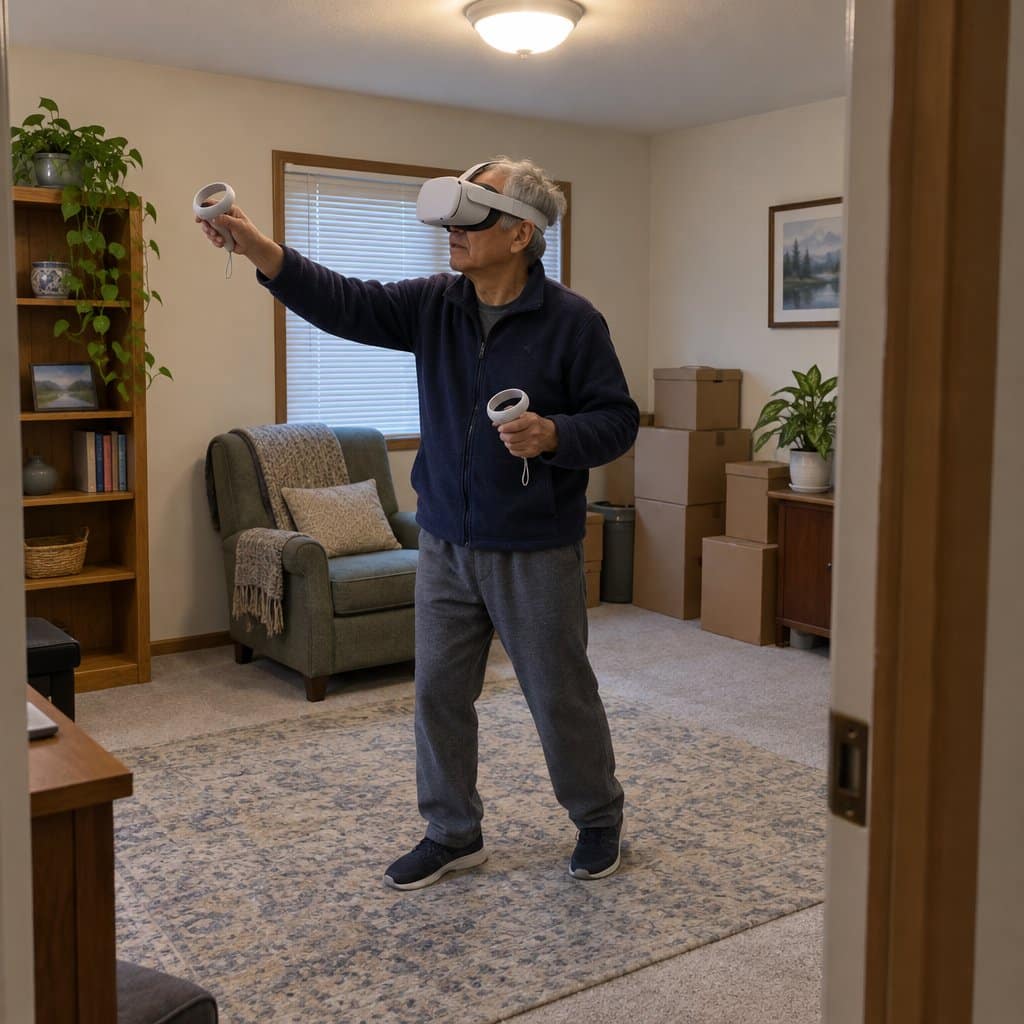
Virtual Reality Games for Seniors
Tablets are not the only way to play. Many older adults are fascinated by virtual reality, where you wear a headset and feel like you are inside the game. The Oculus games seniors like to play are a good place to look, and they sit alongside the other games and entertainment apps for seniors I cover on this site.
Tilt Brush is for the artist, or the person who never knew they were one. You paint with brush strokes that are three-dimensional, using light, stars, and fire. Then you can walk around what you made.
Nature Treks VR is a quiet escape to the tropics. You can explore a virtual underwater world or walk across green fields. You can also summon animals and control the weather, so it is a way to build your own little paradise.
The trade-off is that virtual reality is a different kind of setup than a tablet you can pick up off the couch. If your loved one is still uneasy with technology, a simple tablet game may be the better place to start.
Conclusion
Tablets and iPad are not just devices dedicated to younger generations. Seniors and the elderly can also use it for enjoyment. They provide essential cognitive exercise and a way to unwind and relax.
This is why it comes as no surprise that tablet apps and iPad games for seniors have become increasingly popular over the last few years.