
![Man watching tv with wireless headphones[1]](https://www.grayingwithgrace.com/wp-content/uploads/2026/10/man_watching_tv_with_wireless_headphones1-e1791236164662.jpg)
This article helps you pick TV headphones that let you hear the dialogue clearly without turning the volume up for the whole room. A few things matter most:
- Private listening. You set your own volume, and nobody else in the house has to hear it.
- Easy setup. Most of these work with a small transmitter that connects to the TV and sends sound to the headphones. Look for one that needs no apps and no fiddly pairing.
- Clear voices. Many of these boost speech so words are easier to follow, which matters more than fancy sound for most TV watching.
Before you buy, check what audio connections your TV has on the back. Most of these use optical, RCA, or AUX, and some older or newer sets may need an extra adapter or a Bluetooth connection.
Video Guide: TV Headphones for Seniors & the Elderly

Best Wireless Headphones for TV Listening
These are wireless TV headphones for older adults who have trouble hearing their TV. Each one lets the person wearing it set their own volume, so nobody else in the room has to sit through a loud show. If two of you watch together, I also made a video showing you these dual wireless TV headphones for two people. If you want a simple single-listener set, I also wrote up the Swiitech wireless TV headphones for seniors and how they handle dialogue.
Before you buy, look at the back of your TV for an audio output (optical, RCA, or a 3.5mm headphone jack). Most of these connect to the TV through a base that also charges the headphones. My buying guide below covers the pros and cons of each type.
Swiitech Wireless Headphones
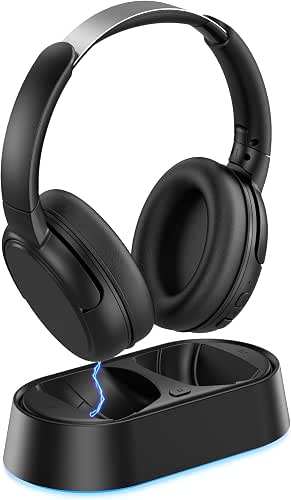

The Swiitech wireless TV headphones let you listen to the TV at your own volume while everyone else in the room keeps the sound they like. A transmitter sits by the TV and sends the sound to the headphones.
What stands out for an older adult is the dialogue enhancement setting. It puts the emphasis on voices, and voices are often the first thing to get hard to follow when hearing changes.
Setup is about as simple as it gets. One cable runs from the transmitter to the TV, with no apps and no pairing codes. When the headphones rest on the charging dock, they pair with the transmitter on their own. The battery runs about 24 hours, so they are usually ready when you sit down. It uses Bluetooth V5.3 and is listed as having no lip-sync delay, so the voices should match the moving lips.
The trade-off is that the sound is tuned for TV speech, not music, so it is not the right pick if you want high-quality music listening. Your TV also needs an optical, RCA, or AUX output. Bluetooth works as a backup, but it adds a step on older sets, so look at the back of your TV before you order.
Mutbam TV Headphones

Mutbam is a wireless TV headphone set made for listening at your own volume, so the rest of the room doesn’t have to hear the TV at the level you need.
The headphones and the charging dock that connects to the TV arrive already paired. You connect the base to a compatible audio output on the TV, turn on the base and the headphones, and they reconnect on their own. There’s no digging through the TV’s Bluetooth menu each evening.
The sound comes from 40mm drivers, aimed at balanced sound and clearer voices. That matters for older adults, since speech is often the first thing to get hard to follow. The volume controls on the headset are easy to reach, so you can adjust from your chair. The 65H in the name points to a long battery life, which means fewer evenings of finding the headphones dead.
If you would rather skip the headset, I also made a review of the long-battery PocBuds wireless earbuds for TV, music, and calls.
The trade-off is that your TV needs a compatible audio output, so check the back of your set before you order. It’s also built for everyday TV watching, so it isn’t the one to pick if music listening is the main goal.
Earbay Wireless Headphones

The Earbay Wireless Headphones for TV suit you best if you want to watch in the evening without turning the volume up for the whole house. The sound goes to you privately, so everyone else gets quiet.
They use Bluetooth 5.4, and the signal reaches up to 30 meters (100 feet). You can walk to the kitchen for a snack and keep hearing the show. Audio lag is under 40 milliseconds, so voices should stay lined up with the people on screen.
Earbay describes the sound as full-bodied, with amplified dialogue, which is the part that matters most when words get lost under music and background noise.
They run up to 40 hours on a full charge. When you set them back on the transmitter, they begin charging on their own, so there’s no cord to hunt for at night.
Keep in mind that these are TV headphones, not a hearing aid. If your hearing loss is more than mild, they may not give you all the help you need.
Noise-Isolating Wireless TV Headphones

Wireless Headphones for TV Watching is aimed at older adults and anyone with mild hearing difficulty. It’s tuned for clear dialogue and balanced sound, so you can catch the words without raising the TV volume for everyone else in the house.
The ear cups are noise-isolating, which helps cut down on household distractions. It also means you can watch late at night without disturbing anyone. The flip side is that they may muffle the doorbell or the phone ringing, so think about that if you’re home alone.
You get up to 40 hours of playback per charge. The 2-in-1 charging base recharges the headphones automatically when you set them on it, so there’s no cord to fumble with. A 2-hour quick charge covers days of regular TV watching.
When the TV is off, you can connect them by Bluetooth to a phone or computer. That’s handy if you’d like one pair for TV, video calls and music. Keep in mind they’re made for mild hearing difficulty, so if your hearing loss is greater than that, they may not give you all the help you need.
SIMOLIO SM-823D Pro TV Headphones

The SIMOLIO SM-823D Pro is a digital 2.4GHz set aimed at one problem: hearing voices on TV. It uses voice clarity and noise reduction to tone down background sounds, so dialogue is easier to pick out from music and effects.
It also has auto signal control, which is meant to keep the TV audio steady. That helps when a commercial comes on and the volume suddenly jumps.
Set-up is simple. There is no pairing and no lip-sync delay, so the voices match the people’s mouths. The signal can go through ceilings and walls, with an effective distance of up to 164 feet. You can get up for a cup of tea or a trip to the kitchen and keep listening.
The thing to check before ordering is what your TV puts out. It connects to optical, RCA and 3.5mm audio outputs. If your TV only has HDMI ARC, you will need an external HDMI converter, sold separately. And it will not work with a TV that only has Bluetooth.
Turn the TV around or look at the back panel first. If you find one of those three outputs, this one is worth a look for someone whose main trouble is following the conversation.
65-Hour Wireless TV Headphones With Dock

This wireless TV headphone set comes with a transmitting charging dock. The dock plugs into your TV and sends the sound to the headphones. When you’re done watching, the headphones rest on it to charge.
The battery is rated at 65 hours, so you won’t be charging it every night. That suits someone who would rather not think about batteries. Set-up is plug-and-play, and the name lists optical, RCA, AUX and Bluetooth as ways to connect.
It has 40mm drivers, which are meant to give balanced sound and clear voices. Easy-access controls let you set your own listening level. That helps when you want the news loud enough to follow while the rest of the room stays quiet, or when two people in the house want very different volumes.
The trade-off is that the dock has to sit near the TV and be plugged into one of its audio outputs. Look at the back of your TV before you order, so you know which connection you will use. If you only want to listen from a phone or tablet, a dock like this is more than you need.

You may have seen the TV Ears commercials on late-night TV in the past. These TV listening earphones are made specifically for improving TV hearing.
They use a proprietary Voice Clarifying Circuitry that adjusts itself to make dialog easier to hear and understand. It also decreases the volume of loud background noise.

TV Ears are probably the best headphones for people with pacemakers. These use infrared (IR) technology which is safer than radio frequency (RF) for pacemakers. There are some drawbacks to IR though.
The range is less meaning you can’t go as far away from the TV. You will also need to stay within the line of sight of the transmitter.
These are simple to set up and use. This model comes with both analog and digital audio cords so you can use a wide range of connections for it.
Like most of the others, simply plug it in, charge the headphones, and turn it on. It’s that easy. Volume can be adjusted right on the headphones too.
Reviews are somewhat mixed though. People either seem to love them or hate them. There are multiple complaints about them breaking so I wouldn’t use them with anyone who is rough on their equipment.
So, why did I include them on this list? Because they have been so heavily advertised that people ask about them. I also wanted to include an option for seniors with pacemakers.
Buying Guide: Choosing the Best TV Headphones for Seniors and the Elderly
Use the information below to help you make an educated decision when shopping for TV headphones.
What Type of Headphones Do You Prefer?
One of the main considerations is the type of headphone and ear design you want to wear based on comfort and whether or not you wear hearing aids. Headphones come in three basic wearing styles and ear designs:
Over the Ear Headphones
The first is the over-the-ear style which has soft cups that completely cover the ears. This style looks like ear muffs and tends to be the most comfortable to wear. But, because they cover your ear completely, you won’t be able to hear what’s going on around you.
On the Ear Headphones
The second are called “on the ear” and these sit just over the ear opening and usually have a soft pad on them. These provide high volume boost but allow enough sounds from around to bleed in so that you can remain aware of your surroundings.
Earbuds/In-Ear Headphones
The last style is earbuds or in-ear headphones. Most of the earbuds for TV listening are “stethoscope” style meaning they sit just in the ear canal with a holder that sits below the head – just like the stethoscopes at the doctor’s office.
Because they sit in the ear, these are not hearing aid compatible. As a matter of fact, they won’t fit if you have hearing aids.
How Will You Connect Them to Your TV?
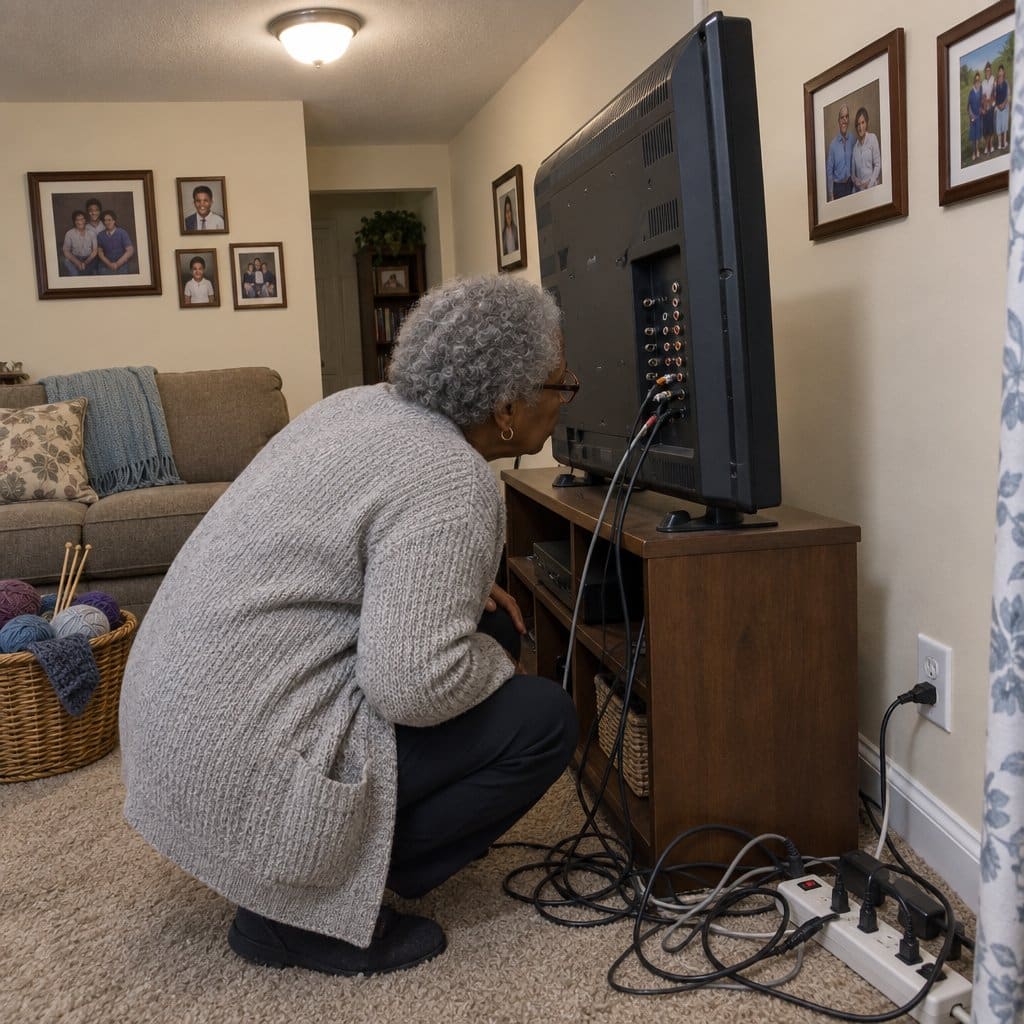
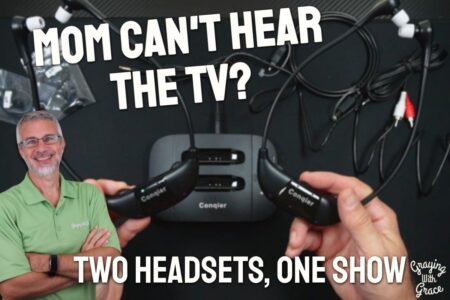
While wireless TV headphones don’t have to be directly connected to your television, there is often a transmitter box that will need to be connected to your TV’s audio outputs.
This transmitter will send the signal to your headphones via radio waves, Bluetooth and sometimes through infrared signals.
Most of the headphones I recommend come with multiple connections to fit a wider range of TVs. The most common connection ports for headphones on the back of your TV are:

- RCA Jacks. These are the silver circular connectors that have the red, white, and yellow interiors. The red and the white are used for audio connection. RCA jacks are common on older TVs but are used less with Bluetooth-enabled Smart TVs.
- Audio Out/Headphone. This connection is a simple, small round hole and usually has a headphone symbol near it. A 3.5 mm audio plug (typical headphone plug) fits here. This is the most common connection for wireless TV headphones for seniors today.
- Bluetooth Connectivity. Most newer Smart TVs come with Bluetooth built-in. So, if your TV headphones are also Bluetooth, you may not need any connection to the TV at all. Just pair the headphones with the TV.
But, if the headphones use radio wave transmission, you’ll still need to hook up the transmitter box regardless. If your TV does not have built-in Bluetooth, you can buy a separate Bluetooth transmitter to hook up.
Wireless Transmission Range
Because these headphones transmit their signal without wires, there is a limit how far they can send this signal.
A quick measurement from the TV to the senior or elderly person’s favorite chair will help you determine what distance you need. But, unless you have an abnormally large room, most will work if the distance is less than 100 feet.
Battery Life
Another important criterion for choosing TV headphones for seniors is the battery life and how the rechargeable battery is charged.
Think about how much the user will be using them every day and make sure you buy the headphones that have at least that much time on a single charge. More is better unless you don’t mind charging the batteries daily.
Also, think about how the batteries will be charged. The best solution for most older adults is a charging dock that they can simply set the headphones into once they need to be charged.
This option is a simpler setup compared to having to plug a charging cable into the headphones which could be more difficult for some elderly people. Especially if they have arthritis or early dementia.
Ease of Use
Not every senior or elderly person is comfortable with technology like this, so it’s critical to choose easy-to-use headphones for this group. If they are afraid of them, they won’t use them.
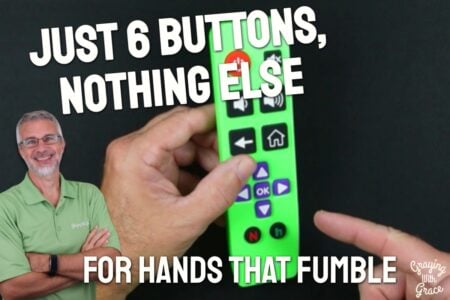
Look for headphones that have little to no buttons. A volume button may be all they need, but they can also control the volume with the remote control. Any buttons should be well-labeled and easy to identify by touch so they can be used while the headphones are being worn.
Sound Quality
Finally, sound quality is an important feature to consider. That’s why the older person is using them, right? To hear better!
So, sound quality is important – especially at the higher volumes that TV headphones are used. You want to make sure they don’t play distortion or interference, especially at loud volumes.
How TV Headphones and Earbuds Help Seniors
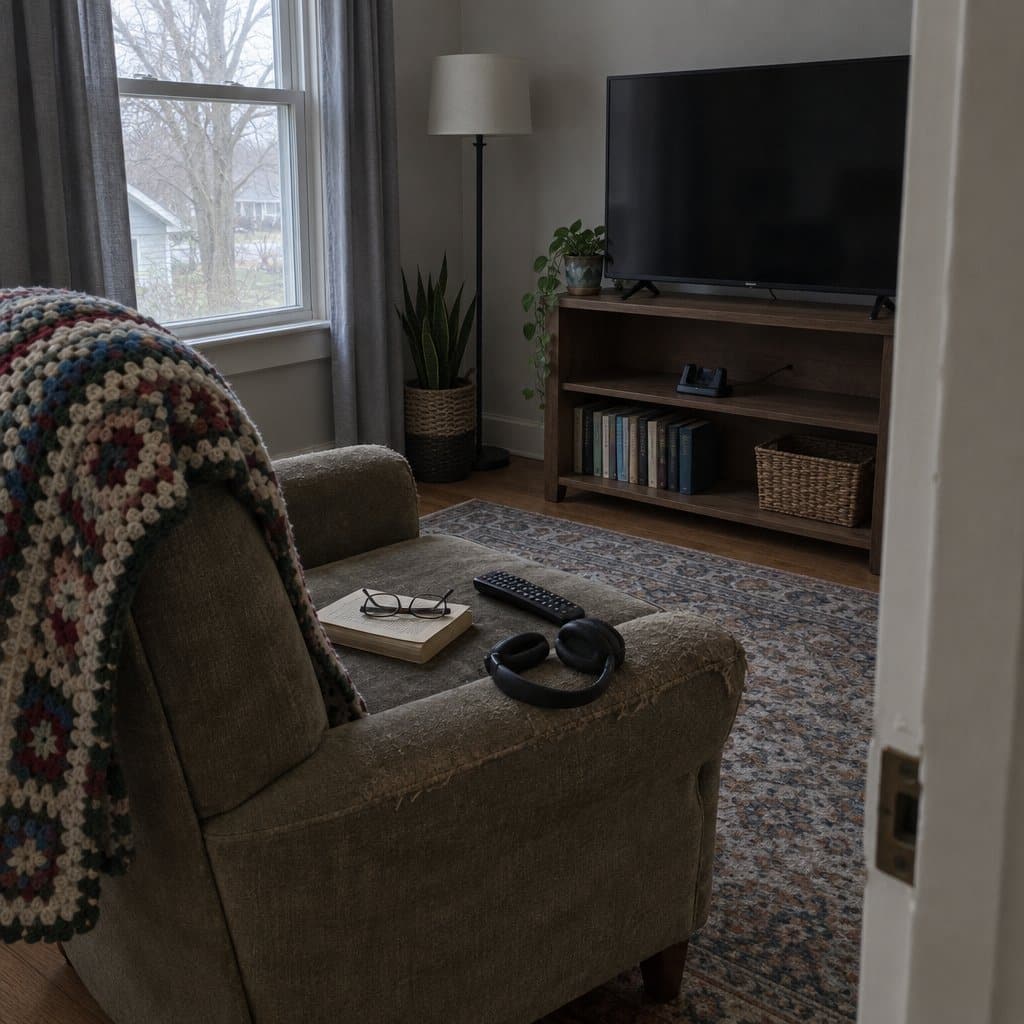
These TV listening devices have a transmitter that plugs into the audio out ports of your TV. Then, it sends the sound through wires or wirelessly to headphones.
TV headphones are beneficial because you enjoy better sound because they are close to the ears.
When comparing them to other helpful TV listening devices, headphones have some distinct advantages:
- Private Listening. The user can listen to the TV at a different volume than others in the room. All they have to do is turn the volume on the headphones up and leave the TV at normal volume – or off altogether.
- Portability. These devices are small, lightweight, and easy to take with you. They can even be worn around the house to listen to the TV while doing other tasks. Most will have a range of nearly 100 feet (check each model specifically).
- Compatibility. Many headphone sets use standard audio connections and will work with almost any TV.
- Easy to Set Up and Use. These are also “plug and play” meaning all you have to do is plug them in, charge them up, and they are ready to use. There are no settings or pairing needed.
- Wireless TV Headphones. Although there are still a few wired models, most of these products are now wireless.
There are some drawbacks to that you should be aware of also:
Hearing Aids. Because these devices fit close to or inside of the ear, they usually cannot be used with hearing aids. The Clarity TV headphones above are the exception to this rule. They claim to be hearing aid compatible.
Because the sound is playing so close to the ear, the wearer may not be able to hear telephones or doorbells while using the device. Phone ringers may need to be turned up.
Summary and Final Recommendations
I hope this guide to the best TV headphones for elderly people and seniors has been helpful. My own grandmother struggled with this and devices like this were a lifesaver at times!
Choose the style that the wearer finds most comfortable and helps them hear the TV better. Take into account hearing aid use and the TV connections available on their TV to make sure your choice is compatible.
Check out my post on phone headsets for seniors too for ideas on making phones easier to hear!
Do you have other recommended ways to make the TV easier to hear for seniors and the elderly? Tell me about them in the comments below!






Good article providing things to consider when buying headphones. I’ve been looking for an over the ear unit where the charging station is separate from the transmitter. My 94 year old mother sits about 15 ft from the TV, so I’d like there to be a charging station beside her. I think a USB plug in charger would be too difficult for her, as she struggles with that style of charger on her kindle. I’d like a short connection from the TV to the transmitter. I’ve read some articles that suggest 2.4 Ghz RF is better than bluetooth for syncing with video. Don’t know if that matters too much. Her TV has several output options, including Digital Audio. Any ideas