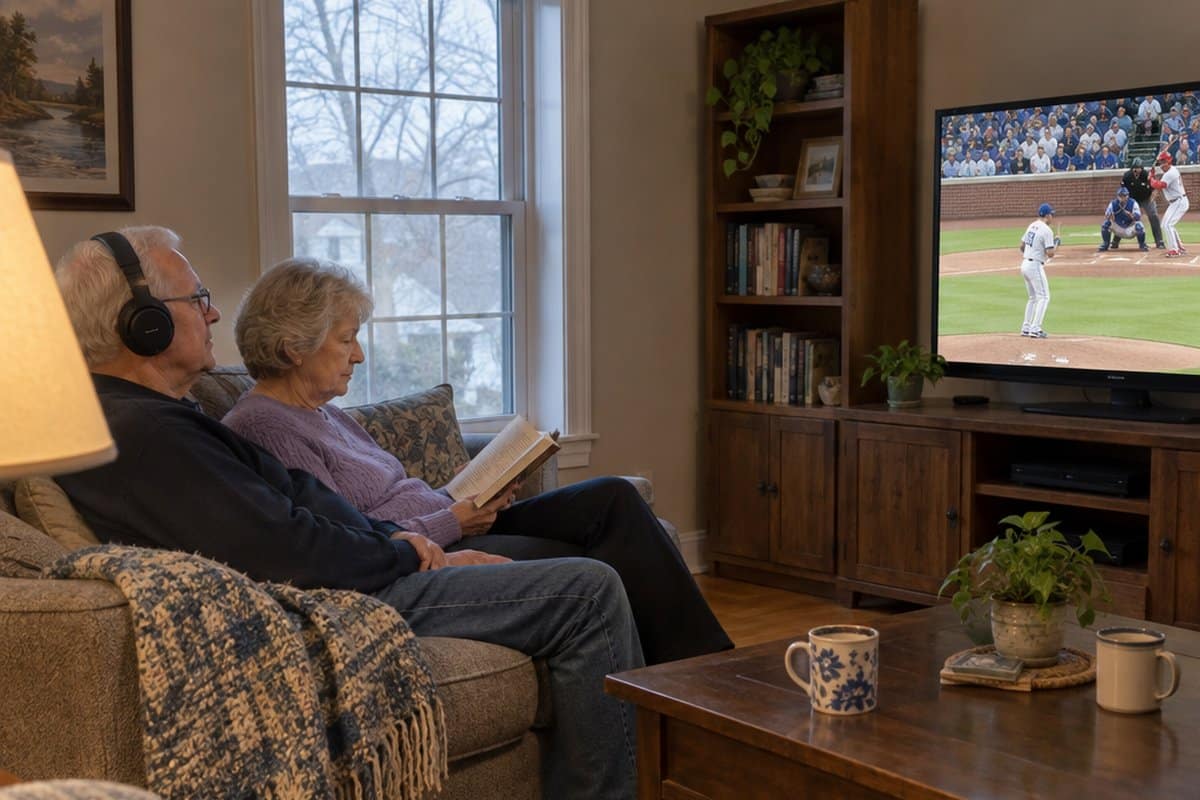
You turn the TV up again, and someone in the house asks you to turn it back down. If you want the best TV speakers for seniors who want to hear the TV better, you are in the right place.
This guide covers wireless TV speakers, a soundbar, and wireless TV headphones, plus specialty devices for hearing aid users. It also explains what to check before you buy, with the downsides named, and a few simple tips for hearing dialogue more clearly.
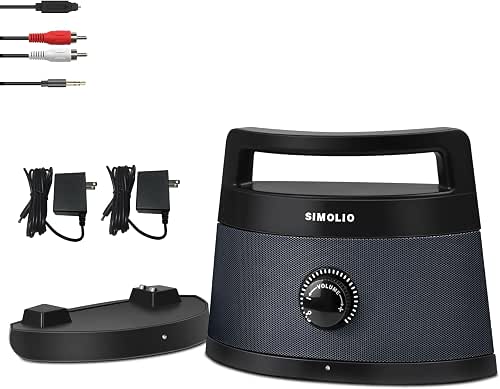

- Portable wireless TV speakers that boost voices are a top option for people with hearing loss. Many models start under $100.
- Soundbars like the Zvox AccuVoice also clarify speech by separating voice audio.
- And if you wear hearing aids, specialty transmitters send sound directly to your devices.
Best Wireless TV Speakers for Seniors & the Elderly
Here are my recommended TV speakers for people who have trouble hearing the TV.
SIMOLIO Dialog Enhancer TV Speakers

The SIMOLIO 621D Plus is a wireless TV speaker made for people who have trouble hearing dialogue. It sits near your chair, so you hear the TV clearly without turning it up for the whole house.
Its Dialogue Enhancer is the main feature. It helps speech stand out from background noise, so you may find you can understand people on screen at a lower volume. That means you can hear well and the rest of the household isn’t bothered.
Setup is meant to be simple. It takes about 2 minutes, and there is no app, no WiFi and no passwords. The controls are oversized and tactile, so you can find the right button by feel. There are also 3 EQ modes if you want to adjust the sound.
It has a 164-foot wireless range and up to 8 hours of battery. You can carry it from room to room or keep it docked all day. You may like having it right next to you in a favorite chair instead of wearing headphones.
There are two things to know before you buy. If your TV has only HDMI connections, you will need a separate audio converter, which is an added purchase. It is also a single speaker, so you won’t get much stereo separation. That matters if you watch a lot of music or movies and care about a full, wide sound.
If dialogue is what you struggle with, and you want something with big buttons and little setup, this one is worth a look.
Jabra Speak 510 Portable Speakerphone

The Jabra Speak 510 is a portable speaker made for calls and meetings, and it can also play music and other audio. It connects by Bluetooth or by USB, so it works with a phone, a laptop, or a computer.
That makes it a good fit if you want one speaker for video calls with family, audiobooks, and streaming music. Jabra describes the sound as clear, and setup is meant to take only a few moments.
It is portable, so you can carry it from room to room. You can also plug it into a desk phone or other device if Bluetooth isn’t your thing.
Now the downsides. This speaker is built mainly for speakerphone use, not as a TV speaker. Nothing in its details mentions a TV connection, a dialogue setting, or a sound profile for hearing loss.
If your main goal is to make TV dialogue easier to follow, a speaker designed for that will serve you better. If you mostly want clearer calls and audio from a phone or computer, the Speak 510 is worth a look.
Retekess AM FM Portable Radio

The Retekess TR604 is a plain AM/FM radio, not a TV speaker in the usual sense. I’m including it for people who mainly want a radio that is simple to run and loud enough to hear.
It has a large knob and an analog readout for tuning and volume. You turn the dial to the station you want, with no numbers to program. It also has a high/low tone setting.
The speaker is 2 watts, and it is meant to fill a room with clear sound. A rotatable antenna, 23.62 inches long, helps with reception, so you shouldn’t have to wander around looking for a good spot.
It runs on D batteries, which last a good while. It also plugs into the wall, so it works at home and still works in a power outage or at the beach. There is an earphone jack too.
Now the trade-off. The details I’m working from don’t list a Bluetooth or TV input, so I wouldn’t count on it to carry your TV’s sound. If hearing TV dialogue is the goal, pick one of the TV speakers above instead.
This one suits someone who listens to news, ball games, or music on the radio and wants dials they can see and turn.
Anker soundcore 2 Bluetooth Speaker

The Anker soundcore 2 is a Bluetooth speaker, so it works a little differently from the plug-in box above. It connects wirelessly to a device that has Bluetooth, and it plays whatever sound that device sends. If you want a similar Bluetooth option built for clearer voices, the BenQ treVolo U Dialogue Speaker is worth a look.
That matters for TV. If your TV has Bluetooth, you can pair the speaker with it once and then use it as your TV sound. If your TV does not have Bluetooth, this speaker will not work with it on its own, and you would need a separate adapter.
The sound is 12 watts of stereo audio from two drivers, with a digital processor meant to keep the sound clean at any volume. It also has a bass boost feature called BassUp. That is aimed at music, so if you mostly watch the news or talk shows, you may not care about it.
The battery is rated for 24 hours of playtime. That is a full day of TV before you need to recharge it, and it means you can carry it from room to room without hunting for an outlet.
It is also rated IPX7 for water protection, meaning it can handle splashes. A spilled cup of coffee next to your chair is not a disaster. That is handy if you want to listen on the porch or in the kitchen too.
The controls are simple, with buttons on the speaker itself. Still, the first pairing takes a few steps in the TV’s settings menu, so it may be worth having a family member or friend help you set it up.
One more thing to know: this speaker has no headphone jack and is not built as a hearing aid. If you need private listening, or if voices are the hard part, a speaker made for hearing assistance may suit you better.
Evinof Zero-Latency Wireless TV Speaker

The Evinof is a wireless speaker you place near your chair. It plays the TV’s sound close to you, so you can keep the TV itself at a normal volume.
It has Voice Enhancement Technology with a dedicated TV Mode. That setting boosts the sound of voices so dialogue stands out from background music and sound effects.
It connects to the TV with a 2.4GHz wireless link, so the sound stays in step with the picture. The range is up to about 98 feet in open areas. That is enough to listen from the kitchen, the patio, or the bedroom.
Connection options matter here, so check the back of your TV before ordering. This speaker works with Optical, AUX, RCA, and USB-C, which covers most TVs.
It also has a Bluetooth mode (Bluetooth 6.0). That means you can switch it over and play music or a call from a phone or tablet.
The battery is rated for up to 24 hours, so you won’t be recharging it every day.
One trade-off: this is a speaker for one listening spot. If you want sound only you can hear, such as late at night while someone else sleeps, a headphone-style listener would suit you better. Also, the wireless link and Bluetooth mode add a few settings to learn, so it may take a short setup session to get comfortable.
If sound only you can hear sounds right, here is how the Swiitech wireless TV headphones worked for clearer dialogue when I tried them.
TV Listening Devices Reviews and Options
The good news (and bad news) is that you have many device choices for improving sound quality and volume while watching TV or movies at home.
There are a few major classifications to learn about that will help you decide. Here is a rundown of the options out there, with a few product recommendations for each one.
Choosing TV Speakers for The Hard of Hearing
The first option we should talk about is the amplified TV speakers. This includes amplified speakers that plug into the TV, including sound bars. The speakers may be near the TV but usually near the user’s ears.

There are several positives to choosing a speaker system.
- Portability. These devices are easy to move around for the best TV listening experience. They are small, lightweight, and easily follow you if you sit in a different chair. Traveling? Take them with you wherever you go. Most are small enough to fit in a suitcase.
- Compatibility. Portable TV speakers will generally connect to nearly any TV audio output: headphone jacks, RCA jacks, and optical outputs included.
- Wireless. Many of these models have no wires between the transmitter and the receiver. So, no wires to manage or trip over.
- Easy to Set-up and Use. Just plug the cables into the outputs of your TV, make sure the battery is charged, then use a simple knob to adjust the volume. That’s really all you have to do to use a system like this.
- Hearing Aids. Because they are external, these TV listening aids can be used with hearing aids and less expensive hearing aid alternatives like PSAPs.

Potential drawbacks include:
- If the speaker is turned up loud enough, it could disturb others in the room or elsewhere in the house. Several models come with headphone jacks because of this.
- Because they are wireless, most are battery-powered. So, it is important to make sure the batteries stay charged or have a power adapter for the speaker part also. That way, the speakers will always have power when the senior wants to use them.
External TV speaker systems like these may be a good fit for people with hearing aids, people who live alone, and those who need a simple setup that is easy to use.
Best TV Soundbar for Hearing Impaired
Soundbars are those long, rectangular speakers you see under some TVs. TV audiophiles use them to boost the sound that comes from a regular television set.
These have some use for seniors with hearing difficulties too. The major drawback is that even the best soundbars are not portable and typically sit under, on, or beside the TV.
ZVOX AccuVoice AV157 Soundbar

The Zvox AccuVoice soundbar looks like normal, standard audio equipment. So, it may be a great choice if you would rather not have a special device on display.
It is easy to set up and use too. Simply connect the power cord and the audio cable between the TV and the soundbox. Note, however, that you must have an Optical audio out on your TV for this to work.
The volume can be adjusted with the included remote control, or most cable and satellite remotes can be programmed to control it.
The biggest plus for Zvox is its exclusive technology that makes voices stand out so they can be heard better. It does this by separating the voice track from the background music and boosting the voices to be clear and easier to understand.
It is not portable, though. It has to stay plugged into the TV. Most people sit these on their TV stand under the TV. It measures 17” wide by about 3” high and 3” deep, and it weighs about 3 lbs.
One other cool feature is the Output Leveling technology. Have you ever been jolted by the blaring volume of a loud commercial? This feature levels the sound out so that the volume is consistent.
Best Wireless TV Headphones for Hearing Loss
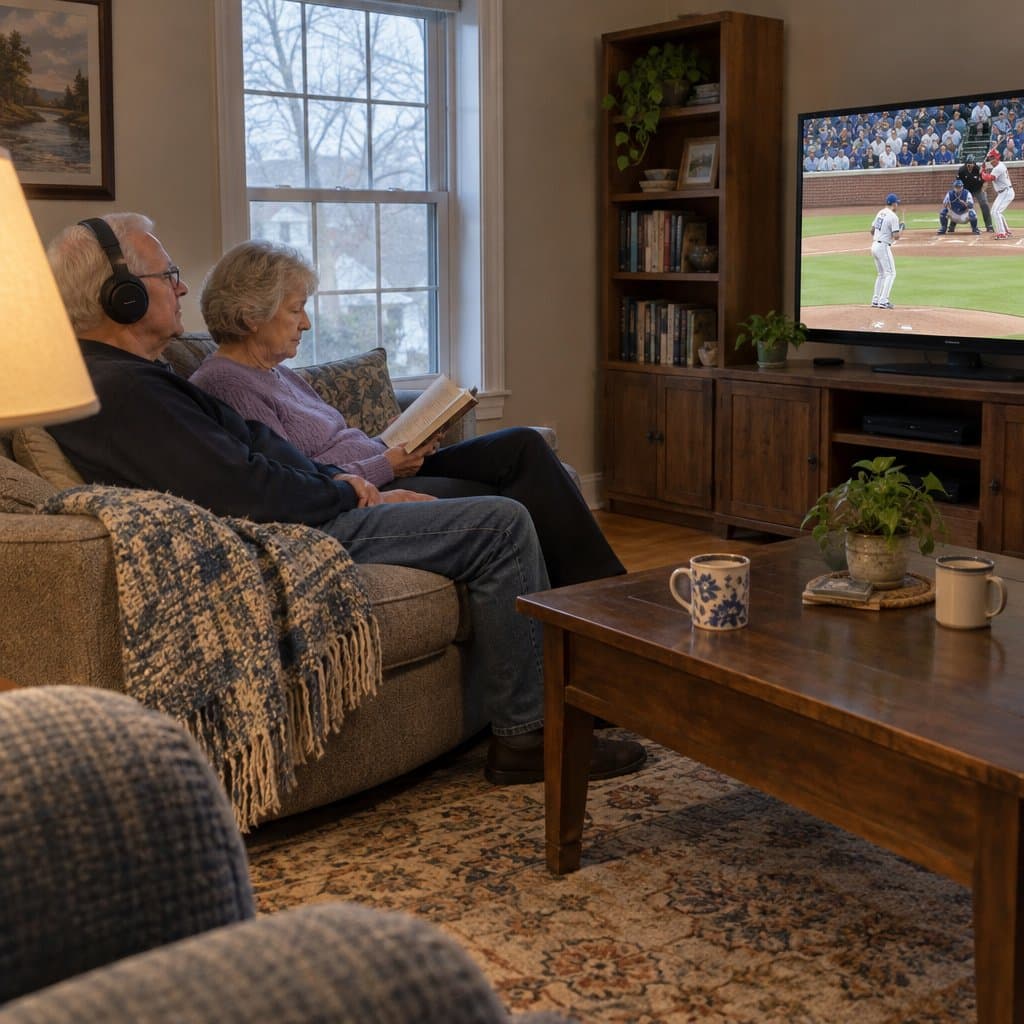
A speaker or soundbar sends sound into the whole room. That works fine until one person needs the TV louder than everyone else can stand. Wireless TV headphones solve that a different way. The sound goes to the person wearing them, so the TV can stay at a volume the rest of the household can live with.
A few things are worth checking before you buy. Look at how the transmitter (the small box that sends the sound from the TV to the headphones) connects to your TV, because not every TV has the same kind of plug. Look for a mode that makes voices clearer, a battery that lasts through a long movie, and a fit that is comfortable for a couple of hours. If you wear hearing aids, check the fit with them in. The downside is that headphones shut out the room, so you might miss the doorbell or someone talking to you. They also work best when each person has their own pair.
Conqier Dual TV Wireless Headphones

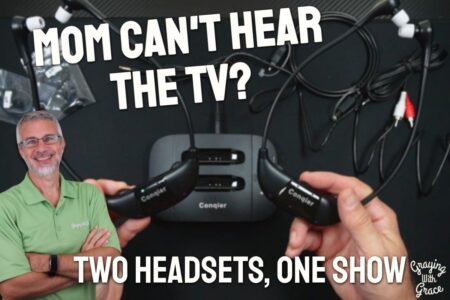
The Conqier Dual TV Wireless Headphones come with two headsets and one transmitter. Each person sets their own volume, so one of you can have it loud while the other keeps the room quiet.
That makes it a good fit for couples where one partner has hearing loss. There is also left/right balance control on each headset, and a Dialogue Clear mode that pulls voices forward, which is useful for mild hearing loss.
The battery lasts 14 hours, and a spare comes in the box, so you can swap one in instead of waiting on a charge. The range is listed at 164 feet.
One thing to watch: if your TV connects through HDMI ARC, you may need a separate adapter, so confirm that before you order. The over-ear fit may also be tight for anyone who wears behind-the-ear hearing aids.
Best Wireless TV Headphones for Seniors Who Want to Hear the TV Better
Speakers and soundbars work well when you want the whole room to hear the TV. But sometimes the problem is that one person needs the volume up and everyone else does not. TV headphones fix that. The sound goes straight to your ears, so you can set it where you like without anyone in the house asking you to turn it down.
Here is what to look for. First, easy setup. The best ones plug into the TV once and then stay put, with no apps to download. Second, a charging stand that doubles as the place you set them down, so they are charged when you want to watch. Third, a design that favors voices over music, since dialogue is usually what is hard to follow. Fourth, comfort you can wear for a whole movie. One downside to know about: they connect to the TV through a particular kind of port on the back, so check your TV before you buy. Also, they are made for TV talk, not for listening to music.
Swiitech Wireless TV Headphones
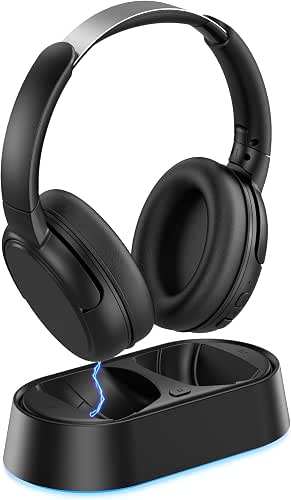

The Swiitech Wireless Headphones come with a charging base that doubles as the transmitter. You plug it into the TV once with a single cable, and there are no apps or pairing codes to deal with.
They are tuned for TV speech, with dialogue enhancement that puts the voices first. That means you can set your own volume while everyone else in the room keeps theirs. The battery runs for 24 hours, and the headphones pair on their own when you set them back on the base, so they are ready the next time you sit down.
The trade-off is that they are made for TV talk, not music, so they are a poor fit if you want them for listening to anything else. Your TV also needs an optical, RCA, or AUX output. Bluetooth works as a backup, but on an older set it adds a step.
Specialty Devices
Another class of devices is specially made to improve TV listening for hearing aid users. These transmitters send the sound right to the user’s hearing aids. Some examples are loop transmitters that work with T-coil hearing aids.
Other devices made by hearing aid manufacturers work with their brand of hearing aid only. Contact your hearing aid company for more information.
TV Replacement
Sometimes, the TV itself must be replaced because it is not loud enough or not adaptable to these newer technologies. It might not have the right audio ports or be able to be upgraded to work with your favorite device.
If you decide to upgrade your television, look for one that has equalizer functions in the settings or special audio modes that boost conversation and dialog. It would also be advisable to get one with multiple audio out ports.
The minimum ones should be RCA jacks (red, white, and yellow circle connectors), a headphone jack, and Optical audio out. These should give you plenty of options for adding additional TV listening devices later if you need them.
General Buying Guide
There are several considerations to find the best TV listening device for you or a loved one. Here are some important factors to consider.
How will the Device be Powered?

One of the most important things to consider is how the device will be powered. Will it plug into the wall outlet or use a battery?
AC-powered (plug-in) models will require a plug near the location where the user will watch TV. The benefit of this style is that the unit will always have power. But, a drawback could be the wires. It is important to make sure any wires are out of the way to prevent tripping over them.
Battery-powered devices are sometimes more convenient but require either battery changes or the batteries must be recharged frequently. Make sure you know the battery life of the listening aid you choose.
If the person using it isn’t comfortable with newer technology, they will need to be shown how to change or charge the batteries. They also need to know when it is time to charge them by understanding the warning or charging indicator.
Will it be Compatible with Your TV?
Most TV listening aids will plug into the audio outputs of the TV. Check what types of outputs you have and where they are located. The most common types are RCA plugs and Optical outputs. RCA jacks are round plugs with red or white insets in them.
One plug represents the left channel, and one represents the right on a stereo setup. The plugs that fit into these connections have a single prong with a metal ring on the outside.
Optical outputs are on newer TVs and use fiber optics to send audio signals to the device. The plug has a small square end on it.
The location is important too. The best location for access is on the front or side of a TV sitting on a cabinet. Wall-mounted TVs may be challenging because the ports cannot be reached. Or, there may be no place to set the transmitter once it is plugged into the TV.
The newest TV sets may have built-in Bluetooth and not require cables. Although, Bluetooth has its challenges that we will discuss in more detail later.
For older TVs with no audio outputs, some listening devices have mics you can set in front of the TV speakers.
How will the Device Transmit the Signal?

As I mentioned above, most TV listening devices require a transmitter plugging into the audio-out ports. This box transmits or sends the audio signal to a receiver that plays the sound. This transmission can be sent via a wire, an infrared signal, a radio frequency, or Bluetooth.
A wired connection may produce the best quality sound but will be far from convenient. You would need a wire from the TV to the speakers or headphones. This could cause someone to trip over the wire. So, most devices today have wireless connections.
Radio frequency (RF) has a longer range, so you can use it farther from the TV. Sometimes even in a different room. This style uses radio waves to send the sound signal. These signals work anywhere within the room and even penetrate walls depending on how powerful they are.
Most of the devices today are RF. However, most manufacturers don’t recommend you use radio frequency headphones if you have a pacemaker. People with pacemakers should use Infrared (IR) or Bluetooth.
Infrared (IR) is what your TV remote uses to change the channel or volume of your current TV. The range (how far away you can get) is usually somewhat limited.
The receiver must also be in the “line of sight” of the transmitter. This means you must be able to draw an invisible line between the two for it to work. Think about your remote control. If you point it behind you, it will not work. You have to point it right at the TV.
Finally, Bluetooth connections are becoming more and more popular. The advantage of Bluetooth is that it can connect with no wires. The Bluetooth transmitter is built into the TV itself.
A huge drawback, though, is that Bluetooth signals have a very short range. Therefore, the user must stay close to the TV to receive the signal.
How is the Sound Quality?
Of course, sound quality is extremely important. I mean, that is the whole reason you are doing this, right? The good news is most of these devices have good sound quality out of the box.
Many have special built-in processors that separate speech and amplify it over other sounds. This is important because the frequencies of human speech are the ones that need the most amplification.
How Important is the Unit’s Design?
Do you care how the device looks in your home or when wearing it? Some of these devices use speakers that sit on the back of a chair or near the user’s ears. Many headphone styles are worn over top of the ears, like Princess Leia buns.
Others look like a stethoscope hanging around the neck. Some people are bothered by things like this. Consider that, especially if buying a system for someone else.
Is Portability Important?

Do you need to move the device from room to room in the home? How about travel? Do you want to take it with you when vacationing or visiting family? If so, choose a device with a simple plug connection and plug-and-play setup. The smaller the overall size, the better too.
Will Others Use the TV at the Same Time?
This may be a bigger deal than you think. And, here’s why. Many TVs only play the sound through the “active” output, usually built-in speakers. So, when you plug anything into the audio out ports, it may shut off the speakers and only play through the added device. That means no one else can hear the TV.
How Easy Is it to Set Up?
Is the device plug-and-play, meaning all you have to do is plug it in and maybe adjust the volume controls? Or, does it require syncing with another device or a complicated setup process?
These are important considerations, especially if the person isn’t comfortable with technology. Is someone in the family available to help set it up? Can someone assist with troubleshooting if necessary?
Many devices have quick start guides and customer service phone numbers, but a base level of tech know-how may be needed.
Is the TV Listening Device Easy to Use?
Is the device easy to use? Make sure any buttons or controls are clearly labeled. You should be able to understand how to use the device without reading a manual. The optimal choice is probably one with a simple volume adjustment wheel or switch.
Is Your Choice Hearing Aid Compatible?

Does the user wear hearing aids? This may eliminate some choices from consideration. For example, wireless earbuds will not fit in the ear with hearing aids.
On the other hand, many hearing aid manufacturers make TV listening aids that work with their hearing aids. That way, the sound from the TV will play right through the hearing aids.
These are often brand specific, and you must buy the one that works with your brand.
What is the Return Policy and the Warranty?
Whether you buy your TV listening device at a retail store or online, know the return policy before buying it. It is also important to know the warranty in case of a problem. Can you return the device during the warranty period, or will it need to be sent in for service?
Three Tips for Hearing TV Better
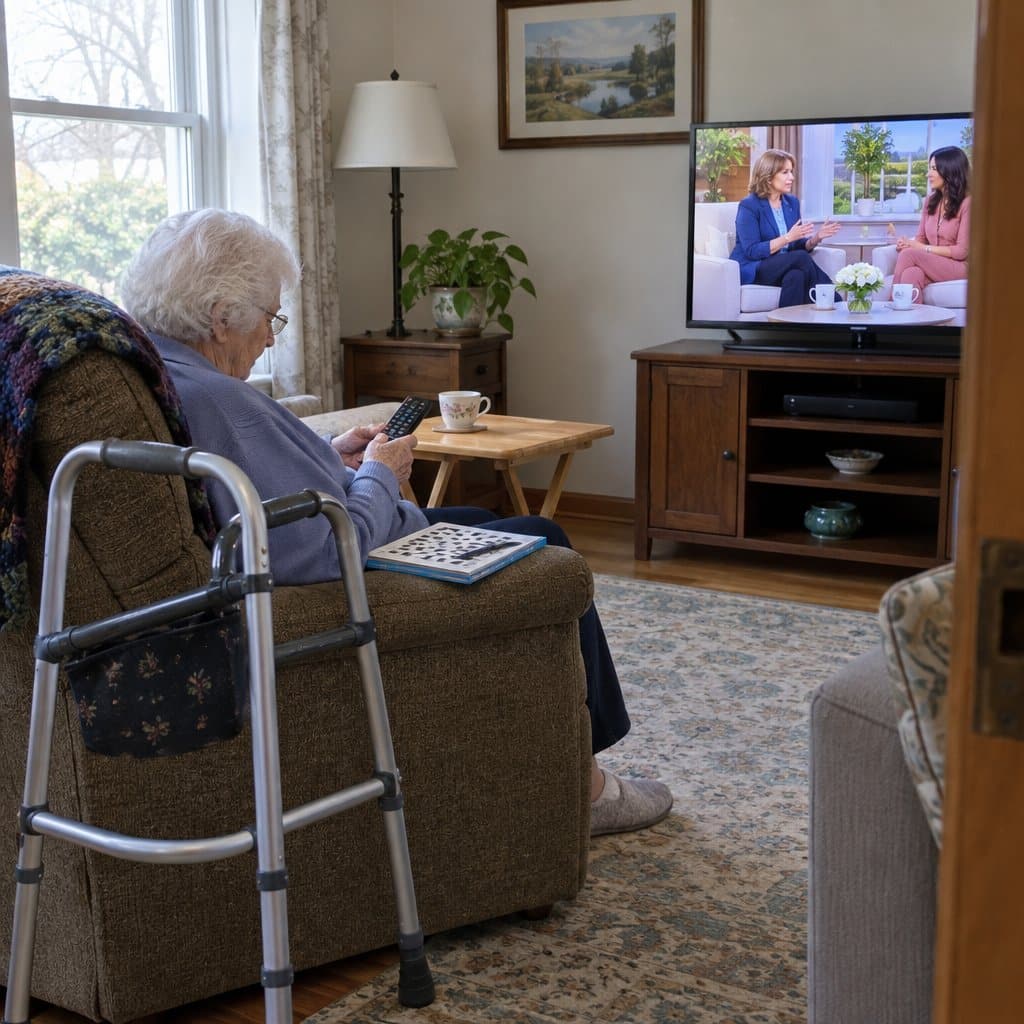
There are a few tweaks you can try first before buying any new gadgets. These are especially helpful for those in the early stages of hearing loss.
- Closed Captioning. Turn on the closed caption capabilities of your television. Almost every TV out there has this capability built-in. You can find it in the TV settings menu. Sometimes, this is enough to supplement the dialog if you miss a few words.
- Adjust EQ Settings. Some TV’s have equalizer settings that allow you to tweak the levels of the TV sound. To improve the quality of dialog, turn down the bass level and turn up the mid and treble levels. You’ll probably have to play with these settings to find the best levels.
- Put Your TV in a Corner. Move the TV to the corner of the room. This will allow the TV to use the walls as amplifiers to bounce the sound toward the watcher. It’s similar to putting your hand behind your cell phone speakers to boost the sound. This is especially helpful when the speakers are on the backside of the TV.
Summary and Final Recommendations
So, here is a quick review of all this information. There are many devices to choose from that will help you hear your TV better. Most are easy to set up and usually plug right into the TV. Many of them are also easy to use, although some are easier than others.
Separate TV speakers, including sound bars, are best for people with hearing aids who usually watch TV alone. These are available as wireless speakers that can sit right next to the user.
Another version is soundbars that sit next to the TV set. Some come with headphone jacks that can be used when others simultaneously listen to the TV.
The other option is headphones the user can wear to improve the sound. These are best when multiple users watch TV or for more profound hearing loss.
Three headphone styles are to consider: over the ear, on the ear, and “stethoscope” style. Each has its own advantages and disadvantages. These styles are not usually hearing aid compatible.
Whew. Who knew there was so much to say about tv listening devices? I hope this guide has helped you decide which is the best for you and your situation. Feel free to ask any questions in the comments below. Also, please share any tips you have for hearing the TV better!