Worrying about a loved one wandering off, or about their health when you can’t be there, is hard. This guide to GPS trackers for the elderly will help you pick one that fits your situation.
I start with tracking apps for the phone you already have, then move to dedicated devices and watches, with the downsides of each. I also cover privacy, ethics, consent, and cost, so you don’t waste money on the wrong one.

GPS Tracking Watches for Seniors
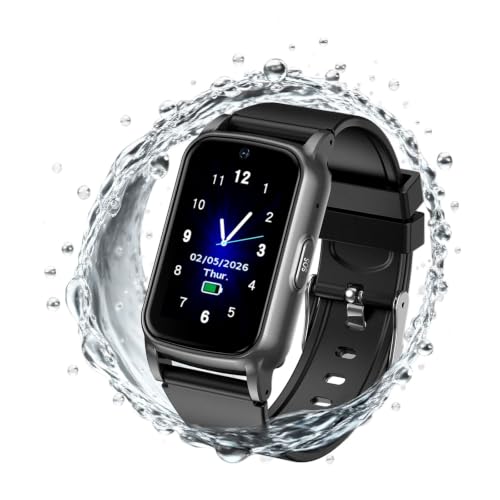
These GPS-tracking watches offer various features to help seniors stay safe, from tracking their location in real time to providing fall detection to sending emergency notifications.
| Product | GPS Tracking Accuracy | Emergency Features | Ease of Use & Comfort | Battery Life | Additional Features |
|---|---|---|---|---|---|
| GPS Tracker Watch by Theora Care | High | SOS Button | Easy to use app, SOS button | 20 hours | Geo-fence |
| On-the-Go Wrist Watch | High | SOS Button | Lightweight, adjustable wristband, easy charging | 24 hours | Pedometer, Weather |
| Lively on Apple Watch | High | Fall Detection | Easy to set up, Urgent Response button | N/A | Nurse On-Call |
| Medical Guardian MGMove | High | SOS Button | Easy charging, Voice Assist feature | 18-24 hours | Voice-to-Text |
| AngelSense Assistive Technology Watch | High | Proactive Alerts | Easy to use app | 16 hours | Step Counter |
Important Factors:
1. GPS Tracking Accuracy: A reliable and accurate GPS tracking system is crucial for keeping track of seniors and ensuring their safety.
2. Emergency Features: Features that allow seniors to quickly call for help in case of an emergency, such as an SOS button or fall detection.
3. Ease of Use & Comfort: The device should have a comfortable design, be lightweight, and easy to wear, ensuring seniors are more likely to wear and use the device consistently. Features such as adjustable wristbands, water resistance, and integration with familiar devices like the Apple Watch can enhance ease of use and comfort.
4. Battery Life: A long-lasting battery is essential to ensure the device is always working when needed.
5. Additional Features: Extra features such as step counters, geofencing, and nurse on-call services can enhance the usefulness of the device for seniors and their caregivers.
Theora Care GPS Tracker Watch
Theora Care’s GPS Tracker Watch provides a safe and secure way for your loved one to stay connected with you and gives you the peace of mind you need.
The lightweight watch offers two-way voice communication, GPS tracking, and a hands-free emergency SOS button. Plus, Theora Connect’s app gives you notifications for location, status updates, and alerts, so you always know what’s going on with your loved one.
Theora Care’s GPS Tracker watch is designed for tracking the elderly with dementia, Alzheimer’s, memory loss, Parkinson’s, PTSD, Autism, stroke, etc., and is stylish and non-clinical looking. It displays time in analog or digital numerals, is water-resistant, and has a magnetic charging station.
The watch is also equipped with geo-fence technology, so you can set boundaries and be alerted if your loved one steps outside the designated area. And with worldwide coverage, you can be assured that your loved one is connected no matter where they are.
Fajocru Fall Detection Watch
The Fajocru Fall Detection Watch is a GPS watch with an SOS button. If it senses a sudden fall, it sounds an alarm and sends a notice to the emergency contacts you set up. That matters when the wearer can’t reach the button.
Family can see the wearer’s location through a mobile app. You can also draw a “safe zone” on the map and get an alert if your loved one leaves it, which is useful for someone living with dementia or Alzheimer’s. It also has two-way voice, a heart rate reading and a step counter, and it is sold with no monthly fee.
The trade-off is that this is a watch that has to be worn, and it only helps while it is on the wrist and charged. It also relies on a phone app, so someone in the family needs to be comfortable setting it up and checking it. If your loved one often takes off watches, a different style of alert may suit better.
Fajocru Fall Detection Watch
The Fajocru Fall Detection Watch is a medical alert watch with GPS built for older adults who live on their own. It also counts steps and checks heart rate.
If the watch senses a sudden fall, it sets off an SOS alarm and sends a notice to the emergency contacts you’ve set up. That matters most when the wearer can’t press the button.
The GPS lets family see the wearer’s location in real time through a phone app. You can also draw a safe zone on the map, and the app alerts you if your loved one leaves it. That can help when someone has dementia or Alzheimer’s and is at risk of wandering.
It has two-way voice, and it handles 4G video calls too. The listing says there’s no monthly fee.
The trade-off is that the alerts go to family and friends you name, not to a staffed emergency call center. Someone on your list needs to be able to pick up the phone and act. If you want a trained agent answering every alert, look at a monitored service instead.
It also depends on a family member being comfortable with a phone app. If nobody in the family wants to manage one, this isn’t the right fit.
Apple Watch Fall Detection

With Lively on Apple Watch, you can stay connected, safe, and healthy with exclusive services and an app that can detect falls and measure vital signs. This allows you to stay active and independent while feeling more reassured.
The Lively app is available for both iPhone and Apple Watch, and you can access the Lively Response Team and Health Safety services through it.
In case of an emergency, there’s an Urgent Response button that you can tap to connect with a certified Urgent Response Agent. You can also speak to a registered nurse or board-certified doctor with the Nurse On-Call service.
The Fall Detection feature on the Apple Watch can connect to emergency services if it detects a hard fall, and you can measure your heart rate and blood oxygen levels with the Apple Watch apps. The Lively Link app also allows you to keep your loved ones updated on your health and safety.
To get started, you can easily set up the Lively app and access Urgent Response and other services on Apple Watch.
The Urgent Response Agents are certified by the International Academies of Emergency Dispatch, and the Nurse On-Call service is provided in partnership with Current Health and MDLIVE.
The Blood oxygen sensor and electrocardiogram are available on Apple Watch Series 6 only. You can also select certain Apple Watch models that automatically call emergency services if a hard fall is detected.
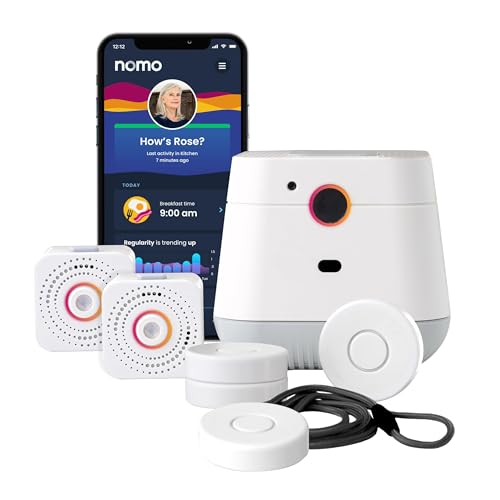
NOMO Smart Care Medical Alert System

The NOMO Smart Care Medical Alert System watches for falls at home using WiFi, with no camera in the house. If a fall happens, it sends an alert right away to family members you choose, which NOMO calls a Care Circle.
Setup is plug-and-play, so there is no technician and no wiring. You wear a tag, and the Hub in the home carries two-way voice. A family member can speak to you through the Hub without placing a phone call. It also has an emergency call button.
It suits someone who lives at home, wants family kept in the loop, and does not like the idea of a camera in the living room.
The trade-off is that it depends entirely on WiFi. If the home internet goes down, the alerts stop. Round-the-clock professional emergency response also needs a monthly subscription once the 60-day trial ends. If you spend much of your day away from home, a system that works outside the house may fit better.
MGMove Smartwatch
Stay connected, safe, and independent with Medical Guardian MGMove, a wearable medical alert system with advanced lifestyle tools, so you can be sure you’re always prepared for any situation.
The Medical Guardian MGMove watch is designed to make life easier and safer for seniors, with an ergonomic design and water-resistant materials.
You’ll have access to an SOS button, real-time weather data, step counting, and location tracking, so you can stay connected with your loved ones while you’re on the go.
Plus, with the MGMove Protection Plan, you can access unlimited tech support, comprehensive repairs, and discounts on additional equipment.
Other GPS Tracker Device Options
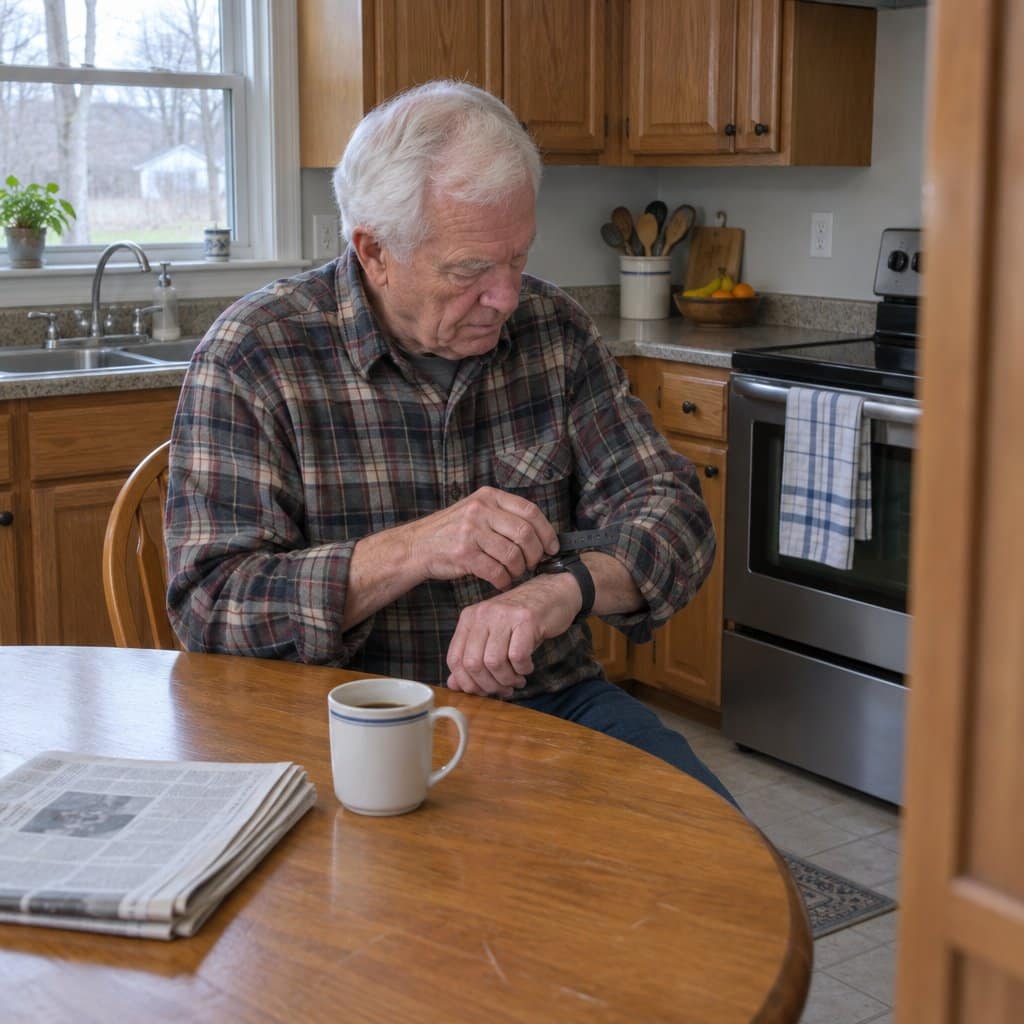
Sometimes wearing a GPS tracker on the wrist isn’t the most viable solution.
These following devices offer a variety of features to help keep your loved one safe, including real-time tracking, fall detection, two-way voice calling, and more in various congifurations.
Comparison Table
| Product | GPS Accuracy | Battery Life | Ease of Use (Setup, App Interface, Accessibility) | Additional Features (SOS button, fall detection, etc.) | Price (including subscription fees) |
|---|---|---|---|---|---|
| RAZ Memory Cell Phone | High | Long-lasting | Simple setup, user-friendly interface, easy accessibility for seniors | Dedicated 911 emergency button, video call option | $$ |
| GPS Smart Soles | High | 24-96 hours | Moderate setup, easy-to-use app, limited accessibility due to shoe insert | Monitoring Service Plan, Smart Locator App | $$$ |
| Invisawear Jewelry | High | 1 year | Easy setup with mobile app, user-friendly interface, easy accessibility (wearable) | Contact 9-1-1 feature, alarm feature | $$ |
| Tracki GPS Tracker for Vehicles | High | Up to 5 days | Moderate setup, limited app functionality, easy accessibility in vehicles | Real-time alerts, magnetic mount | $$ |
| Jiobit Small GPS Tracker | High | 7-10 days | Simple setup, user-friendly app, easy attachment to clothing/accessories | Custom trusted places, Jiobit TrustChip | $$$ |
| PAJ GPS Easy Finder | High | 336 hours | Straightforward online activation, subscription setup, easy pocket storage | Waterproof, SOS button, strong magnet | $$ |
| AngelSense Assistive Technology GPS | High | Moderate | Easy activation, user-friendly app, wearable for easy accessibility | Assistive speakerphone, auto-answer, SOS call button | $$$ |
RAZ Memory Cell Phone

Make sure your loved ones stay safe and connected with the RAZ Memory Cell Phone, a simple yet sophisticated device designed with the needs of seniors in mind.
Featuring a one-touch dialing system with pictures of contacts, quiet hours for the prevention of unwanted calls, auto-answer and auto-lock features, location tracking, and a dedicated emergency button, this phone has it all.
Plus, with a large 6.5-inch display, long-lasting battery, low vision, tremor mode, and wireless charging, it’s easy and comfortable to use. It’s even a great cell phone for dementia because it is simple but functional to use!
What’s more, the RAZ Memory Cell Phone helps reduce loneliness in seniors with its video call option, and it even comes with three months of free wireless service.
Plus, with the RAZ Emergency Service, you can prevent imagined emergencies and repetitive 911 calling, as well as receive text message alerts when your loved one calls 911.
The RAZ Mobility also provides a replacement phone at a reduced price if the original phone is seriously damaged within the first 12 months of ownership, and eligible low-income families may even qualify for a donated RAZ Memory Cell Phone.
Lively Jitterbug Flip Cell Phone

The Lively Jitterbug Flip2 is a basic flip phone made for people who want a phone that just makes calls. It has big buttons, a high-contrast screen, simple menus and a powerful speaker. One-touch speed dial lets you reach a favorite person without scrolling for a name.
There is also a help button on the keypad. Once the phone is activated, Lively’s U.S.-based team is available around the clock for everyday questions or emergencies. You can add their Urgent Response service if you want that extra backup.
Setup is done online, and there is no SIM card to deal with. It suits someone who finds a smartphone confusing and mostly wants to call family.
The trade-off is that this phone only works with Lively phone service. It will not work with other carriers, and it needs an activated plan before it does anything. If you already have a carrier you like, or you want apps and a GPS tracking feature, this is not the right fit.
invisaWear Panic Button Jewelry

Experience the convenience and safety of invisaWear® Jewelry. These engraved jewelry products won’t break the bank and come with a 30-day satisfaction guarantee!
The necklace is available in both Gold and Silver and features a hidden button on the back of the charm, which sends out a text to up to five friends or family members with your GPS location when pressed twice.
Plus, the mobile app allows for easy setup and choosing of emergency contacts. The optional Contact 9-1-1 feature (U.S. only) shares your location with dispatchers, giving you greater peace of mind when you’re out and about.
And with an alarm feature to deter attackers or attract nearby people, invisaWear® Jewelry is sure to be a must-have for any elderly person looking for a reliable and stylish GPS tracker.
The satisfaction guarantee is a great perk. But it’s not all good news.
The necklace is not waterproof and the chain is on the short side. Additionally, the Emergency SOS Response service by ADT is only available in 50 US states and D.C., and the cell phone must be on, powered, and fully functional for service features to work.
Spy Tec GPS Tracker for Vehicles

The Spy Tec GPS Tracker for Vehicles (the Spytec Atlas) is a tracker you can put on your mom’s car, so you can see where it is from your phone. It’s magnetic and weatherproof, and small, about three inches long.
It runs on a 4G network that covers all of North America. If she travels outside the country, you’ll need to change the Network Mode in the app before she leaves the USA.
The battery is rechargeable, and you choose how often it reports. At 60-second updates, the battery lasts around 14 days, depending on how much the car moves. Faster updates, down to every 5 seconds, show you more but drain the battery sooner. The “up to 140 days” figure is the best case, and it relies on slower updates and the accompanying case.
That choice is the main trade-off. If you want a close watch, expect to recharge it often. If you want to charge it rarely, you’ll see less detail.
Trackers that use a cell network usually come with a monthly service fee, so factor that in. It also only tells you where the car is, not whether she’s okay.
It isn’t for everyone. Talk with your mom first so she knows it’s there and why. Most people agree more easily when it’s framed as a way to find the car quickly if it’s stolen or she runs into trouble. If your loved one has dementia and cannot give consent, talk with their doctor and a family or legal advisor about the right approach.
Tracki Universal GPS Tracker

If you’re looking for a GPS tracker for vehicles, the Tracki GPS Tracker has the features and performance that you need. It’s a cost-effective solution for monitoring a car, motorcycle, or any other vehicle. Only use it on a person with their knowledge and consent.
With a built-in SIM card, this small and lightweight device works in any country and with any network, old or new. You’ll get accurate location tracking, even when GPS is not available, and real-time alerts for events like low battery, SOS, speeding, and starting moving.
The Tracki GPS Tracker is easy to set up and works with an Android or iOS app, as well as all internet browsers. It includes a strong magnet, belt clip, keychain, lanyard, and a dog collar waterproof silicone cover.
Rechargeable battery life is up to 5 days, but you can purchase an optional accessory that extends the battery life up to 10 months.
The tracking is accurate, but the magnetic mount isn’t very secure, and the device may have difficulty following roads accurately at slow update intervals.
Vebiso Find My GPS Wristband Tracker
This tracker works differently from the cellular GPS devices that need a SIM card and a monthly plan. It runs on Apple’s Find My network and the Android equivalent, so there’s no SIM card and no subscription fees.
Here’s how that works in plain terms. Lots of phones and other smart devices around the world help report where the tracker is, and you check its location on your own phone.
It comes as a soft, adjustable wristband that can also be used as a keychain. It’s described as skin-friendly, lightweight and scratch-resistant, and it’s meant to fit kids and seniors snugly. That makes it a reasonable fit for someone who doesn’t like bulky gadgets, as long as they’re willing to wear a band on the wrist.
There are two features I’d point to. The first is a one-tap sound finder. Within about 60 meters, you can use the matching app to make the tracker play a loud tone, which helps if your loved one is in a crowd or the tracker is tucked in a hidden corner.
The second is a “left behind” alert. If the tracker’s Bluetooth disconnects from your phone, you get a reminder, and there’s also a Lost Mode for when something really goes missing.
Now the trade-offs. Because it relies on other people’s devices to report its location, it works best where there are plenty of phones around, like towns and cities. On a quiet country road, updates may be slower to come in.
It also only helps if it’s being worn or carried. If your loved one is likely to take the wristband off, or you need a device with its own cellular connection, a different kind of tracker is the better choice.
PAJ 4G GPS Tracker
The PAJ 4G GPS Tracker is made for keeping tabs on an older relative (or a child) without hovering. It shows where the person is in real time, and the maker says there is no distance limit.
The feature I’d point you to first is the “safe zone.” You draw an area on the map, such as the house and yard or the block around the assisted living facility. If the tracker leaves that area, you get an alarm notification right away. You set this and the other alarms through the free app.
It also keeps 365 days of track memory. That means you can look back at where your loved one has been, which helps if you’re trying to spot a pattern in wandering.
The device is small enough to fit in any trouser pocket and weighs 41 grams. Battery life is about 5 days, so it needs a regular charging habit. Pick a day, plug it in, and make it part of the routine.
Keep in mind that a tracker only works when the person has it with them. If your mom or dad tends to leave things on the dresser, this one may sit at home while they walk out the door. Talk it over with them first, and decide together where it will live: a coat pocket, a purse, a pants pocket they use every day.
It’s a good fit for a family that wants a simple way to see where someone is and be told when they leave a set area. It isn’t for anyone who needs a device that calls for help on its own, or who won’t remember to carry or charge something.
AngelSense GPS Tracker
If someone you love has dementia or tends to wander, the hard part is not knowing where they are. The AngelSense GPS Tracker is built for that worry, and it comes with one year of service included.
The feature I’d point to first is the speakerphone. When you call the device, it answers on its own, so you can check in, calm them down, or guide them home without them having to press anything. That matters for someone who might not remember how to answer a phone.
You can see their live location, the routes they took during the day, and their location history. You look at it through the AngelSense app on iOS, Android, or a PC.
It also sends alerts when something seems off, such as an unexpected departure, an unfamiliar place, or a late arrival. The idea is to hear about a problem early, before it turns into an emergency.
For emergencies, there is an SOS button, plus Runner Mode and First Responder Alerts.
The trade-off is that this is a device someone has to carry or wear, and it only helps if they keep it on. It also works best when a family member is willing to watch the app and answer the alerts. If you want a simple emergency button that the wearer presses themselves, this may be more than you need.
A Dedicated GPS Tracker for Wandering and Dementia
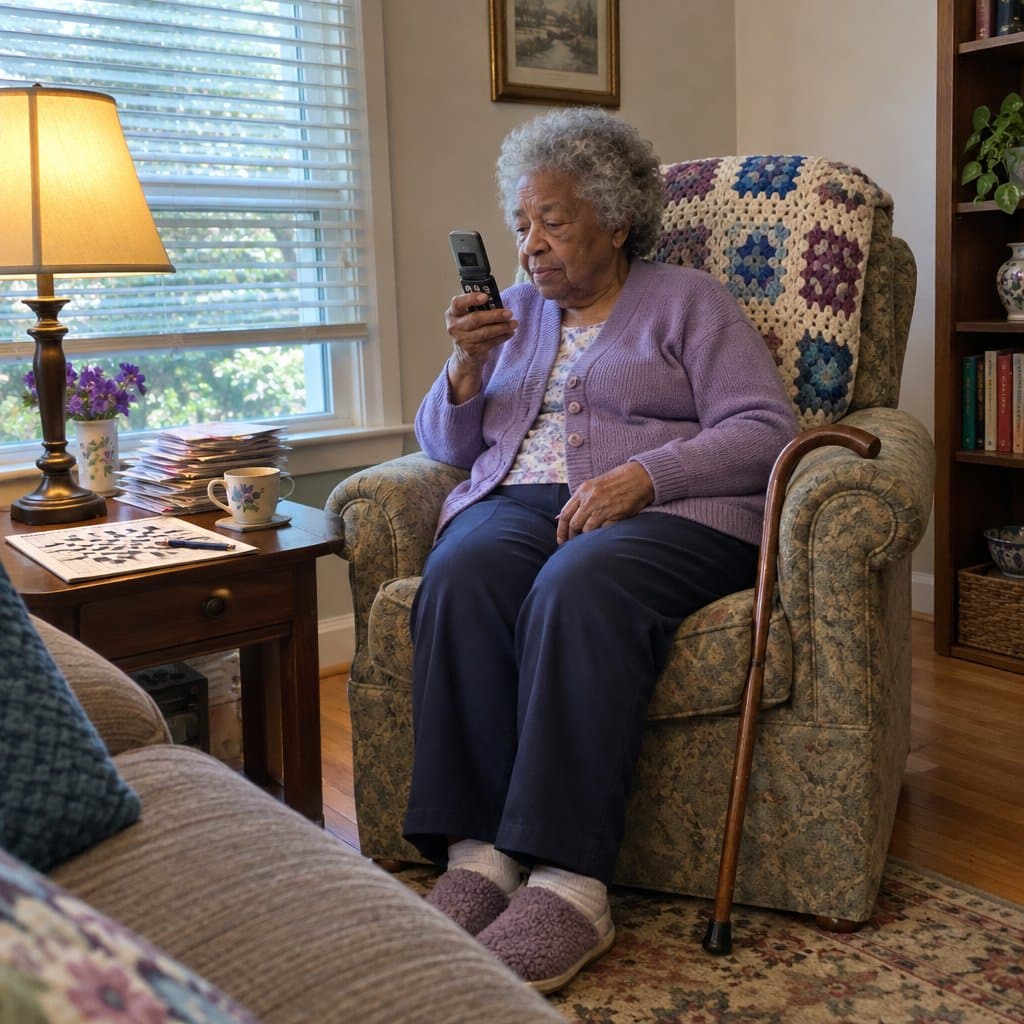
When someone with Alzheimer’s, dementia, or another memory condition wanders, a separate GPS tracker made for the purpose can be a better fit than a phone. It does not depend on your loved one remembering to carry or charge a phone.
One kind pairs a small tracker with a smartphone app and a service plan. The app is simple to connect and has SOS and GPS tracking. The plan includes location updates through the full day, unlimited notifications, real-time technical support, email alerts, and late-departure warnings.
That last one is handy. If your parent usually leaves for an appointment or a walk at a set time and runs late, you hear about it.
The aim is to help prevent wandering while keeping your loved one independent. It can also take some of the worry and stress off the caregiver.
Trackers like this run on a service plan, so you are signing up for an ongoing arrangement and not just buying a gadget. Still, for someone who gets lost, many families find that a fair thing to weigh against the worry.
Free GPS Tracker Apps for a Senior's Phone
Most modern smartphones already have GPS built in. GPS stands for Global Positioning System, and it lets a phone keep track of where it is.
The phone alone will not share that location with you, though. You generally need an app that records the phone’s location at regular intervals and sends it back to the caregiver.
If your parent or relative gets lost or confused at times, a tracking app on their phone may be a good place to start. Dementia and related conditions can cause that, even in places they know well. These safety apps can also help them get help in an emergency.
Tell My GEO
Tell My GEO is a free Android app from the Google Play Store. You install it on both your phone and your loved one’s phone.
It updates you on their location every 15 minutes. Check the Google Play Store listing to see how it suits you.
Senior Safety App
Senior Safety App is also free, and it stays out of the way. It watches the location of the senior’s phone from a distance. It is meant to help protect against wandering, falls, and online abuse and scams.
Once it is on the senior’s smartphone, caregivers get safety alerts and monitoring options through a secure online control panel.
It can send help requests and emergency alerts, and it tells you when the phone enters or leaves a set place. It also notices when the phone has been inactive for a long time. Caregivers, adult children, and senior-care facilities all use it.
A phone built for memory loss
The RAZ Memory Cell Phone is a phone with GPS tracking built in, made for people with conditions like dementia. It has one main screen with pictures and names of six contacts (you can raise that to 30), a 911 button, and signal, battery, and time. There are no other settings, apps, or voicemail.
Caregivers can use an online portal or a simple app to edit contacts, send reminders, set hours when calls cannot be placed, and track the phone’s location.
The RAZ Emergency Service, which helps prevent unwanted 911 calls, needs a subscription.
The trade-off with any phone app is that it tracks the phone, not the person. If the phone stays home or goes unused, the location you see will be the phone’s. That is why some families add a wearable like a watch or pendant.
Benefits of Using GPS Trackers for the Elderly
For family members of elderly persons, GPS trackers can provide great peace of mind. Knowing their loved one can be located quickly in an emergency is invaluable.
Also, being able to remotely monitor the elderly person‘s health and well-being can provide reassurance that they’re safe and healthy.
Emotional Benefits for Family Members
Having a GPS tracker for your elderly loved one can provide an immense sense of relief. You’ll know that they are safe and accounted for, which can give you emotional security. If your loved one were to wander off, the knowledge that you would be able to locate them quickly is reassuring.
This personal peace is enhanced because you’ll be alerted if your loved one is in any sort of danger or distress. It can also provide comfort in knowing that you can easily check in on them, even when you cannot be with them, even across the country.
Practical Benefits for Senior Safety
GPS trackers provide real-time location information, which can help when someone wanders.
They also have long-lasting battery life for extended periods without frequent charging. Many models also have an emergency button that can summon help at the press of a button.
Many models come with activity tracking capabilities to monitor your elderly relative’s activity levels. This can be useful for monitoring their heart rates, tracking their sleep patterns, or just ensuring they stay active.
The best GPS trackers include features like “geofencing”, which creates virtual boundaries and alerts you if your elderly relative leaves a certain area. These features can provide extra peace of mind when your elderly relative is out and about.
Types of GPS Trackers for the Elderly
When considering GPS trackers for the elderly, it’s important to think about the different types of trackers available.
Basic vs. Advanced Models
Before deciding what type of GPS tracker to purchase, you should consider the cost comparison, battery life, and fall detection capabilities.
Basic models are often more affordable and may have a longer battery life, but they may lack fall detection or other advanced features.
Advanced models offer additional features such as fall detection, but they may cost more and have shorter battery life.
When deciding between a basic model and an advanced model, consider your budget and the features that you are most likely to use… now AND in the future.
Wearable vs. Non-Wearable Devices
Wearable devices, like watches, keychains, and tags, can be easily attached to clothing and worn discreetly. This offers more convenience and ease of use than non-wearable devices.
However, they often have shorter battery life and may not be as secure, leading to potential privacy protection concerns.
Non-wearable devices, like portable and vehicle GPS tracking devices, provide more reliable tracking and longer battery life or separate power sources. But, they can be more bulky or require installation in a vehicle.
Remember that the best device is the one that ensures their safety.
Infographic: The Ultimate Guide to GPS Trackers for Seniors

Share on Your Site With This Code:
<a href="https://grayingwithgrace.com/gps-tracking-watches-for-adults/"><img style="width:100%;" src="https://grayingwithgrace.com/wp-content/uploads/2023/05/GPS-Trackers-for-Seniors-infographic.png"></a><br>Design by: <a href="https://grayingwithgrace.com">Graying With Grace</a>
Features to Consider in GPS Trackers for the Elderly
Table: Recommended Features
| Feature | What to Look For |
|---|---|
| Location Accuracy | Real-time tracking with regular updates and minimal discrepancies in location accuracy |
| Two-Way Communication | Voice calling capabilities for easy communication and calling for help |
| Fall Detection | Automatic alerts to caregivers in case of a fall, especially for seniors with dementia or Alzheimer’s |
| Emergency Assistance | Panic/emergency buttons to alert caregivers or emergency services |
| Geofencing Capabilities | Ability to set up safe zones and receive notifications when the senior enters or exits these zones |
| Activity Monitoring | Tracking daily activities and providing reports on the senior’s routines |
| Health Monitoring | Integration with other health monitoring tools, such as heart rate monitors or medication reminders |
| Waterproof Design | Resistant to water damage, allowing seniors to wear the device during showers or while swimming |
| Long Battery Life | Minimizes the need for frequent recharging; at least several days of battery life is preferable |
| Device Compatibility | Compatibility with various smartphones and devices for easy setup and monitoring |
| Lightweight & Discreet | Comfortable to wear and non-intrusive, so seniors are more likely to wear it willingly |
| Custom Monitoring Alerts | Ability to set up personalized alerts for specific activities or situations |
| Cost & Budget | Balancing the cost of the device with its features and the peace of mind it provides |
| Maintenance & Updates | Regularly checking battery life, charging as needed, and keeping the device updated with software/firmware |
The most essential features when selecting GPS trackers for the elderly are:
- Location accuracy
- Two-way communication
- Fall detection and emergency assistance
Other features such as geofencing capabilities, activity and health monitoring, waterproof design, and long battery life should be considered for enhanced monitoring.
Essential Features for Elderly Safety
Ensure your elderly loved one’s safety and peace of mind with a GPS tracker that offers features like fall detection, real-time reporting, two-way voice calling, and more.
Fall detection is an important feature, as it will alert caregivers if a senior with dementia or Alzheimer’s has a fall.
Real-time reporting allows caregivers to keep track of their loved one’s whereabouts and receive detailed reports on their location.
Two-way voice calling provides an easy way to stay connected and allows the senior to call for help.
Additionally, many GPS trackers come with panic/emergency buttons that alerts caregivers if there is an emergency.
Finally, look for a GPS tracker that is lightweight and easy to use, as well as one that is discreet and not intrusive. Only track a person with their knowledge and consent. If your loved one has dementia and cannot give consent, talk with their doctor and a family or legal advisor about the right approach.
With the right GPS tracker, you can help ensure your elderly loved one’s safety and peace of mind.
If the worry is more about a lost wallet than a loved one wandering off, a credit-card-slim wallet tracker that works with Apple’s Find My app is a simpler option.
Additional Features for Enhanced Monitoring
You can further enhance the safety and security of your elderly loved one with a GPS tracker that offers additional features.
These features include custom monitoring alerts, battery life, compatibility, and more.
For example, GPS Tracker Watch by Theora Care allows you to customize your tracking alerts and set up different alerts for different activities. This feature is beneficial for caregivers who are monitoring the whereabouts of their elderly loved ones.
Battery life is another important factor to consider, as it will determine how often the device needs to be recharged. Be realistic about charging. A watch may need it every day or two, while some pocket and car trackers go weeks between charges, so pick one that fits how good your loved one is at remembering to plug things in.
Compatibility with other devices is also important, as some trackers may only work with certain smartphones. The AngelSense GPS Tracker, for example, works with both Android and iOS devices.
With these features in mind, you can choose the best GPS tracker for your elderly loved one and ensure their safety and security.
Choosing the Right GPS Tracker for Elderly Loved Ones
Start by assessing what their specific needs are and their regular pattern of activities to form a list of features that will best suit them.
Then, compare the features and functionalities of different devices, and balance the features they need with what fits within your budget.
Tailoring the Device to the Individual
The choice of a GPS tracker for your elderly loved one is an important one, so make sure it fits their individual needs and lifestyle. Tailoring the device to the individual is key to ensuring that the device is used in the most effective and efficient way possible.
Consider your loved one’s emotional responses to wearing the device, as well as the practical applications that the device can provide.
For example, if your loved one is uncomfortable with the idea of being monitored, consider a device that is discreet and doesn’t draw attention, like the RAZ Memory Phone or the InvisaWear Smart Jewelry.
If your worry is mostly about a parent behind the wheel, check that the device has the right features for that. Some personally worn devices provide real-time tracking, while some can be installed in the vehicle.
Balancing Features and Budget
When comparing GPS trackers, consider the following:
- Cost Comparison: Compare the cost of purchasing and using the device to the value it will bring in terms of providing peace of mind.
- Elderly Compliance: Choose a device that is easy to use and understand, so your elderly loved one will be comfortable and willing to wear it. Involve them in the decision and product selection.
- Tracking Accuracy: Look for a device that offers real-time tracking, not delayed or periodic tracking, and can be updated regularly to ensure accuracy.
When searching for a GPS tracker, it’s important to take these factors into consideration to make sure you’re getting the most for your money. With the right balance of features and budget, you can provide the best care and peace of mind for your loved one.
Using GPS Trackers for Elderly Persons to Their Full Potential
Table: Factors and Concerns of Tracking the Elderly
| Factor/Concern | What to Consider |
|---|---|
| Elderly Compliance | Choose a device that is easy to use and understand, involving the senior in the decision-making process |
| Legal Implications | Be aware of local laws and regulations related to GPS tracking and data protection |
| Tracker Ethics | Respect the privacy and autonomy of the senior, and only use the tracking data for their safety and care |
| Tracking Etiquette | Use the tracker responsibly and access the data with proper authorization and purpose |
| Senior Acceptance | Communicate the benefits of the tracker and involve the senior in the selection process |
| Balancing Safety & Privacy | Have a conversation with the senior about the device, considering both the risks and benefits |
| Potential Drawbacks | Be aware of potential issues related to data protection, tracking accuracy, and device misuse or neglect |
| Family Involvement | Discuss the decision with family members and caregivers; they can offer valuable insights and support |
| Technology Bias | Address any resistance from the elderly due to unfamiliarity with technology or fear of complexity |
| Maintenance & Support | Ensure the elderly user is comfortable with the device and has access to proper support and maintenance |
You can maximize the benefits of GPS trackers for elderly persons by setting up daily or weekly location and activity alerts.
- Utilizing geofencing to create safe zones is another way to enhance the use of GPS trackers for elderly persons.
- Integrating the device with other health monitoring tools can also be helpful.
- Encouraging senior acceptance of GPS tracking requires communication about the device’s purpose and benefits.
- Ensuring the elderly user is familiar with and comfortable will minimize problems.
- Comfort can be further ensured by regularly checking battery life, charging as necessary, and keeping the device updated with the latest software and firmware.
Tracking Ethics and Etiquette
GPS tracking etiquette, ethics, and regulations must be followed to maximize the benefits of the device. Tracking etiquette means understanding how to use the tracker in the most respectful and appropriate way. This includes understanding how to access the data and how to use it responsibly.
Tracking ethics involves taking into account the privacy of the elderly person and respecting their autonomy. Ensure you have permission to track them and that you are using the data only for the safety and security of your elderly loved one.
Finally, tracking regulations refer to federal, state, and local laws governing the use of GPS trackers. Make sure you are aware of all laws and regulations before using the device.
Never track a person without their knowledge and prior consent. If your loved one has dementia and cannot give consent, talk with their doctor and a family or legal advisor about the right approach.
With a little effort and understanding, you can maximize the benefits of GPS tracking devices and ensure the safety and security of your elderly loved one.
Encouraging Senior Acceptance of GPS Tracking and Comfotr
By cultivating a sense of understanding and comfort around using GPS tracking for seniors, we can ensure that everyone benefits from the peace of mind it provides.
As caregivers, it’s important to explain the device’s purpose to the elderly, so they can accept the device and use it willingly.
Introducing the device slowly, starting with small steps such as familiarizing them with the device, can help the elderly become more comfortable with the idea of being tracked.
Involve them in the device selection process when choosing a GPS tracker. This will ensure the elderly feel comfortable wearing the device, as some may find certain devices too bulky or uncomfortable.
Caregivers should look for devices that offer the features they need while being lightweight, user-friendly, and easy to wear.
This will help maximize the benefits of the device, as the elderly will be more likely to use it willingly and without resistance.
Concerns and Considerations for GPS Trackers for the Elderly
There may be legal implications of using a GPS tracker for an elderly person, as well as the potential for stigma or discomfort associated with the device.
Balancing the safety and privacy of the user is key, so it’s essential to discuss the benefits and drawbacks of the tracker and ensure that it is not overly intrusive or restrictive.
Finally, it’s important to discuss the decision with family members and caregivers, as they can offer valuable insight into the elderly person’s comfort level with the device.
Legal Implications
You need to be aware of the legal implications of using a GPS tracker for an elderly person, as it could be seen as an invasion of privacy.
Depending on the country, state, or province you live in, there may be specific laws and regulations related to using GPS trackers for elderly individuals.
Data Protection laws should be followed, as these laws protect personal data from being shared without the person’s consent. Caregiver liability should also be considered, as caregivers could be held responsible for any misuse of the tracker.
Technology bias can be an issue, since elderly individuals may resist using technology due to its complexity or lack of familiarity. It’s important to ensure that the elderly person has given their consent for the use of a GPS tracker and that they understand how it works.
Research any laws and regulations related to the use of GPS trackers in your area.
GPS trackers can be a great way to ensure the safety of elderly individuals, when done legally and ethically
Balancing Safety and Privacy
Striking a balance between safety and privacy is paramount because tracking devices can be seen as an invasion of their rights. It is important to have a conversation with your loved one to understand how the elderly person may feel about being tracked.
Elderly people have rights to privacy and autonomy, so approach the conversation about GPS tracking with respect for their wishes. Weigh the risks of not having a GPS tracker in place, such as an elderly person wandering off and not being able to find their way back home.
Review the pros of using GPS trackers, including getting help in emergencies and helping caregivers keep track of loved ones. GPS trackers can also monitor elderly drivers and provide location information to emergency responders.
If your worry is mostly about a parent behind the wheel, a magnetic GPS tracker on the car lets you see where it is without asking your parent to carry or charge anything.
For a balanced discussion, discuss the cons of using GPS trackers too, including cost, regular charging, and some seniors may find them invasive. GPS trackers can also be misused or neglected, so it is important to ensure the device is used according to the elderly person’s wishes.
Addressing Potential Drawbacks and Concerns
Considering the potential drawbacks and concerns of using GPS trackers for elderly individuals, it’s important to weigh the risks and benefits before deciding.
Data protection is a major concern, as any personal information collected by the tracker can be used maliciously. Respect the autonomy of the elderly person and make sure they are comfortable with the device.
Tracking accuracy is another concern, as there can be discrepancies in the accuracy of the GPS depending on the device and its location. Research the accuracy of the device and the quality of any additional services that may be needed to operate the GPS tracker.
While GPS trackers can be helpful for caregivers, it is important to remember that they can also be misused or neglected. Educate the elderly person so they are comfortable with the device and are aware of all of its features and capabilities.
Additionally, assist them with making sure the GPS tracker is properly maintained and that the battery is charged regularly.
Frequently Asked Questions:
How Does GPS Technology Work and How Does it Protect the Elderly?
Navigating our world with ease, GPS (Global Positioning System) technology cleverly pinpoints its location by measuring signals from satellites orbiting Earth.
These satellites are always sending out their current time and position, which a GPS tracker receives and uses to calculate its distance from each satellite. Comparing these distances allows the tracker to accurately determine its exact whereabouts on our planet.
When it comes to caring for seniors, GPS trackers take the form of compact, portable devices that can be easily carried or worn as stylish accessories like watches or pendants. They’re also versatile enough to attach to key chains or slip into pockets.
These handy gadgets transmit their location data to a receiver, such as a smartphone, tablet, or computer, so caregivers and family members can keep an eye on their loved ones in real time.
The true value of GPS trackers for seniors lies in the sense of security they offer. Risks such as disorientation, falls, or health emergencies can happen to anyone, and a tracker helps get someone to you quickly when they do.
Some trackers have geofencing, which sends an alert when the wearer leaves a designated ‘safe’ area. Others have fall detection, which automatically sends a notification when needed. Features like these can be a real lifeline in an emergency.
Moreover, GPS trackers can give seniors confidence and independence. Without feeling tethered to constant supervision, they can get out and about knowing help is just a button-press away if needed.
So take the time to learn how GPS trackers work. They’re not just devices for tracking, but tools that support safety, autonomy, and peace of mind for both seniors and those who care for them.
How Do I Set Up and Maintain a GPS Tracker?
Thoroughly read the instruction manual that comes with your GPS tracker. This guide will help you understand how to set up the device and use its various features.
Regularly check the battery life of the tracker. Most devices will have a battery indicator or will alert you when the battery is low. Consistent charging or battery replacement ensures the device is always operational when needed.
Keep the device clean and in good condition. Regularly inspect it for any signs of damage or wear and tear, and contact the manufacturer if repairs are needed.
How Do I Ensure My Loved One is Comfortable with a GPS Tracker?
Choose a GPS tracker that is comfortable for the senior to wear or carry. It should be lightweight, compact, and ideally, designed with user-friendly features.
Familiarize the senior with the device. Show them how to use it, explaining its functions in simple terms. It might take some time for them to get used to it, so patience is key.
If the tracker has an SOS button, ensure the senior knows how to use it and when it’s appropriate to do so.
How Do I Strike the Balance Between Autonomy and Safety?
Open communication is crucial. Discuss with the senior why the GPS tracker is necessary. Emphasize that it is a tool to promote their independence and ensure their safety, rather than a method of surveillance.
Respect the senior’s privacy. Use the geofencing feature thoughtfully, giving them sufficient space for daily activities while ensuring they’re safe.
Regularly review the data from the GPS tracker with the senior. This can help them feel involved and maintain their sense of autonomy.
How Do I Ensure Privacy When Using GPS Trackers?
Choose a GPS tracker from a reputable company that prioritizes user privacy. Make sure their data policies are transparent and align with your expectations.
Use password protection and other security measures to prevent unauthorized access to the GPS data.
Only share the GPS tracking information with trusted individuals who need to know the senior’s whereabouts for their safety.
Using a GPS tracker for an elderly loved one involves a delicate balance of ensuring their safety while respecting their autonomy and privacy.
By following these tips and best practices, you can make the most out of this technology and provide a comfortable, secure environment for seniors.
Conclusion
Using a GPS tracker for elderly loved ones can be a great way to provide peace of mind for caregivers. It can help to ensure their safety, as well as provide emergency notification if needed.
With the right GPS tracker, you can keep them safe and secure without compromising their independence. So, if you’re looking for the best GPS tracker for your elderly loved ones, consider the features, types, and options available to ensure you choose the right one.
Always involve the person being tracked in the process, including product selection. Discuss their concerns and reassure them this step is for their protection.