
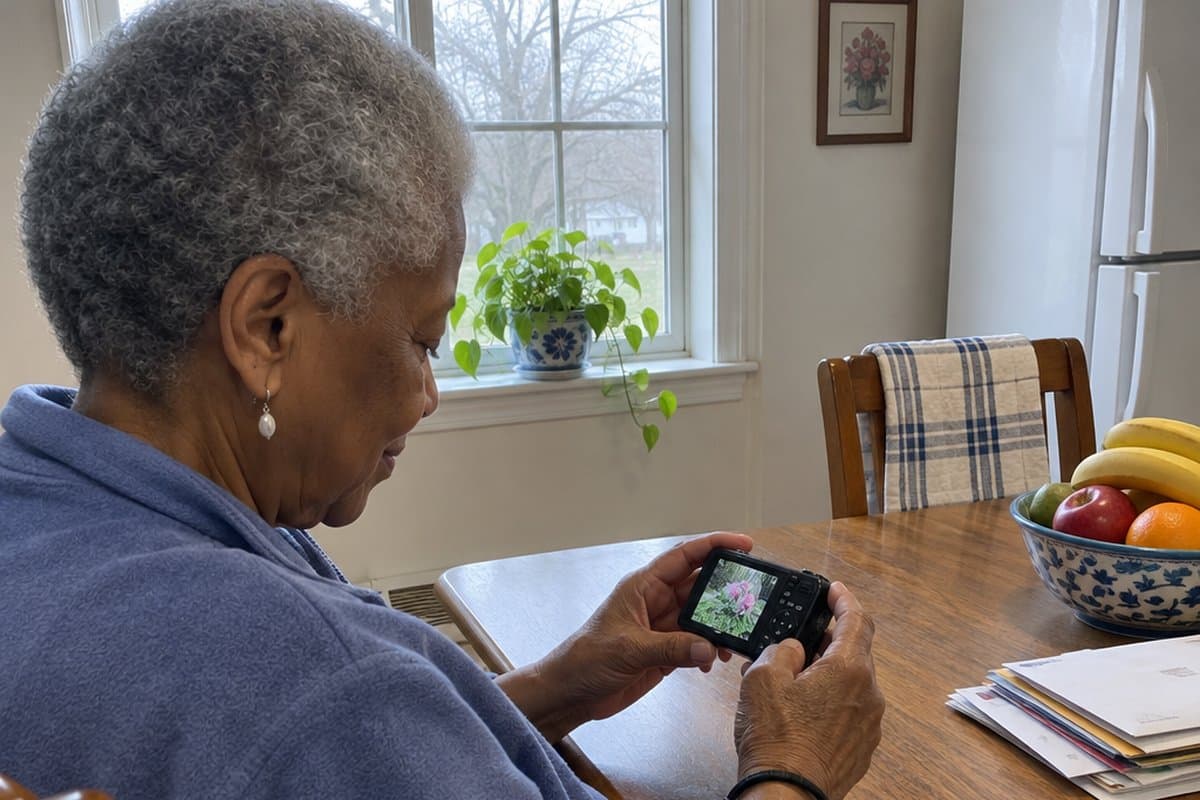
You want to catch the grandkids blowing out candles, but the camera has too many tiny buttons and menus. If that sounds familiar, this guide to easy to use cameras for seniors is for you.
Below are four cameras I would look at first, with the downsides of each named plainly. After that comes a buying guide covering screens, buttons, zoom, and batteries, plus tips for steadier shots, getting your photos printed, and simple editing.




Quick Shopping Tips
Here’s what you should know about buying cameras for seniors and the elderly:
- Ease of use and user-friendly interface: The camera should have intuitive controls and a straightforward interface, allowing seniors to operate it without confusion or frustration. This ensures they can focus on capturing memories instead of struggling with complicated settings.
- Large, easy-to-read controls and display: Cameras designed for seniors should have
- large buttons and controls that are easy to read and navigate for visual impairments or limited dexterity,
- a large, bright, high-resolution display screen makes it easier to review photos.
- Features that accommodate specific needs: Easy-to-use cameras for seniors should include features that cater to their specific needs and limitations, such as
- image stabilization technology to compensate for shaky hands,
- autofocus and scene modes for hassle-free photography, and
- a lightweight, compact design for comfortable handling.
- These features ensure that seniors can enjoy their photography experience without unnecessary challenges.
Top Easy-to-Use Cameras for Seniors and the Elderly
Here are the cameras I would look at first, and what to watch out for with each.
Duluvulu 4K Vlogging Camera
The Duluvulu 4K Digital Camera is a point-and-shoot style camera for people who want good pictures without a lot of fuss. It takes 48MP photos and records 4K video, and it focuses on its own so you don’t have to.
The 3-inch screen flips a full 180 degrees, so you can turn it around to frame a photo of yourself with the grandkids and see exactly what the camera sees. It also has 16X digital zoom for pictures of things farther away, like birds or a view across the yard.
A few extras are built in: a fill light, anti-shake, a date stamp, and a video pause and playback. The date stamp is handy if you like knowing when a photo was taken. It comes with an SD card and 2 batteries, so you can swap in a fresh one and keep going.
The trade-off is the number of features. Time-lapse, slow-motion, and exposure settings are more than many people need, and they can mean more buttons and menus to learn. Digital zoom also enlarges the picture rather than getting closer the way a lens does, so far-away shots will look softer.
This camera suits someone who wants sharp photos and a screen they can turn around. If you’d rather have a camera with only a few simple controls, look at something more basic.
Kimire Full HD Digital Camera
If you want a camera that records video and takes photos without a lot of fuss, the kimire Video Camera Camcorder is worth a look. It comes with 2 batteries, so a longer family gathering is less likely to end with a dead camera.
It records 1080P video and takes 24MP photos. The 3.0 inch screen rotates 270 degrees, so you can turn it around to see yourself or tilt it to a comfortable angle.
There is a 16X digital zoom and a fill light for dimmer rooms. Anti-shake, face capture, a self-timer and a pause function while recording are built in too.
One extra: it can work as a webcam for video calls with family. You connect it to a computer, choose “PC CAM” on the camera, and download a free program called AMCAP first.
Keep in mind: the video runs at 15 frames per second, so motion will look less smooth than on a phone or a newer camcorder. Digital zoom also enlarges the picture rather than getting truly closer, so far-away shots lose some sharpness.
The webcam setup takes a few steps on a computer. If you want to skip that, it is best used simply as a camera for photos and video. It suits someone who wants a dedicated device with a screen they can see clearly, not someone looking for smooth action video.
DJI Osmo Pocket 3 Vlogging Camera
The DJI Osmo Pocket 3 is a video-first camera for someone who wants smooth, steady footage of grandchildren, pets, or a walk on a trail.
It has a 2-inch touchscreen that rotates for wide or tall shots. You frame the picture by looking at the screen and tapping it, much like a phone.
The 3-axis stabilization is the feature I would point to. It keeps video smooth while you walk, hike, or follow a dog around the yard, so shaky hands matter less. It also has fast focusing, and a 1-inch sensor that is meant to handle sunsets and night views with better clarity. Video records in 4K.
It also has a tracking feature called ActiveTrack 6.0. It keeps a person in the middle of the frame, even if you set the camera on a tripod and step in front of it. That works well for travel videos or hiking trips where you want to be in the picture too.
The trade-off is that this is built around video and has more features than a simple point-and-shoot. If you only want to press a button and take a few snapshots, it may be more camera than you need.
The touchscreen is also small. Someone who wants big physical buttons and a large viewfinder may find a basic camera less frustrating. For a curious beginner who likes video, it could be an excellent gift.
Kodak PIXPRO FZ55 Compact Camera
The KODAK PIXPRO FZ55 is a point-and-shoot camera with a 16MP sensor and a 5x optical zoom. It suits someone who wants better pictures than a phone gives them, without a lot of settings to learn.
The 28mm wide angle lens helps with group shots and indoor rooms, and the zoom brings faraway things closer. It also records 1080p video, which is handy for grandchildren’s recitals or a family dinner. The screen is 2.7 inches.
The battery is rechargeable and charges inside the camera over USB. Charge it at least 4 hours before first use. After that, a recharge takes about 2 hours.
One trade-off: the camera does not come with a memory card. You will need to buy a Class 10 SD, SDHC, or SDXC card (up to 512GB). If you want a camera that is ready to use right out of the box, keep that in mind.
Buying Guide
Here are some essential features to consider when looking for an easy-to-use camera for your needs.
1. Ease of Use
Choose one with intuitive controls and a user-friendly interface when picking out a camera. Big buttons, legible menus, and a built-in help system for those tricky settings are always handy.
Many people just want to take pictures of the grandkids in the garden or the little ones opening presents on Christmas Day, without learning about aperture (how much light the lens lets in). Look for a camera that handles that for you.
So, stick with the basics and avoid cameras with too many complicated settings. That way, you can snap without any extra fuss.
2. Lightweight and Compact But Durable
Some older adults may have difficulty gripping or carrying heavy cameras, so look for lightweight, compact models that can be easily held, carried, or attached to a lanyard or wheelchair. A small one can also ride in a pouch on an easy-to-use belt.
Plus, keep durability in mind. If dropping the camera is a likely possibility, look for a shockproof and/or waterproof camera to prevent damage from drops or falls. No matter what, choose a camera that fits your needs and is easy to use.
3. Larger, Easy-to-Read Controls and Button
Having large and intuitive controls is essential for seniors when choosing a camera. They should look for a camera that has larger, easy-to-read controls with clear text that stands out on the buttons.
It would be even better if the camera had just one button on the top, making it easier to operate without overloading the user with too many options.
4. Image Stabilization
Shaky hands can blur photos. Image stabilization means the camera steadies the picture for you, so a slight tremor blurs the photo less. It will not fix every blurry shot.
Many of the cameras in this class have this helpful feature that helps the camera compensate for trembling and unsteady hands, reducing the risk of a blurry or streaky image.
This technology can help if you have a slight tremor or a neurological condition.
5. Autofocus and Scene Modes
To take amazing shots without much hassle, choose a simple camera with a fast and accurate autofocus system, plus preset scene modes to optimize camera settings for different situations.
Point-&-Shoot cameras with an ‘automatic’ mode are the perfect choice for seniors, as they don’t require any lenses or settings to be adjusted before taking a photo. All you have to do is point and shoot!
Take portraits or landscapes with the same ease, and don’t worry about low-light conditions. With an automatic focus, your camera will lock onto the subject quickly and accurately. And, with the preset scene modes, you can let the camera do the work for you.
Forget about technical jargon and complicated settings. Get a camera that’s easy to use and will take stunning shots with minimal effort!
6. Large Display Screen
Seniors and the elderly can benefit from cameras with large display screens, making it easier to review their photos. Look for screens that are bright, high-resolution, and simple to read. A large LCD-type screen is ideal for navigating menus and messages.
Plus, it gives you a better view of the shot you are about to take. If you have low vision, a bigger screen makes the preview photo or video easier to see.
7. Zoom Capabilities
Choose a camera with a wide zoom range, so you can get up close and personal with your subjects without moving. Opt for optical zoom over digital zoom, as it will keep your images looking crystal clear. With this type of zoom, you can capture all the details like a hawk’s eye.
8. Battery Life, Type, and Charging
Don’t forget to consider the battery life when shopping for a camera! Longer battery life means fewer disruptions from recharging or replacing the batteries, giving you a much more enjoyable experience.
These factors can help you confidently find the perfect camera that senior citizens and elderly people can use.
When thinking about how to charge the camera, consider whether it has a built-in rechargeable battery or if you must remove it and plug it into a wall outlet. Some cameras even use AA or AAA batteries that can be replaced.
Many charging options require opening small, latched battery doors, which can be hard if you have arthritis or limited hand coordination.
The most straightforward option for most seniors is a charging cord plugged directly into the camera.
Why a Simple Camera Is a Good Fit
A simple camera is a good fit for anyone who wants photos without fuss. Many newer digital cameras have small screens, tiny buttons with small text, and confusing settings and options.
With a straightforward camera, seniors can capture their cherished moments and fondly look back on them.
There are lots of ways seniors can benefit from a more basic camera.
They can:
- take pictures of their grandchildren,
- document their trips and activities,
- snap pictures of the stunning nature around them,
- stay in touch with their friends and family by sharing their photos with them.
A simple camera also leaves room to play. You can try different angles, lighting, and framing to make beautiful photos.
Overcoming Potential Camera Problems and Challenges for Seniors
Here are some tips for getting past common problems with digital cameras so you can enjoy taking photos.

© Graying With Grace – Reproducible With Attribution
If you have reduced dexterity in your fingers and hands:
- Install a camera strap to prevent dropping the camera and reduce fatigue from gripping the camera too tightly.
- Use a tripod to steady the camera in place and help take pictures more accurately.
- Use a remote shutter control to avoid pressing the shutter button on the camera itself.
- Invest in a lightweight camera and accessories to reduce arm strain.
If you have low vision:
- Use a camera with an adjustable LCD screen to make it easier to see the display.
- Use a camera with a large, easy-to-read font for the menus and settings.
- Increase the font size on the LCD screen for easier viewing.
- Use a camera with a large viewfinder for those who need to look through the lens.
To minimize cognitive difficulty:
- Use a camera with simple settings that are easy to remember and understand.
- Use a camera with automatic settings that adjust the camera to take the best pictures without manually adjusting the settings.
- Use a camera with scene modes ideal for different types of photography, such as portraits, landscapes, and macro photography.
- Use a camera with a simple user interface that does not require too many steps to take a picture.
To reduce pain and limited finger mobility of arthritis:
- Invest in a camera with a larger grip to reduce hand and finger strain.
- Use a camera with a tiltable LCD screen to reduce neck strain from constantly looking down at the display.
- Use a camera with a touchscreen, joystick or dials to make changing settings easier.
- Use a camera with larger buttons and a simplified menu system to reduce the strain on the fingers when navigating.
Essential Accessories and Products for Senior Photographers
Photography can be a great hobby for anyone. The right accessories help you get more out of your camera.
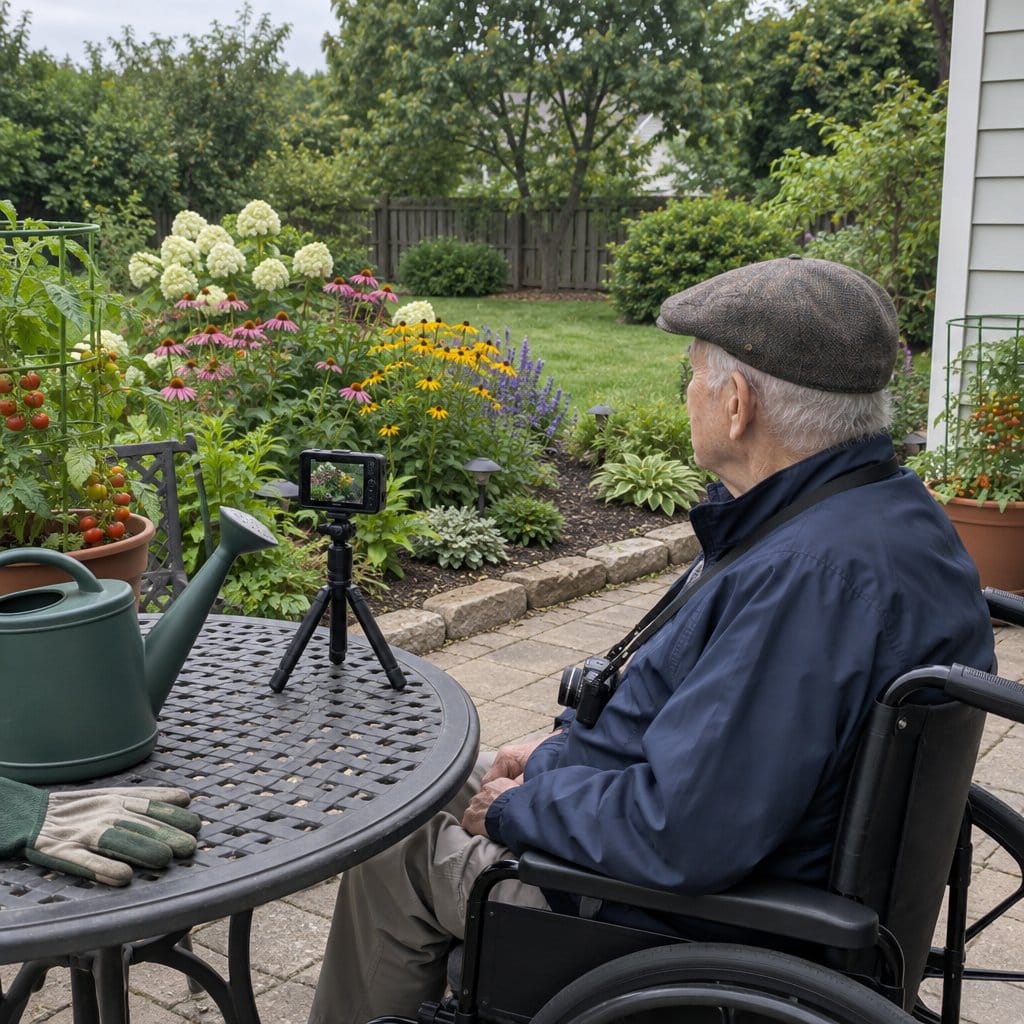
- Tripods hold the camera for you, so you can shoot hands-free and get a steadier shot.
- Protective camera cases are also essential, as they help to keep cameras safe and secure should an unexpected drop occur while transporting them.
- Camera bags are also useful, making it easy to transport cameras and keep them organized. Investing in a bag designed specifically for cameras is recommended for the best results.
- A photo printer is another useful accessory. It lets you print your photos for a keepsake easily. You can enjoy them without using a computer or other electronic device.
- Neck straps keep the camera close by and make it less likely to be dropped.
- Lens cleaners are also important, as they help to keep lenses free from dust, dirt, and fingerprints.
- External flash units can improve the lighting and give you brighter photos indoors.
Many accessories can make photography easier. The right equipment helps you get good results and enjoy your hobby more.
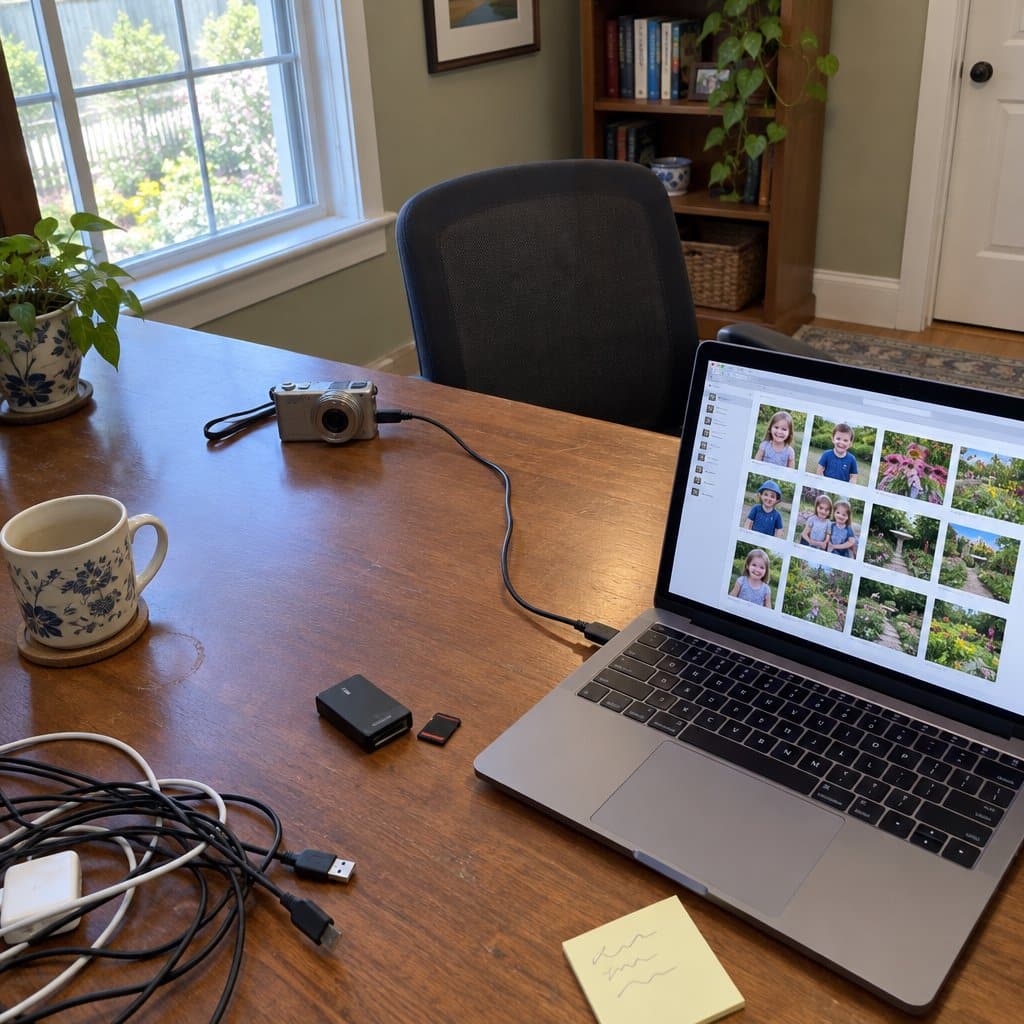
Getting Your Photos: Going from Digital to Print
When searching for the perfect camera for seniors, consider how they can get their final prints. Does the camera have a digital storage card that needs to be downloaded?
Can they do this themselves, or do they need help? Maybe they need someone to manage the downloading process for them.
Transferring the Memory Card
Transferring photos from your camera to your computer using a memory card is a fairly simple process. It can be harder if small slots or tiny cards are difficult for you to handle.
First, you’ll need to locate the memory card slot on the camera. Then, take the memory card out of the camera and insert it into the memory card reader.
Once the card is in the reader, plug the reader into the computer. From there, you’ll be able to transfer the photos onto the computer with ease.
If you have low vision or stiff fingers, this can be harder. The memory card slot can be tough to see, and the tiny card can be tough to grip.
If you need help, a friend or family member can lend a hand.
Wired Downloading
You can transfer photos from your camera to your computer in a few steps. All you need is a USB cord.
Connect the USB cord to your camera and plug the other end into your computer. Once you do this, you’ll be prompted to open the folder on your computer that contains the photos you want to download.
Select the photos you’d like to transfer and click “download.” That’s it.
To simplify the process, you can create a folder or subfolder on your computer specifically for your photos. This way, you won’t have to search through multiple folders when ready to download.
Downloading photos doesn’t have to be a struggle. Follow these steps and your photos will be on your computer.
Wireless Downloads
Nowadays, certain cameras can sync over wifi networks with a computer or laptop.
Some even have apps that sync photos with a smartphone, allowing instant uploading to social media. From there, they can be printed or sent to a store for photo prints.
Instant Print Cameras
Another option is the instant print camera. These are similar to the Polaroid cameras many people remember.
They’re easy to use. Just point, shoot, and print. You have a finished photo in minutes.
The downside? Most of these cameras only print 2′ x 3′ photos.
Photo Printers
Photo printers are a great option if you don’t want to worry about connecting to a computer or dealing with USB cords. Just insert your memory card; it’ll produce the images you want without fuss or hassle.
You don’t have to worry about making tricky downloads, either. This makes it super easy to get your photos quickly and enjoy them immediately.
With a photo printer, you can keep your memories close at hand. Whether you print for a photo album or just for fun, the printer gets the job done.
Not connecting to a computer is a real convenience. Get your photo printer and turn your pictures into physical memories.
Graphic: Digital Cameras vs. Smartphone Cameras
When it comes to capturing memories, you have a few options. Digital and smartphone cameras each have pros and cons.

© Graying With Grace – Reproducible With Attribution
Let’s dig in and explore what these choices have to offer:
Digital Cameras:
- Digital cameras often give better image quality, which helps with detailed photos.
- They often come with controls that help you get the best results, though more controls can also mean more to learn.
- They often have longer battery life, so you are less likely to run out of power.
- Digital cameras don’t require a smartphone, which suits anyone who doesn’t have one or doesn’t want one.
Smartphone Cameras:
- Smartphone cameras are incredibly convenient and always accessible.
- They offer the ability to instantly share photos with friends and family via social media or messaging apps.
- Smartphone cameras often have various editing tools and filters to help you create the perfect shot.
- Smartphone cameras often have additional features, like panoramic shots, time-lapses, and more.
When it comes down to it, both digital cameras and smartphone cameras have their own unique benefits. As with any purchase, deciding which one is best for you and your needs is important.
Camera Options for Seniors
There are many camera options, from point-and-shoots to digital SLRs to instant print cameras. Here are four choices:
- Point-and-shoot cameras are lightweight and easy to use, good if you want nice photos without learning complex settings.
- Digital SLRs offer more advanced features such as manual exposure and video recording. They suit people who want to learn more, but they are bigger and have more settings.
- Instant print cameras are fun and easy to use, and they print photos right away with a retro feel.
- Smartphones can also be used as a camera, and you can share photos quickly.
What Type of Camera is Usually the Easiest for Seniors?
Figuring out what to buy can feel overwhelming. The good news is you don’t need to spend a lot.
The best camera is the one you’re comfortable with. Point-and-shoot cameras are usually the easiest to use.
They’re straightforward, easy to carry, and don’t require much technical knowledge. They’re also typically more affordable than other types. If you’re shopping for a relative, a point-and-shoot is a good place to start.

How to Take Good Photos With a Simple Camera
Do you want to take good photos with a basic digital camera? A few simple tips can make your photos stand out.
Here’s how:
1. Make sure the focus is set correctly. This can be done by pointing the camera at the subject and pressing the shutter halfway down. The camera should give an indication that the focus has been set.
2. Choose the right lens. Different lenses can create different effects and capture different aspects of a subject. A wide-angle lens is great for landscapes, while a telephoto lens is perfect for capturing details from a distance. Many basic cameras have settings and zooms to mimic this.
3. Take advantage of the lighting. Natural lighting can create dramatic effects in your photos. Try shooting at different times of the day to get the best lighting for your subject.
4. Experiment with the settings and pre-set scenes. Many simple cameras have pre-set scenes for different environmental conditions, and adjusting the shutter speed and aperture can make a big difference.
With these tips and a little practice, you can take good photos with a basic digital camera.
Basic Photo Editing Guide
Do your photos need a little love? A few simple steps can make them look better.
Here’s a quick guide to basic photo editing:
- Crop: Select the area of the photo you want to keep and crop out the rest. This will help make your photo look more focused and impactful. You can choose from various ratio options or even use the ‘rule of thirds’ to create a balanced composition.
- Add Effects: Play around with different filters, frames, and effects to make your photo pop. From subtle adjustments to dramatic changes, you can really customize your image to make it unique.
- Enhance Color: Adjust the brightness, contrast, and color saturation to make your photo look vibrant and sharp. You can make subtle changes to really bring out the colors in your photo, or go crazy with more drastic adjustments for a truly eye-catching image.
With a few simple steps, you can turn plain photos into ones you are proud of.
Video Guide

Audio Article
Infographic: Easy-to-Use Cameras for Seniors

Share on Your Site With This Code:
<a href="https://grayingwithgrace.com/easy-to-use-cameras-for-seniors-elderly/"><img style="width:100%;" src="https://grayingwithgrace.com/wp-content/uploads/2023/04/Infographic-Easy-to-Use-Camera-for-Seniors-1.jpeg"></a><br>Design by: <a href="https://grayingwithgrace.com">Graying With Grace</a>
Summary and Recommendations
Cameras have become much more user-friendly. A simple camera is a good fit for anyone who wants photos without fuss.
When shopping for the perfect camera for seniors, look for one with a simple user interface, large buttons, and a user-friendly menu. Additional features such as automatic settings, image stabilization, and ergonomic design can enhance the experience.
A lightweight camera with an easy-to-grip design can make photography more enjoyable. Photography can be a joyful and fulfilling hobby, and with the right camera you can create lasting memories and share them with loved ones.








Thank you, Scott, for this well-written, in depth review! I am a senior (71 yrs). I have an older Canon PowerShot which was handed down to me by my daughter. It still works fine, but now that we’ve upgraded to Windows 10, my computer will not recognize the camera. I don’t want a film camera, I’m comfortable with the digital. I like to take pictures and upload them into the PC. I don’t own a SmartPhone. After reading your review, I’m seriously considering the Canon Powershot Elph 180.
Hello Linda! Hope all is well and thanks so much for sharing your thoughts about these cameras for seniors. If you get a new camera, please let me know what you end up with and how you like it. I would love to have the input of someone who already has experience with a digital camera and is familiar with this type of tech. –Scott
We are traveling out of the country and would like to purchase a simple to use camera, able to zoom landmarks from far away; but also take landscape scenery shots. Any specific recommendations. I’m getting rather confused reading about the features that help with quality of the photos in order to print.
Thank you
Hi Frank – based on what you are telling me, I would go with the Canon Power Shot Elph above. It had the best zoom of this class plus image stabilization which will help keep zoomed in photos from being blurry. This is really helpful if you are taking photos from a moving bus or boat! This camera also automatically sets-up each shot before you take it for the best picture quality possible. Plus these settings are automatic making this one really easy to use. Bring a few extra memory cards with you too so that you won’t have to worry about how many pictures you take! Have fun! –Scott
Hi,
I wouldn’t quite put myself in the “senior age group” just yet, and I have been taking phots for over 35 years, but I still want a camera that takes good pictures with minimum fuss and easy to use controls. I recently went to a leading camera store to replace my Lumix DMC-TZ15 which has a damaged screen. I loved this Lumix camera from the moment I bought it, and took many excellent photos in various light situations, including on a bullet train in Japan. I hoped to find an equivalent camera in the 2018 range. I was talked into a Sony HX90V compact camera. I took the camera on a recent holiday along the Great Ocean Road, and was so disappointed with how complicated to use it is, that I nearly stopped using it altogether. It has multiple tiny little buttons under the spot where the thumb goes when holding the camera that do unexpected things at random times when they are bumped while taking pictures. My husband and 90% of the other tourists were happily snapping away with their smartphones while I battled to regain control over the HX90V. I could seee nothing through the back screen, or the viewfinder (which I was told was essential for just such situations) in very bright light and was snapping blind the majority of the time. I still can’t work out how to view the pictures I have taken but when I transferred them to my computer, they were so good that I gave the camera a second chance.
Yesterday I took the camera to Brigadoon at Bundanoon and after the second picture, was informed by the camera that the memory was full. No problems I thought, I have them backed up to the computer, I will just delete them all. Do you think I could find anywhere in the camera’s multiple pages of menu how to do that? My husband took pictures on his iphone, (point shoot click) but I got none. I am so disappointed that I spent over $500 on a camera and backup battery and I can’t work out how to use the damn thing. I will be selling it on ebay this week.
Now I want to buy a replacement camera that will do what I want it to do, with minimum controls, and buttons not in the spot where I hold it.
After weeks of reading camera reviews, which are obviously mostly brand endorsed or sponsored and written by people who have never taken the cameras outside in difficult light situations, in a crowd, in the wind, in the rain or when you have to have the camera out and turned on fast to grab a quick shot, and I still have no idea what to buy. I want it to be small but good quality, easy to hold and operate, have a zoom lens, take good pictures, even in low light situations like museums and cemetries in the late afternoon, be easy to operate, with minimum menus and buttons. (I don’t need to know all the technical stuff after each shot, I trust teh camera to know what its doing). Am I asking too much of a modern camera these days. I remember the days when my film SLR camera had an on/off button and a couple of control dials, and that was enough to produce every type of picture.
Is there a camera like that any more?
Hello Priscilla. I can appreciate your frustration. Unfortunately, there are very few cameras like that left. You might want to try eBay for a more vintage style. I like the Canon ELPH series for this too because of the Smart AUTO mode that automatically sets itself based on the current conditions. It is much more than just an autofocus! If you don’t want to fool with settings the Sony W800 has the Easy Mode setting so that you only have to worry about the most basic settings. I felt your frustration when I wrote this post. I thought I would find a basic point and shoot camera like the good ole days but there weren’t many to be found. Good Luck and let me know how it turns out. –Scott
At last a site for seniors!
I have a Olympus epl-1 and its too small for my big paws.
It takes good pics but dont go outside the viewing screen is impossible to see. So I bought the slide in eye viewer which is much better.. The software that came with it is a disaster and the Australia office of Olympus dont care a jot.
The program decided to put all my pics under face recognition and wiped all my email addresses or was this microsoft? some come back along with a lot of people I dont know. I have since had the computer ‘cleaned’. more expense.
today my Olympus E-PL1 decided to say “Please check the status of a lens.” (Its not even good English)and refused to focus.
If i could afford to i would have a public smashing of this camera.
Hello Grandad – Thanks for taking the time to provide this valuable feedback on the Olympus EPL-1 camera. There are so many considerations when choosing a camera that it is hard to recommend only one best camera for seniors. Some work better with vision problems, some are better than others for seniors with arthritis, and, as I learned today… hand size is even important to consider! Hope it woks out for you… maybe a Youtube camera smashing video would help with your frustration! Scott
My grandpa has been asking us for a camera to shoot with, but I’m always apprehensive, as he can’t even take decent photos with his phone. But maybe the Kodak FZ43 can be a great practice camera for him, seeing that it has a large viewing screen.